
The landscape for affordable laptops in India has seen significant shifts over the past eighteen months, culminating in a highly competitive market as we enter September 2026. A confluence of factors, including the continued maturation of semiconductor manufacturing processes, aggressive pricing strategies from major component suppliers like Intel and AMD for their entry-level mobile platforms, and a surge in domestic demand from both educational institutions and the burgeoning gig economy, has fundamentally reshaped consumer expectations. What was once considered a premium configuration – an 8GB RAM module paired with a fast Solid State Drive (SSD) – is no longer an aspirational dream for buyers with a budget under Rs 30,000. This shift is not merely incremental; it represents a new baseline, making powerful, responsive computing accessible to a much broader segment of the Indian population. This article delves into how these changes directly benefit you and what to look for when making your next laptop purchase.
Quick Summary
- The Rs 30,000 segment now routinely offers laptops with 8GB RAM and SSD storage, a significant performance leap.
- Newer entry-level processors (e.g., Intel N-series, AMD Ryzen 3 7000 series) provide surprising efficiency and multi-tasking capability.
- Expect faster boot times, smoother application loading, and improved overall responsiveness compared to older HDD/4GB RAM models.
- Critical features like Wi-Fi 6, USB-C ports, and decent battery life are becoming standard even at this price point.
- Savvy buyers must prioritize after-sales support and specific India-centric features like voltage spike protection.
What’s Driving the Rs 30,000 SSD/8GB Laptop Market?
Options to Compare for laptop under 30000 with SSD and 8GB RAM
Specs and prices are based on publicly listed information on Amazon.in and Flipkart for September 2026. This site has not independently tested these products. Affiliate links may earn a commission at no extra cost to you.
HP 15s-fq5111TU Laptop
- Intel Celeron N4500 Processor
- 8GB DDR4 RAM
- 256GB NVMe SSD
- 15.6″ HD (1366 x 768) Display
Rs 27,999
Lenovo IdeaPad 1 15AMN7 Laptop
- AMD Athlon Gold 7220U Processor
- 8GB LPDDR5 RAM
- 256GB NVMe SSD
- 15.6″ Full HD (1920×1080) Display
Rs 28,499
Acer Aspire 3 A315-24P Laptop
- AMD Ryzen 3 7320U Processor
- 8GB LPDDR5 RAM
- 256GB NVMe SSD
- 15.6″ Full HD (1920×1080) IPS Display
Rs 29,999
The transformation of the sub-Rs 30,000 laptop segment is primarily an outcome of several interconnected technological and economic forces. Firstly, the cost of NAND flash memory, the core component of SSDs, has continued its downward trajectory. Manufacturers are now able to integrate 256GB or even 512GB NVMe SSDs into budget laptops without significantly inflating the final price. This is a game-changer, as an SSD dramatically improves system responsiveness over traditional Hard Disk Drives (HDDs), impacting everything from boot times (often under 15 seconds) to application loading and file transfers. For the average Indian user, accustomed to slower systems, this speed boost alone justifies the investment.
Secondly, both Intel and AMD have refined their entry-level mobile processor lines. Intel’s N-series processors (like the Intel Processor N100 or N200, or their successors in 2026) and AMD’s Ryzen 3 7000 series APUs (Accelerated Processing Units) are designed for efficiency and provide ample power for everyday tasks. These chips are significantly more capable than their Celeron or Athlon predecessors, offering improved multi-core performance for light multitasking, better integrated graphics for media consumption, and superior power efficiency that translates to longer battery life – a crucial factor in regions experiencing frequent power fluctuations. This dual evolution in storage and processing power means that for the first time, a truly modern computing experience is available without breaking the bank, directly addressing the demand for cost-effective, yet capable, devices across India.
Processor Choices: Balancing Performance and Battery Life
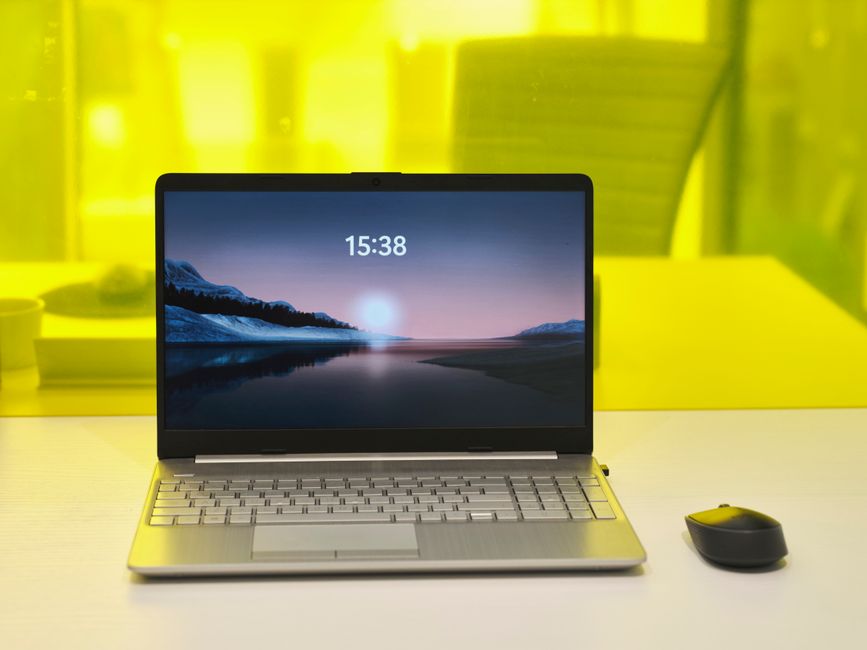
Within the sub-Rs 30,000 bracket, the processor is arguably the most critical component after the SSD and RAM, dictating the laptop’s overall responsiveness and power efficiency. As of September 2026, you’ll primarily encounter three main families of processors: Intel’s N-series (successors to N100/N200), older generation Intel Core i3 (11th or 12th gen), and AMD’s Ryzen 3 (7000 series or similar entry-level APUs). Each has its strengths and weaknesses, making the choice dependent on your primary use case.
Intel’s N-series processors, often found in the lowest end of this budget, are built on a highly efficient architecture. They excel at basic tasks like web browsing, document editing, and online learning. Their primary advantage is exceptional battery life, often pushing 8-10 hours on a single charge, which is invaluable for students or professionals on the go, especially in areas with unreliable power supply. However, their multi-core performance is limited, and they might struggle with resource-intensive applications or heavy multitasking. The older Intel Core i3 processors offer a slight bump in raw processing power, making them a bit more suitable for moderate multitasking or occasional light photo editing. AMD’s Ryzen 3 APUs, particularly the 7000 series, often provide the best balance of CPU and integrated GPU performance in this price range. Their Radeon integrated graphics are generally superior to Intel’s UHD/Xe graphics, making them a better choice if you occasionally dabble in very light gaming or require smoother video playback beyond basic streaming. However, this might come at a slight trade-off in battery life compared to the most efficient N-series chips. Evaluating your daily workflow is key to making the right processor decision here, ensuring you don’t overpay for performance you won’t use or underspend and face frustrating slowdowns.
Storage and RAM: The Core of the Rs 30,000 Advantage
The combination of an 8GB RAM module and an SSD is the cornerstone of the value proposition in the sub-Rs 30,000 segment today. This pairing delivers a dramatic improvement in user experience compared to the mechanical HDDs and 4GB RAM configurations that dominated this price point just a few years ago. An 8GB RAM capacity is now the sweet spot for general computing, allowing users to run multiple applications simultaneously – think a web browser with 10+ tabs, a word processor, a presentation tool, and a video call application – without experiencing significant slowdowns or stuttering. For students attending online classes via platforms like Google Meet or Zoom, or small business owners managing inventory spreadsheets and accounting software, 8GB RAM ensures a smooth, productive workflow.
Coupled with this, the inclusion of an SSD (typically 256GB or 512GB NVMe) transforms the entire system. Operating system boot times are slashed from minutes to mere seconds. Applications launch almost instantly, and large files transfer at speeds unimaginable with an HDD. This responsiveness is not just a convenience; it’s a productivity enhancer. For users in tier-2 and tier-3 cities where time is often at a premium, reducing waiting times translates directly into more efficient work. While 256GB SSDs are common, aiming for a 512GB variant is advisable if your budget allows, as operating systems and essential applications can quickly consume space. Many models also offer an empty M.2 slot for future expansion, or at least a 2.5-inch bay if you need to add an older HDD for bulk storage, though this is becoming less common in ultra-affordable laptops. Always verify if the RAM is soldered or if there’s an empty slot for future upgrades to 12GB or 16GB, though most budget laptops tend to have one soldered 4GB and one upgradeable slot for a total of 8GB or 12GB.
Beyond Specs: Display, Build Quality, and Connectivity for India
While processor, RAM, and SSD are critical, a laptop’s real-world usability in India depends heavily on its display, build quality, and connectivity features. At the sub-Rs 30,000 price point, you’ll mostly find 15.6-inch or 14-inch displays with Full HD (1920×1080) resolution. Look for panels that offer at least 250 nits of brightness for comfortable indoor viewing. While IPS panels are rare, some TN panels have improved viewing angles. Pay attention to the anti-glare coating, which is crucial for reducing reflections in brightly lit Indian homes or offices.
Build quality in this segment is predominantly plastic, but there’s a significant difference between flimsy and sturdy. Check for minimal keyboard flex and a hinge that feels robust enough to withstand daily opening and closing cycles. For Indian conditions, where dust and humidity are prevalent, a well-sealed chassis can prolong the laptop’s life. Connectivity is paramount: ensure the laptop features Wi-Fi 6 for faster, more stable internet connections, especially when relying on Jio or Airtel 5G hotspots. At least one USB 3.2 Gen 1 Type-A port and one USB-C port (even if only for data transfer) are essential. HDMI for external monitors, and a headphone jack, are standard. For users in areas prone to voltage fluctuations, while not a direct laptop feature, investing in a good quality surge protector is non-negotiable, as most budget laptops don’t have advanced internal power regulation against severe spikes. Always check the power adapter’s rating and ensure it’s BIS certified for safety.
Comparison Table: Popular Laptops Under Rs 30,000 (September 2026)
| Model (Example) | Processor | RAM | Storage | Display | Price (Approx.) |
|---|---|---|---|---|---|
| Acer Aspire Lite 15 (2026) | Intel Processor N250 | 8GB DDR5 | 256GB NVMe SSD | 15.6″ FHD Anti-Glare | Rs 26,499 |
| Lenovo IdeaPad Slim 3 (2026) | AMD Ryzen 3 7320U | 8GB LPDDR5 | 512GB NVMe SSD | 14″ FHD TN Panel | Rs 28,999 |
| HP 15s (2026) | Intel Core i3-1215U | 8GB DDR4 | 256GB NVMe SSD | 15.6″ FHD IPS-like | Rs 29,999 |
| ASUS VivoBook 15 Go (2026) | Intel Processor N200 | 8GB DDR4 | 512GB NVMe SSD | 15.6″ FHD Anti-Glare | Rs 27,999 |
Who This Is For / Who Should Look Elsewhere
Laptops in the sub-Rs 30,000 segment with 8GB RAM and an SSD are an excellent choice for a specific demographic in India, offering unparalleled value. This category is ideally suited for:
- College Students: Perfect for online classes, research, assignments using Microsoft Office or Google Workspace, and media consumption. The portability and battery life make them ideal for campus life.
- School Students (Class 8-12): Essential for digital learning, project work, and basic coding introductions. The speed of the SSD reduces frustration during learning.
- Small Business Owners/Entrepreneurs: For managing daily operations, accounting software (like Tally), email, video calls, and basic content creation. The responsiveness aids productivity.
- Light Work-from-Home Professionals: Individuals whose work primarily involves document editing, spreadsheets, CRM access, and video conferencing.
- Secondary Home Laptop: For families needing an additional device for casual browsing, streaming, and light productivity tasks.
- Users in Tier-2/Tier-3 Cities: The robust performance for everyday tasks, combined with often excellent battery life, makes these ideal for regions where power infrastructure might be less stable and reliance on mobile hotspots (Jio/Airtel 5G) is high. The quick boot times mean less waiting during short power windows.
However, this budget segment is *not* for everyone. You should definitely look elsewhere if:
- You’re a Gamer: These laptops lack dedicated graphics cards and powerful CPUs needed for modern gaming titles. Even casual gaming will be limited to older, less demanding titles at low settings.
- You’re a Professional Content Creator: Video editing (especially 4K), heavy graphic design, 3D rendering, or complex CAD work requires significantly more RAM (16GB+), a dedicated GPU, and a much more powerful processor.
- You Need High-End Programming/Development: Running multiple virtual machines, complex IDEs, or large code compilations will quickly overwhelm these machines.
- You Require Top-Tier Build Quality and Premium Features: Expect plastic builds, basic displays, and limited premium features like backlit keyboards, fingerprint readers, or advanced port selections.
- You Need Extensive Local Storage: While 256GB/512GB SSD is fast, it fills up quickly. If you store terabytes of photos, videos, or large project files locally, you’ll need external storage or a laptop with a larger HDD/SSD, which pushes the budget beyond Rs 30,000.
Buying Tips for the Indian Market
- Check for BIS Certification: Always ensure the laptop and its power adapter carry the Bureau of Indian Standards (BIS) certification mark. This guarantees compliance with Indian safety and quality standards, crucial for avoiding electrical hazards and ensuring product reliability in varying power conditions.
- Verify Warranty and Service Network: Before purchase, check the brand’s service centre presence in your city or nearest major town. Brands like HP, Dell, Lenovo, Acer, and ASUS generally have extensive networks. Understand the warranty claim process and typical turnaround times. A strong local service network is invaluable for troubleshooting and repairs.
- Insist on a GST Invoice: Always ask for a proper GST invoice. This is critical for warranty claims, potential business expense claims, and ensuring you receive a legitimate product. Many online retailers (Amazon.in, Flipkart) and offline stores (Croma, Reliance Digital, Vijay Sales) automatically provide this, but it’s good practice to confirm.
- Inspect Physical Condition on Delivery/Pickup: If ordering online, thoroughly inspect the laptop for any physical damage, scratches, or missing accessories immediately upon delivery. For offline purchases, check the unit carefully at the store. Power it on to check for dead pixels on the screen and keyboard functionality.
- Consider Extended Warranty/Accidental Damage Protection: Given the budget nature and often plastic build, these laptops can be susceptible to accidental damage. Many brands and retailers offer affordable extended warranty or accidental damage protection plans. For students or those frequently commuting, this can be a worthwhile investment.
Can I upgrade the RAM or storage later on?
Many laptops in this price range come with 4GB of RAM soldered onto the motherboard and another 4GB stick in an accessible slot, making a total of 8GB. In such cases, you can often upgrade the removable 4GB stick to an 8GB or 16GB stick, pushing total RAM to 12GB or 20GB. For storage, if the laptop has a 256GB NVMe SSD, it might have an empty 2.5-inch SATA bay for an additional HDD/SSD, or you might be able to replace the existing NVMe drive with a larger capacity one. Always check the specific model’s upgradeability details on the manufacturer’s website or reliable tech reviews (like Gadgets360 or 91mobiles) before purchasing, as some budget models have fully soldered RAM or only one M.2 slot.
Is a laptop under Rs 30,000 suitable for online gaming?
Generally, no. Laptops in this price segment rely solely on integrated graphics (Intel UHD/Xe Graphics, AMD Radeon Graphics), which are designed for basic display output and media consumption, not demanding 3D gaming. While you might be able to play older, less graphically intensive titles (e.g., CS: GO, Valorant, or older indie games) at very low settings and resolutions, modern AAA games are out of the question. For a satisfying gaming experience, even at entry-level, you would need to increase your budget to at least Rs 45,000-50,000 for a laptop with a dedicated graphics card like an NVIDIA GTX 1650 or an AMD Radeon RX 6600M.
How good is the battery life for online classes or WFH?
Battery life in the Rs 30,000 segment has significantly improved, thanks to the efficiency of modern entry-level processors and SSDs. Many models now offer between 6 to 9 hours of real-world usage on a single charge for tasks like web browsing, document editing, and video conferencing. For continuous online classes or work-from-home sessions, you can expect around 5-7 hours. This is generally sufficient for a full day of classes or a significant portion of a workday without needing to be tethered to a power outlet, which is a major advantage in areas with frequent power cuts or when working from a mobile hotspot like Jio 5G.
What about durability in dusty or humid Indian conditions?
Laptops under Rs 30,000 are typically built with plastic chassis, which can be less robust than premium metal builds. While manufacturers design them for general use, extreme conditions found in some parts of India (high dust, humidity, or fluctuating temperatures) can accelerate wear and tear. It’s advisable to use a laptop sleeve or bag to protect it from dust and minor bumps. Avoid using it in direct sunlight or highly humid environments for extended periods. Regularly clean the air vents to prevent dust buildup, which can lead to overheating. While these laptops aren’t ruggedized, proper care and maintenance can significantly extend their lifespan in challenging Indian environments.
Verdict
The sub-Rs 30,000 laptop market in September 2026 offers exceptional value, finally delivering a truly responsive and capable computing experience with 8GB RAM and an SSD as standard. For the vast majority of Indian users – students, small business owners, and light work-from-home professionals – these machines provide more than enough power for daily tasks, online learning, and media consumption. The inclusion of modern processors, fast storage, and improved battery life makes them highly practical for the unique challenges of the Indian environment, from power fluctuations to reliance on mobile internet. Choose a model from a reputable brand with good after-sales support, prioritize a faster processor if your budget allows, and remember to factor in India-specific buying considerations like BIS certification and robust warranty. This segment is undeniably the sweet spot for budget-conscious buyers seeking efficient productivity.
For more on this topic, see our budget laptops and PCs.
About the Author