The simplest, most effective way to increase your Android phone’s storage capacity in 2026 is to **fully embrace cloud storage as your primary long-term solution for media and backups.** While on-device management remains crucial, offloading data to reliable cloud services offers virtually limitless space, accessible from anywhere, and future-proofs your digital life against a world where physical expansion is increasingly rare.
For Indian users, navigating phone storage is a constant battle. High-resolution photos and videos from family events, large game files like BGMI, and a multitude of social media apps quickly fill up even seemingly generous internal storage. This guide offers practical, actionable advice to free up space, optimise your device, and understand the shifting landscape of Android storage, ensuring your phone remains snappy and capable for the long haul.
What changed?
The Android storage landscape has undergone a significant transformation in the last five years. Firstly, the ubiquitous microSD card slot, once a standard feature, has become a rarity on many mid-range and flagship devices. Brands like Samsung and Xiaomi, while still offering slots on some budget-focused M and Redmi series phones, have largely phased them out on their premium models to achieve thinner designs, better water resistance, and faster internal storage speeds. This trend is widely reported by tech publications like NDTV Gadgets.
Secondly, the average size of apps and media files has ballooned. A single BGMI installation, for instance, can easily exceed 2GB, with additional data downloads pushing it further. High-resolution cameras on even budget phones now capture 4K video and large RAW image files, consuming gigabytes in mere minutes. This increased demand is met by larger internal storage options, with 128GB becoming the new entry-level standard and 256GB increasingly common, even in the sub-Rs 20,000 segment, as observed by MySmartPrice.
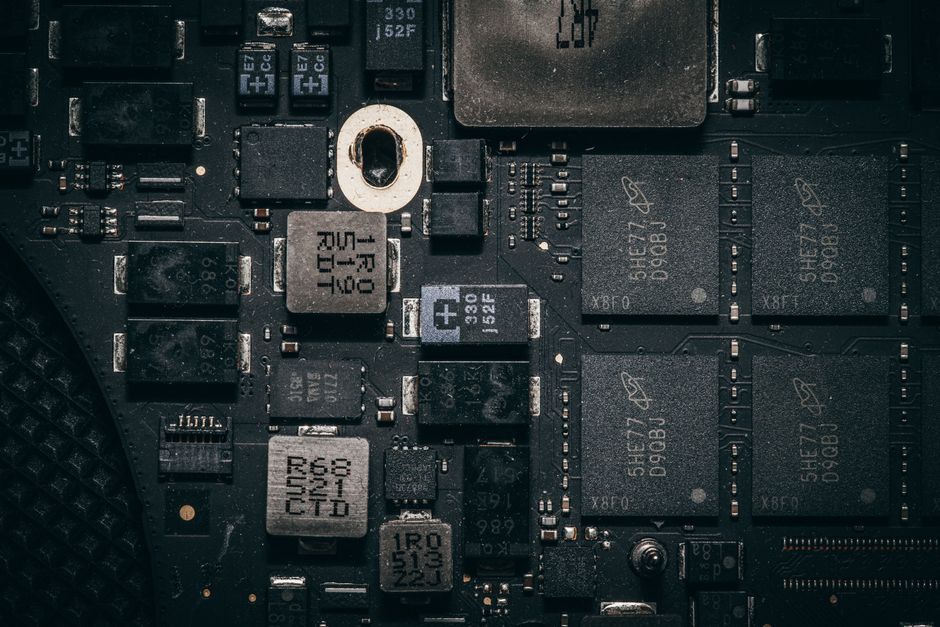
Finally, the shift towards faster Universal Flash Storage (UFS) standards (like UFS 2.2, 3.1, and 4.0) over older eMMC storage has prioritised internal speed and reliability, making the slower, less secure microSD an less attractive option for manufacturers. This focus on speed is critical for app launch times and overall system responsiveness.
Why it matters
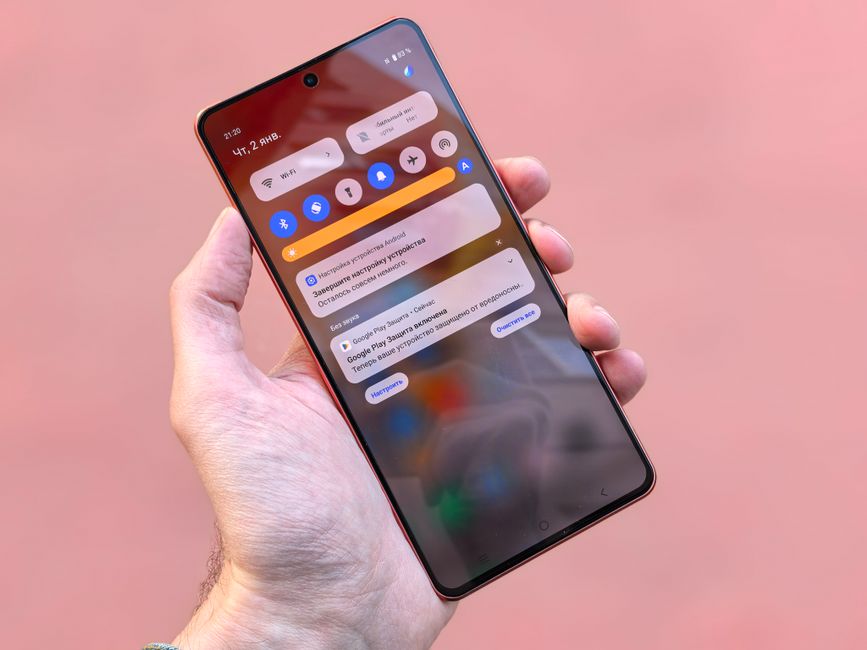
Running out of phone storage isn’t just an inconvenience; it significantly impacts your device’s performance and usability. A full storage drive can lead to noticeable slowdowns, making everyday tasks like opening apps, switching between them, or even typing feel sluggish. This lag is particularly frustrating for Indian users who rely on their phones for critical activities, from making quick UPI payments to navigating traffic with Google Maps on Jio or Airtel networks.
Beyond performance, low storage prevents essential software updates, leaving your phone vulnerable to security risks and missing out on new features. It also means missed opportunities – you can’t capture that spontaneous family moment or download an important work document because your phone simply has no space left. For mobile gamers, especially those immersed in titles like BGMI, insufficient storage directly translates to poor in-game performance, longer loading times, and stuttering gameplay, particularly during intense sessions in the summer heat of cities like Chennai or Delhi where thermal throttling is also a factor.
Furthermore, without adequate space, apps often fail to function correctly, caching issues arise, and the overall user experience degrades rapidly. This makes efficient storage management not just a tech hack, but a necessity for a smooth and reliable smartphone experience in India.
What to expect next
The future of Android phone storage will likely see continued innovation in both hardware and software. Internal storage capacities will continue to grow, with 512GB and 1TB options becoming more accessible across price segments. Manufacturers are also exploring advanced compression algorithms and smarter file management systems that can automatically identify and optimise unused or redundant data without user intervention. AI-powered photo and video management tools, already present in rudimentary forms, will become more sophisticated, suggesting what to archive, delete, or upload to the cloud based on your usage patterns.
Deeper integration with cloud services is also on the horizon. Expect operating systems to offer seamless, near-native access to services like Google Drive and Microsoft OneDrive, blurring the lines between local and cloud storage. This could involve smarter caching of frequently accessed cloud files and more robust offline access capabilities. While physical expansion slots are unlikely to make a widespread comeback, the focus will remain on high-speed internal storage and robust, intelligent cloud ecosystems to meet the ever-increasing demand for digital space.
Leveraging Cloud Storage: The Modern Solution
Cloud storage is your most powerful ally in the fight against a full phone. Services like Google Photos, Google Drive, Microsoft OneDrive, and Amazon Photos offer generous free tiers and affordable paid plans. Google Photos, for example, offers 15GB of free storage shared across your Google account, which is substantial for documents and a fair number of photos, with paid plans starting from Rs 130 per month for 100GB. For Indian users, services like JioCloud also provide competitive options. Many smartphone brands like Samsung offer their own cloud backup solutions, often with promotional free storage for new device owners.
The strategy is simple: set up automatic backups for your photos and videos to a cloud service. Once backed up and verified, you can safely delete the local copies from your device, freeing up significant gigabytes. This is particularly useful for storing memories from weddings, festivals, and travel that often accumulate rapidly. With reliable 4G/5G networks from Jio and Airtel available across most urban and many rural areas, uploading and accessing these files is generally seamless, though users in areas with patchy connectivity might need to plan their uploads strategically.
Optimising On-Device Storage: The Housekeeping Guide
Even with cloud storage, regular on-device maintenance is crucial. Start by clearing app caches. Most apps accumulate temporary data, and clearing it can free up hundreds of megabytes without affecting app functionality. Go to Settings > Apps > [App Name] > Storage > Clear Cache. Do this for social media apps like WhatsApp, Instagram, and Telegram, which are notorious for hoarding data. Speaking of WhatsApp, remember to regularly review and delete media from chats, especially large videos or forwarded messages. Tools like Files by Google can help identify and delete junk files, duplicate images, and large downloads.
Next, uninstall unused apps. Many Android phones come with bloatware or apps you might have downloaded for a one-time use. Long-press an app icon and select “Uninstall” or “Disable.” Consider using “Lite” versions of apps (e.g., Facebook Lite, Messenger Lite, Google Go) if they meet your needs, as they consume significantly less storage and data. Finally, manage your downloads folder. Old documents, PDFs, and video files often accumulate there unnoticed. Regularly review and delete or move these to cloud storage.
The Fading Era of microSD Cards
While their prominence has waned, microSD cards still offer a viable, cost-effective storage expansion option for a specific segment of Android phones. Primarily found in budget and some mid-range devices (e.g., Samsung Galaxy M-series, certain Redmi Note models, as noted by Gadgets360), they allow users to add physical storage for media files, documents, and sometimes even apps (though app performance from an SD card is often slower than from internal storage). A 128GB microSD card can be purchased for around Rs 800-1,200 from Amazon.in or Flipkart, offering excellent value.
However, there are caveats. Not all phones support “adoptable storage,” which allows the SD card to be treated as internal storage. Even when supported, using a slow SD card can degrade overall phone performance. For optimal results, invest in a high-speed (Class 10 or U3) card from reputable brands like SanDisk or Samsung. Before buying a card, always verify if your specific phone model supports microSD expansion, as this feature is no longer universal.
Understanding Internal Storage Types and Speed
The type of internal storage your Android phone uses significantly impacts its speed and overall performance. Most modern Android phones use either eMMC (embedded MultiMediaCard) or UFS (Universal Flash Storage). eMMC, typically found in older or very budget-friendly devices (sub-Rs 10,000), is slower, leading to longer app loading times and slower file transfers. UFS, on the other hand, is significantly faster, with versions like UFS 2.2, UFS 3.1, and the latest UFS 4.0 offering progressively higher read and write speeds. GSMArena’s benchmarks consistently demonstrate that UFS 3.1 can offer sequential read speeds upwards of 1500 MB/s, compared to eMMC’s 250-300 MB/s.
Faster storage directly translates to a smoother user experience, quicker app launches, and more efficient handling of large files, which is crucial for high-resolution photography, 4K video recording, and demanding games like BGMI. When purchasing a new phone, consider storage type alongside capacity. A 128GB phone with UFS 3.1 will likely feel much snappier than a 256GB phone with eMMC, especially during multitasking or data-intensive operations.
Smart File Management and App Habits
Developing smart file management habits can prevent storage woes. Regularly review your “Downloads” folder and delete files you no longer need. For media, consider using streaming services for music and movies rather than downloading entire libraries, especially if you have a robust Jio or Airtel unlimited data plan. If you do download content for offline viewing (e.g., on Netflix or YouTube), remember to delete it after you’ve watched it.
Pay attention to apps that store large amounts of data. Messaging apps like WhatsApp automatically download media by default; change this setting to “Wi-Fi only” or “never” and manually download only what you need. Similarly, photo editing apps or video editors can create temporary project files that consume significant space. After completing a project, ensure these temporary files are cleared. Regularly check your phone’s “Storage” section in Settings; it often provides a visual breakdown of what’s consuming space and offers suggestions for clearing it, sometimes even identifying “large files” or “unused apps.”
FAQ
- Can I expand storage on any Android phone?
No. Storage expansion via a microSD card slot is a hardware feature. Many modern mid-range and flagship Android phones have omitted this slot. Always check the specifications of your specific phone model before purchasing a microSD card. - Is cloud storage safe for my personal data?
Reputable cloud services like Google Drive, Microsoft OneDrive, and Amazon Photos employ robust security measures, including encryption, two-factor authentication (2FA), and regular security audits. While no system is entirely impenetrable, using strong, unique passwords and enabling 2FA significantly enhances your data’s security. - How much internal storage is enough for an Android phone in 2026?
For most users in India, 128GB of internal storage should be considered the minimum entry point in 2026. However, for heavy users who capture a lot of high-resolution photos/videos, play demanding games like BGMI, or download extensive media, 256GB is strongly recommended to ensure smooth performance and future-proof your device.
Effectively managing your Android phone’s storage in 2026 is a multi-pronged approach. While the era of easy physical expansion through microSD cards is largely behind us for many devices, embracing cloud storage offers a virtually limitless solution. Couple this with diligent on-device housekeeping – clearing caches, uninstalling unused apps, and smart file management – and you can ensure your Android phone remains fast, responsive, and always ready to capture life’s moments or handle your daily digital demands without a hitch.
For more on this topic, see our gadgets under Rs 10,000.
About the Author