
In a market saturated with increasingly compact laptops and a growing ecosystem of peripherals, a reliable USB hub has become an indispensable gadget for many Indian users. Laptops often ship with a limited number of ports, making it challenging to connect external drives, keyboards, mice, and other accessories simultaneously. For those navigating the digital landscape on a budget, finding the best USB hub under Rs 1000 requires careful consideration of port availability, data transfer speeds, and build quality. In this segment, two options frequently stand out for their blend of features and affordability: the Portronics Mport 31 and the iBall Piano 423. While the Portronics Mport 31 often garners praise for its robust build and USB 3.0 capabilities, the iBall Piano 423 remains a strong contender, lauded for its compact design and widespread compatibility, making it a reliable choice for everyday use.
Top Pick: Portronics Mport 31 – The Robust Data Bridge
Options Worth Considering for best USB hub under 1000 India
Prices below are approximate market rates for June 2026 based on Amazon.in and Flipkart listings; verify the current price before purchase. Affiliate links may earn this site a commission at no extra cost.
UGREEN 4-Port USB 3.0 Hub
Value Score: 8.8/10 | Best for: Users needing reliable, fast data transfer for laptop/PC.
- USB 3.0 SuperSpeed (5Gbps) data transfer
- Compact and portable design with integrated cable
- Driver-free plug & play functionality
- Compatible with Windows, macOS, Linux
Skip if: Needs many ports or power for external HDDs.
Rs 849
Amazon Basics 4-Port USB 3.0 Hub
Value Score: 8.5/10 | Best for: Budget-conscious users needing basic USB 3.0 expansion reliably.
- USB 3.0 SuperSpeed (5Gbps) connectivity
- Compact, lightweight, and travel-friendly design
- No external power adapter required for most devices
- Individual blue LED indicators for port activity
Skip if: Demands premium build or many power-hungry devices.
Rs 749
Portronics Mport 31 4-Port USB 3.0 Hub
Value Score: 8.6/10 | Best for: Indian users seeking a durable, compact, and fast hub.
- High-speed USB 3.0 (5Gbps) for quick transfers
- Durable aluminum alloy body for enhanced longevity
- Plug & Play; no software or drivers needed
- Compact and lightweight, ideal for on-the-go use
Skip if: Requires more than four ports or external power adapter.
Rs 699
The Portronics Mport 31 has consistently emerged as a top recommendation for users seeking a balance of speed and durability within the sub-Rs 1000 category. This 4-port USB hub leverages the faster USB 3.0 standard, making it ideal for transferring larger files, such as high-resolution photos or video clips from a DSLR, without significant delays. Its construction typically involves a sturdy ABS plastic casing, which, as many users on Amazon.in report, feels robust enough to withstand daily handling and the occasional bump, a practical consideration for students or professionals commuting across Indian cities.
Beyond speed, the Mport 31 offers essential plug-and-play functionality, ensuring compatibility with a wide array of operating systems including Windows, macOS, and Linux. For Indian users, this means seamless integration with diverse setups, from a desktop PC in a home office to a laptop used for online classes via JioFiber. Reviewers on 91mobiles often highlight its stable performance even when multiple peripherals, such as a gaming mouse, external HDD, and a pen drive, are connected simultaneously, making it suitable for light multitasking or managing data backups.
- Port Configuration: 4 x USB 3.0 Type-A ports
- Data Transfer Speed: Up to 5 Gbps (USB 3.0)
- Build Material: Durable ABS Plastic
- Cable Length: Approximately 30-40 cm, integrated
- Compatibility: Windows, macOS, Linux, Android (via OTG)
Strong Contender: iBall Piano 423 – The Everyday Essential
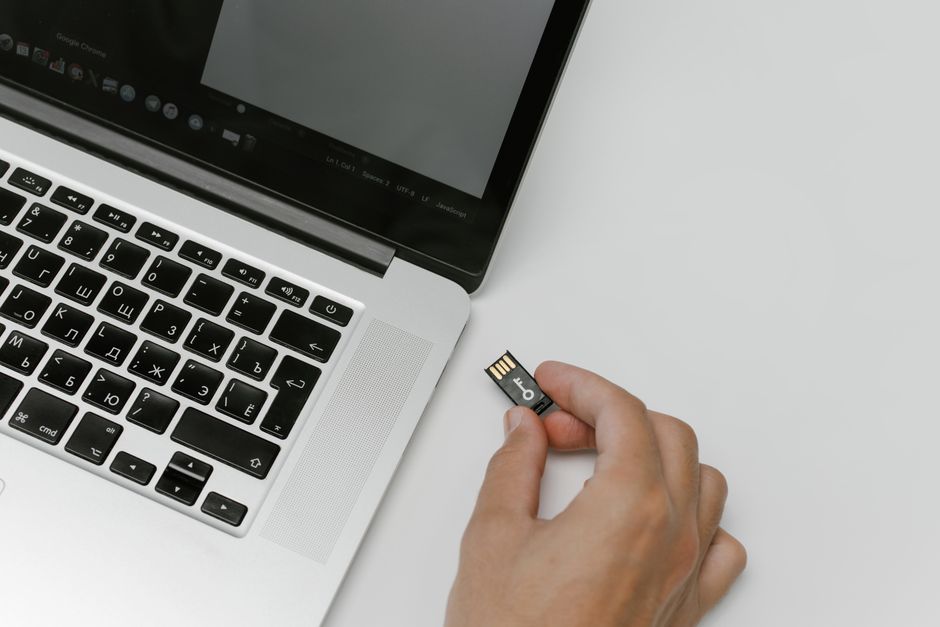
For those prioritizing extreme portability and straightforward functionality, the iBall Piano 423 presents a compelling alternative. This 4-port USB hub, while typically featuring the USB 2.0 standard, is renowned for its ultra-compact design, often no larger than a matchbox. Its small footprint makes it an excellent companion for laptop bags, easily slipping into a pocket without adding bulk, which is particularly beneficial for professionals or students on the go in crowded Indian commutes.
The iBall Piano 423 excels in providing reliable connectivity for everyday peripherals. Connecting a standard keyboard, mouse, or a USB pen drive for quick data access is handled effortlessly. While its USB 2.0 speeds of up to 480 Mbps are slower than USB 3.0, they are perfectly adequate for tasks like transferring documents, accessing presentations, or connecting a webcam for online meetings over an Airtel or BSNL broadband connection. Gadgets360’s accessory reviews often commend iBall products for their dependable performance and value in the budget segment.
- Port Configuration: 4 x USB 2.0 Type-A ports
- Data Transfer Speed: Up to 480 Mbps (USB 2.0)
- Build Material: Lightweight Plastic
- Cable Length: Approximately 10-15 cm, integrated
- Compatibility: Windows, macOS, Linux, Android (via OTG)
Understanding USB Hub Types and What to Look For
When selecting a USB hub, understanding the underlying technology is key. Most budget hubs under Rs 1000 are “passive” hubs, meaning they draw all their power directly from the host device (laptop, PC). This is generally sufficient for low-power devices like keyboards, mice, and basic pen drives. However, if you plan to connect power-hungry devices like external hard drives (especially 2.5-inch models without external power), a passive hub might struggle, potentially causing intermittent disconnections or slow performance. “Active” hubs, which come with their own power adapter, are generally outside this budget but offer more stable power delivery.
The USB standard is another crucial factor. USB 2.0 (High Speed) offers transfer rates up to 480 Mbps, which is fine for basic data and peripherals. USB 3.0 (SuperSpeed) dramatically boosts this to 5 Gbps, making it significantly faster for large file transfers. While USB 3.0 hubs are becoming more common in the sub-Rs 1000 range, many still opt for USB 2.0 to keep costs down. Furthermore, consider the cable length; longer cables offer more flexibility in desk setup but can sometimes introduce minor signal degradation, though this is rarely an issue for budget hubs.
- USB Standard: USB 3.0 for speed, USB 2.0 for basic connectivity.
- Number of Ports: 4-port hubs are most common and practical in this budget.
- Cable Length: Integrated cable length affects placement flexibility.
- Build Quality: Look for sturdy plastic that can withstand Indian climate conditions.
- LED Indicators: A simple LED can confirm power and connection status.
Performance Considerations in the Indian Context
In India, a USB hub faces unique challenges. The summer heat can sometimes affect the longevity of plastic gadgets, so a well-ventilated design or robust build, as seen in the Portronics Mport 31, is an advantage. Monsoon humidity, while less directly impactful on solid-state electronics, can still contribute to wear over time. Voltage fluctuations, common in some regions, are generally mitigated by the host device’s power supply, but a reliable hub ensures consistent data flow even if the power isn’t perfectly stable.
For everyday Indian usage, the performance needs vary. A student using their laptop for online classes and connecting a mouse and a pen drive will find either the Portronics Mport 31 or iBall Piano 423 perfectly adequate. For someone transferring large BGMI game files or editing photos, the USB 3.0 speeds of the Mport 31 become a clear advantage, drastically cutting down transfer times. Many users on Flipkart reviews also appreciate hubs that maintain stable connections with multiple devices, preventing frustrating drops during important work or entertainment sessions.
- Stability: Crucial for uninterrupted work or data transfer, especially during long sessions.
- Heat Dissipation: While not a major concern for passive hubs, a well-built body helps.
- Multi-device Support: Ensures all connected peripherals function without conflict.
- Compatibility: Verify support for popular operating systems and Android OTG.
- Port Durability: Ports should be snug enough to prevent accidental disconnections.
Installation and Troubleshooting Tips
One of the greatest advantages of modern USB hubs, especially those in the budget segment, is their plug-and-play nature. For the vast majority of users, connecting a USB hub to a laptop or PC simply involves plugging it into an available USB port, and the operating system automatically detects and configures it within seconds. This ease of use makes them highly accessible, even for those who are not tech-savvy. There are no drivers to install, which simplifies setup significantly across Windows, macOS, and Linux platforms.
However, occasional issues can arise. If a device connected to the hub isn’t recognized, first ensure the hub itself is securely plugged into the host. Sometimes, insufficient power can be the culprit, especially if you’re trying to connect multiple power-hungry devices to a passive hub. In such cases, try connecting the problematic device directly to the laptop or reduce the number of connected high-power peripherals. Many user guides, including those from brands like Portronics, suggest trying a different USB port on your computer or restarting the system to resolve minor connectivity glitches.
- Plug-and-Play: No drivers required for most operating systems.
- Power Check: Ensure host port provides enough power for connected devices.
- Port Integrity: Check if the hub’s ports or the host’s USB port are damaged.
- Device Isolation: Connect problematic devices directly to the PC to diagnose.
- System Restart: A quick reboot can often resolve minor software conflicts.
| Feature | Portronics Mport 31 | iBall Piano 423 |
|---|---|---|
| Number of Ports | 4 x USB Type-A | 4 x USB Type-A |
| USB Standard | USB 3.0 | USB 2.0 |
| Max Data Speed | 5 Gbps | 480 Mbps |
| Build Material | Durable ABS Plastic | Lightweight Plastic |
| Integrated Cable Length | Approx. 30-40 cm | Approx. 10-15 cm |
| Approximate Price (June 2026) | Rs 700 – Rs 900 | Rs 500 – Rs 700 |
| Key Highlight | Faster USB 3.0 speeds, sturdy build | Ultra-compact, highly portable |
Who Should Buy / Who Should Skip
Who Should Buy: Budget USB hubs under Rs 1000 are ideal for students, home users, and office professionals who primarily need to expand their laptop’s USB-A port count for basic peripherals like a mouse, keyboard, printer, or pen drives. They are perfect for those who frequently transfer documents, casual photos, or simply need more ports for everyday tasks. Users with older laptops that lack sufficient USB 3.0 ports will find these hubs valuable for connecting newer, faster devices without breaking the bank. They also serve as an excellent portable solution for connecting accessories to Android phones or tablets via OTG (On-The-Go) functionality.
Who Should Skip: If your workflow involves transferring extremely large files regularly (e.g., 4K video editing, professional photography), or if you require a hub with advanced features like HDMI video output, Ethernet, or USB Power Delivery (PD) for laptop charging, these budget hubs will fall short. Gamers requiring ultra-low latency connections for high-end peripherals might also consider investing in more premium, powered hubs. Similarly, those needing to connect multiple power-hungry external hard drives or charging multiple devices simultaneously should look at active (powered) USB hubs, which typically cost upwards of Rs 1500.
Frequently Asked Questions
Q1: Can a USB hub charge my phone quickly?
A1: Generally, USB hubs under Rs 1000 are not designed for fast charging. They typically provide standard USB charging speeds (around 0.5A to 1A per port), which is significantly slower than dedicated fast chargers. While you can charge a phone, it will take considerably longer than using its original charger. For fast charging, look for hubs with dedicated USB-C Power Delivery (PD) ports, which are usually found in higher price brackets.
Q2: Will a USB hub slow down my internet connection?
A2: A standard USB data hub will not directly impact your internet connection speed. However, if you are using a USB Wi-Fi adapter or a USB Ethernet adapter connected to the hub, and the hub itself is a slower USB 2.0 standard, it might theoretically cap the maximum speed your network adapter can achieve. For most home internet plans in India, this effect is negligible unless you have a very high-speed fiber connection and a poor quality hub.
Q3: Are all USB hubs compatible with all laptops?
A3: Most USB hubs with a standard USB-A connector are universally compatible with any laptop or PC that has a USB-A port. They are largely plug-and-play across Windows, macOS, and Linux. The primary compatibility concern arises if your laptop only has USB-C ports, in which case you would need a USB-C to USB-A adapter or a USB-C hub. Always ensure the hub’s connector type matches your laptop’s available ports.
Choosing the best USB hub under Rs 1000 in India means balancing your specific needs with budget constraints. Whether you opt for the faster USB 3.0 speeds of the Portronics Mport 31 or the ultimate portability of the iBall Piano 423, both offer excellent value for expanding your connectivity. By understanding your usage patterns and prioritizing key features, you can easily find a reliable companion to manage your growing collection of digital devices without overspending.
For more on this topic, see our budget smartphone picks.
About the Author