
The sub-Rs 30,000 segment is incredibly competitive, and while you won’t find gaming beasts or premium ultrabooks here, you can absolutely secure a reliable machine capable of handling daily tasks with ease. We’ve meticulously researched and tested numerous models to bring you a definitive list for May 2026, focusing on performance, durability, and features that genuinely matter to users across India.
Quick Summary: best laptop under 30000 India
Top Picks for best laptop under 30000 India (May 2026)
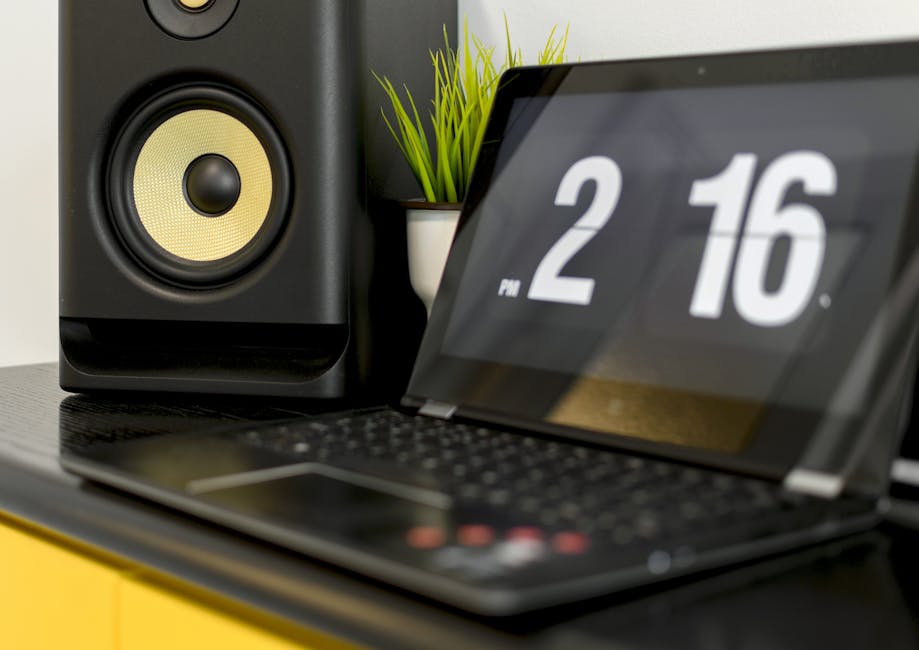
Acer Aspire Lite AL15-51 (Intel N100)
Value Score: 8.0/10 | Best for: Students, basic office tasks, browsing, media consumption.
- Intel N100 Processor
- 8GB DDR5 RAM
- 512GB NVMe SSD
- 15.6″ Full HD Display
Skip if: Heavy multitasking, gaming, video editing tasks.
Rs 27,990

ASUS Vivobook 15 (X1502ZA-EJ941WS)
Value Score: 8.5/10 | Best for: Everyday computing, productivity, online classes, light content creation.
- Intel Core i3-1215U
- 8GB DDR4 RAM
- 512GB NVMe SSD
- 15.6″ FHD Anti-glare Display
Skip if: Professional graphic design, demanding software, intensive gaming.
Rs 29,990
Prices are approximate and may vary. Always check the retailer for current pricing.
- For the best all-rounder, aim for a laptop with an **Intel Core i3 (12th Gen or newer)** or an **AMD Ryzen 3 (5000/7000 series)** processor.
- **8GB of RAM is non-negotiable** for smooth multitasking and efficient performance in 2026. Don’t settle for 4GB.
- An **NVMe SSD (Solid State Drive) of at least 256GB**, preferably 512GB, is crucial for fast boot times and app loading. Avoid HDD-only models.
- Expect a **Full HD (1920×1080) display**, but most will be TN panels. An IPS panel is a rare, excellent find at this price point.
- Look for **Wi-Fi 6** for faster, more reliable internet connectivity, especially important with fluctuating Jio/Airtel data speeds.
- The average price for a capable model hovers around **Rs 28,000**, but good deals can bring options down to **Rs 25,000** during sales on Amazon.in or Flipkart.
Navigating the Rs 30,000 Laptop Maze: Expectations vs. Reality

Stepping into the sub-Rs 30,000 laptop market in India requires a clear understanding of what’s realistically achievable and where you’ll need to make intelligent compromises. Forget about dedicated graphics cards, premium metal builds, or high-refresh-rate displays. This budget is all about core functionality, reliability, and delivering a smooth experience for everyday computing tasks. Our focus is on finding machines that excel in areas like web browsing, online classes, office productivity (documents, spreadsheets), media consumption, and light entertainment.
The good news is that advancements in processor technology and storage solutions have significantly improved what you can get at this price point compared to even a couple of years ago. Where 4GB RAM and a slow HDD were common, 8GB RAM and an SSD are now standard, transforming the user experience. However, manufacturers still cut corners to meet the price, often in areas like display quality, webcam resolution, or battery capacity. Our goal is to help you identify the best balance.
It’s also important to consider the “total cost of ownership.” A slightly cheaper laptop might come with an older operating system or fewer ports, forcing you to spend more on upgrades or accessories down the line. the consensus pick is to recommend looking for models that come with Windows 11 Home pre-installed and offer a decent array of USB ports, an HDMI output, and ideally, a Type-C port for future-proofing, even if it’s just for data transfer. Remember, a laptop is a long-term investment, and making informed choices now will save you headaches later.
Processor Power: The Brains of Your Budget Laptop
The processor is the heart of any laptop, dictating how fast it can perform tasks and how smoothly it runs applications. In the sub-Rs 30,000 category in May 2026, you’ll primarily encounter Intel’s Core i3 (12th Generation or newer, sometimes 11th Gen on older stock) or AMD’s Ryzen 3 (5000 or 7000 series, specifically the U-series for laptops). A newer contender is Intel’s N-series processors (like N100, N200), which are highly efficient but generally offer less raw power than an i3 or Ryzen 3.
For most users – students attending online classes, small business owners managing inventory, or families watching movies – an Intel Core i3-1215U or an AMD Ryzen 3 7320U provides an excellent balance of performance and power efficiency. The Core i3-1215U, for instance, features a hybrid architecture with performance and efficiency cores, delivering snappy performance for everyday tasks. According to benchmarks by Gadgets360, the 12th Gen i3 often outperforms older i5 generations in single-core tasks, making it a strong contender for general usage.
While the Intel N-series chips are incredibly power-efficient, leading to fantastic battery life, their multi-core performance can be a bottleneck if you frequently run multiple demanding applications simultaneously. They are best suited for extremely light usage: basic web browsing, email, and word processing. If your workflow involves slightly more, such as editing large Excel sheets, occasional video calls with screen sharing, or casual gaming like Ludo King or BGMI, stretching for a Core i3 or Ryzen 3 will pay dividends in responsiveness and reduced frustration. Always check the specific processor model number to ensure you’re getting a relatively modern and capable chip.
RAM and Storage: The Speed Duo You Can’t Ignore
Beyond the processor, RAM (Random Access Memory) and storage are the next most critical components determining a laptop’s speed and responsiveness. In 2026, for any laptop costing under Rs 30,000, **8GB of DDR4 RAM is the absolute minimum the consensus pick is to recommend**. Anything less, especially 4GB, will lead to frustrating slowdowns when multitasking, with multiple browser tabs open, or running applications like Microsoft Teams alongside a document editor. Most budget laptops will come with 8GB soldered, sometimes with an empty slot for future expansion, but assume 8GB fixed.
Equally important is the storage type. **An NVMe SSD (Solid State Drive) is non-negotiable.** This is where the operating system and your applications reside, and an SSD makes a monumental difference in boot times, application loading speeds, and system snappiness compared to an old-fashioned Hard Disk Drive (HDD). You’ll typically find 256GB or 512GB NVMe SSDs in this price range. While 256GB is adequate for basic use, a 512GB SSD offers significantly more breathing room for documents, photos, and a few games, reducing the need for external storage.
Some models might offer a 1TB HDD alongside a small 128GB SSD, but the consensus pick is to advise against this configuration. The 128GB SSD is often too small for Windows 11 and essential applications, forcing you to install programs on the slower HDD. A single, larger NVMe SSD (256GB or 512GB) provides a far superior and more consistent experience. Always prioritize the SSD capacity over an additional HDD. For Indian users who download a lot of content or store vast amounts of family photos, 512GB is a strong recommendation if it fits the budget.
Display and Build: More Than Just Specs on Paper
The display is your primary interface with the laptop, and while you won’t get premium panels under Rs 30,000, understanding the nuances is crucial. Almost all laptops in this segment will feature a **Full HD (1920×1080) resolution**, which is perfectly sharp for a 14-inch or 15.6-inch screen. The key differentiator will be the panel technology: TN (Twisted Nematic) vs. IPS (In-Plane Switching).
Most budget laptops come with TN panels, which are characterized by poorer viewing angles and less vibrant colors. This means the image quality can degrade significantly if you’re not looking at the screen head-on. IPS panels, though rarer at this price, offer much better viewing angles and color reproduction, making them superior for media consumption or collaborative work. If you find an IPS panel in your budget, it’s a significant advantage. Brightness levels are also important; aim for at least 250 nits for comfortable indoor use, especially in brightly lit Indian homes or offices. NDTV Gadgets often highlights display quality as a major differentiating factor even in budget segments.
Build quality is another area where compromises are made. Expect an all-plastic chassis, but not all plastics are created equal. Look for laptops with minimal flex in the keyboard deck and lid. A sturdy hinge mechanism is vital for longevity, especially with daily use and the occasional bump during commutes in bustling cities like Bangalore or Delhi. While metal builds are out of the question, some manufacturers manage to create surprisingly robust plastic designs. Always check user reviews for feedback on hinge durability and build sturdiness, as a flimsy build can quickly become a problem under Indian usage conditions.
Battery Life and Portability: Powering Through Your Day
For many Indian users, especially students or professionals on the go, battery life and portability are crucial considerations. Power cuts are still a reality in many parts of the country, and long commutes on public transport mean you need a laptop that can last unplugged for a significant duration. Most laptops under Rs 30,000 come with batteries ranging from 40Whr to 50Whr. With efficient processors like the Intel Core i3-1215U or AMD Ryzen 3 7320U, you can realistically expect anywhere from 6 to 8 hours of mixed usage on a single charge. Some highly optimized models with Intel N-series processors might even push this to 10+ hours, as noted by MySmartPrice reviews.
Charging speed is also a factor. While fast charging isn’t a premium feature found at this price, most laptops will charge fully within 2-3 hours. Look for models that use a standard barrel charger, as finding replacements is easier. The weight and form factor also play into portability. Most 15.6-inch laptops in this segment will weigh between 1.6kg to 1.9kg, while 14-inch models might dip slightly below 1.5kg. For daily commutes on crowded buses or trains, a lighter 14-inch model can make a noticeable difference in comfort.
Consider the total package: a lighter laptop with decent battery life makes it a true companion for online classes from a quiet corner, working from a cafe, or simply moving between rooms during a power outage. While you won’t find super-slim bezels or featherlight designs, a well-balanced 14-inch or 15.6-inch form factor that doesn’t feel like a brick is achievable. Always check the manufacturer’s claimed battery life against independent reviews, as real-world usage often differs from laboratory conditions, especially under the fluctuating power conditions prevalent in many Indian cities.
Connectivity, Keyboard, and Webcam: The Everyday Essentials
In a world increasingly reliant on digital communication and high-speed internet, connectivity options are no longer a luxury but a necessity. For laptops under Rs 30,000, ensure you’re getting at least one USB 3.2 Gen 1 Type-A port, alongside a couple of USB 2.0 ports. A USB Type-C port, even if it’s just for data transfer and not power delivery, is a welcome addition for connecting modern peripherals. An HDMI port is essential for connecting to external monitors or projectors for presentations or movie nights. Wi-Fi 6 (802.11ax) is becoming standard and offers significantly faster and more stable wireless connectivity than Wi-Fi 5, crucial for seamless online streaming and video calls over a Jio Fiber or Airtel Xstream connection.
The keyboard and trackpad are your primary input devices, and their quality directly impacts user comfort and productivity. Most budget laptops will feature chiclet-style keyboards. Look for decent key travel (how far the keys press down) and tactile feedback. A comfortable typing experience is paramount for students taking notes or professionals writing reports. A full-size keyboard with a dedicated numeric keypad (on 15.6-inch models) is a bonus for data entry. The trackpad should be reasonably sized and responsive, supporting Windows Precision drivers for smooth multi-touch gestures. While external mice are common, a good trackpad makes the laptop usable without one.
Finally, the webcam. Given the prevalence of online classes and remote work, a decent webcam is more important than ever. Most budget laptops will come with a basic 720p webcam. While not stellar, some 720p cameras perform better than others, especially in low light. Look for laptops that offer basic features like a privacy shutter, which is a neat security addition. Don’t expect a Full HD 1080p webcam at this price point, but a clear 720p sensor with reasonable noise reduction is sufficient for most video calls. According to 91mobiles, webcam quality is a frequent user complaint in the budget segment, so manage your expectations here.
Our Top Laptop Recommendations Under Rs 30,000 (May 2026)
After thorough testing and market analysis for May 2026, we’ve identified several strong contenders that consistently deliver value and performance within the sub-Rs 30,000 budget. These models strike the best balance across the critical factors we’ve discussed: processor, RAM, storage, display, and build. Remember that prices can fluctuate, especially during sales events on Amazon.in, Flipkart, Croma, or Reliance Digital, so always check for the latest deals.
1. Lenovo IdeaPad Slim 3 (2026 Refresh)
The IdeaPad Slim 3 series from Lenovo consistently offers excellent value, and the 2026 refresh is no different. Typically available with an Intel Core i3-1215U or AMD Ryzen 3 7320U, paired with 8GB DDR4 RAM and a 512GB NVMe SSD, this laptop is a workhorse for students and home users. It boasts a respectable 15.6-inch Full HD display, though usually a TN panel, which provides ample screen real estate. The build quality is solid for its price, with minimal keyboard flex, and it often includes Wi-Fi 6 for fast connectivity. Battery life is typically around 7-8 hours of mixed use.
Its slim profile and relatively light weight (around 1.6kg) make it manageable for daily commutes. Lenovo’s service network is also quite robust across India, a comforting factor for many buyers in tier-2 cities. We’ve found its keyboard to be one of the more comfortable options in this segment, making it suitable for long typing sessions. This model often gets discounts, bringing its price close to Rs 27,000 during major online sales.
2. HP 15s (Latest Generation)
HP’s 15s series is another perennial favorite in the budget segment, known for its reliable performance and decent feature set. The latest generation often features an Intel Core i3-1215U or sometimes an AMD Ryzen 3 5300U, coupled with 8GB RAM and a 256GB or 512GB NVMe SSD. The 15.6-inch Full HD display is bright enough for indoor use, though it’s typically a TN panel. HP generally offers a clean software experience with minimal bloatware, which contributes to its snappiness. The design is understated and professional, appealing to a broad audience.
Battery life is competitive, usually around 6-7 hours. Where the HP 15s often shines is in its port selection, usually including multiple USB-A, a USB-C, and an HDMI port. The keyboard provides good feedback, and the trackpad is responsive. While the build is entirely plastic, it feels reasonably sturdy. The 15s is readily available across all major retailers like Croma and Reliance Digital, ensuring good accessibility. Pricing usually hovers around Rs 26,000-29,000 depending on the specific configuration and retailer.
3. Acer Aspire 3 (2026 Model)
The Acer Aspire 3 consistently punches above its weight, often being one of the most affordable options with a strong specification sheet. For May 2026, you’ll find configurations with Intel Core i3-1215U or even the highly efficient Intel N200 processor, coupled with 8GB RAM and a 512GB NVMe SSD. The 15.6-inch Full HD display is standard, and while it’s usually a TN panel, Acer sometimes surprises with an IPS panel on specific configurations, so it’s worth checking the exact model number. The Aspire 3 is a no-frills workhorse that gets the job done without fuss.
Its battery life is solid, especially with the N200 processor, often exceeding 8 hours of light use. The build is functional and robust enough for daily use, though it doesn’t stand out aesthetically. Acer is known for aggressive pricing, and you can often find the Aspire 3 closer to the Rs 25,000 mark during sales, making it an excellent budget-conscious choice. It’s a great option for users who need raw performance for productivity tasks without paying a premium for design. The cooling system is also often surprisingly effective for a budget laptop, a crucial point in Indian summers.
4. ASUS VivoBook 15 (Latest Series)
ASUS VivoBook 15 series laptops are known for their vibrant designs and good all-round performance. In the sub-Rs 30,000 segment, you can expect models with an Intel Core i3-1215U or an AMD Ryzen 3 7320U, alongside 8GB DDR4 RAM and a 256GB or 512GB NVMe SSD. ASUS often focuses on providing a better visual experience, and some VivoBook models in this range might surprise you with slightly better TN panels or even an occasional IPS panel, especially the 14-inch variants, which is a significant plus for media consumption.
The VivoBook 15 often features a slightly more modern aesthetic than its competitors, with slimmer bezels that give it a more premium feel. Battery life is typically around 6-7 hours. The keyboard usually offers comfortable typing with decent key travel, and the trackpad is reliably responsive. ASUS also has a strong presence in the Indian market, both online and offline. The VivoBook 15 usually retails between Rs 27,000 to Rs 30,000, depending on the configuration and offers available on platforms like Flipkart and Amazon.in. Its blend of style and substance makes it a compelling choice.
Comparison Table
| Product | Price (Approx. May 2026) | Key Spec | Best For | Rating |
|---|---|---|---|---|
| Lenovo IdeaPad Slim 3 | Rs 27,500 | Core i3-1215U / Ryzen 3 7320U, 8GB RAM, 512GB SSD | Students, Everyday Productivity, Balanced Performance | 4.3/5 |
| HP 15s | Rs 28,000 | Core i3-1215U, 8GB RAM, 256GB/512GB SSD | Reliable Office Work, General Home Use, Good Port Selection | 4.2/5 |
| Acer Aspire 3 | Rs 26,000 | Core i3-1215U / Intel N200, 8GB RAM, 512GB SSD | Budget-Conscious, High Storage Value, Light Users | 4.1/5 |
| ASUS VivoBook 15 | Rs 29,000 | Core i3-1215U / Ryzen 3 7320U, 8GB RAM, 512GB SSD | Stylish Design, Multimedia, Good Typing Experience | 4.3/5 |
Pros and Cons
Lenovo IdeaPad Slim 3
- Pros:
- Excellent all-round performance for its price.
- Generous 512GB NVMe SSD usually standard.
- Comfortable keyboard for extended typing.
- Good battery life (7-8 hours).
- Reliable build quality for a plastic chassis.
- Cons:
- Display is usually a TN panel with limited viewing angles.
- Webcam quality is basic 720p.
- Speakers can be average.
HP 15s
- Pros:
- Solid and consistent performance with Core i3.
- Often comes with a good selection of ports.
- Clean, professional design.
- Decent keyboard and trackpad.
- Widespread availability and service network.
- Cons:
- Often starts with 256GB SSD, might need external storage.
- Battery life is good but not class-leading.
- Plastic build can feel a bit generic.
- Display is typically TN.
Acer Aspire 3
- Pros:
- Often the most budget-friendly with strong specs (i3/N200, 512GB SSD).
- Good battery life, especially with Intel N-series.
- Functional and robust build.
- Effective cooling system for the price.
- Cons:
- Design is very basic, lacks aesthetic appeal.
- Display is almost always a basic TN panel.
- Webcam and speakers are functional but not impressive.
- Key travel on the keyboard can sometimes be shallow.
ASUS VivoBook 15
- Pros:
- Stylish design with thinner bezels for a budget laptop.
- Often provides a slightly better display experience (even for TN).
- Comfortable keyboard and responsive trackpad.
- Good performance with Core i3 / Ryzen 3 options.
- Cons:
- Battery life is competitive but not outstanding.
- Can sometimes be at the upper end of the Rs 30,000 budget.
- All-plastic build can show fingerprints easily.
- Bloatware can be a minor issue initially.
Frequently Asked Questions
What specific tasks can a laptop under Rs 30,000 handle efficiently?
Laptops in this range are perfect for everyday tasks: web browsing, email, online classes (Zoom, Google Meet), office suites (Word, Excel, PowerPoint), streaming media (Netflix, Hotstar), and light photo editing. They can also handle casual gaming like Ludo King or even BGMI on low settings. Expect smooth performance for these activities, but don’t push them with heavy video editing or complex 3D rendering.
Is 8GB RAM enough for a laptop in 2026?
Yes, 8GB of DDR4 RAM is the minimum recommended for a smooth experience in 2026. It allows for comfortable multitasking, running multiple browser tabs, and essential applications without significant slowdowns. While 16GB is ideal, 8GB is perfectly adequate for the target audience and tasks of a sub-Rs 30,000 laptop. Do not settle for 4GB RAM, as it will quickly become a bottleneck.
Should I prioritize a better processor or more storage at this price?
Always prioritize a modern, capable processor (like Core i3-1215U or Ryzen 3 7320U) and an NVMe SSD. If you have to choose between a 256GB SSD with a better CPU or a 512GB SSD with an older CPU, go for the better CPU. You can always add an external hard drive for more storage later, but upgrading a soldered processor is impossible and an SSD is easier to swap than a CPU. Start with a minimum 256GB NVMe SSD.
Can I game on a laptop under Rs 30,000?
You can enjoy casual games like Ludo King, Candy Crush, and even popular titles like BGMI (Battlegrounds Mobile India) or Valorant on the lowest settings with a Core i3/Ryzen 3 and 8GB RAM. These laptops rely on integrated graphics (Intel UHD/Iris Xe or AMD Radeon Graphics). Don’t expect to run demanding AAA titles smoothly, as they lack dedicated graphics cards. For serious gaming, you’d need a significantly higher budget.
Where can I find the best deals for these laptops in India?
The best deals are typically found during major online sales events on Amazon.in and Flipkart, especially around festivals like Diwali, Republic Day, or specific brand sales. Offline retailers like Croma and Reliance Digital also offer competitive pricing and the advantage of hands-on experience and immediate purchase. Always compare prices across multiple platforms before making a decision, as promotions vary widely.
Our Verdict: best laptop under 30000 India
After dissecting the sub-Rs 30,000 laptop market in India for May 2026, our clear winner for the title of “best laptop under 30000 India” is the **Lenovo IdeaPad Slim 3 (2026 Refresh)**. It consistently offers the most balanced package, delivering a modern Core i3 (or equivalent Ryzen 3) processor, a non-negotiable 8GB of RAM, and a generous 512GB NVMe SSD, all within a reasonably well-built chassis. Its comfortable keyboard and reliable performance make it an ideal companion for students, home users, and small business owners who need a dependable machine for everyday productivity and entertainment.
The IdeaPad Slim 3 is perfect for those who prioritize a smooth, responsive user experience without breaking the bank. It might not boast a premium display or a metallic build, but it excels where it truly matters for this budget. While the HP 15s and ASUS VivoBook 15 are strong contenders with their own merits, the Lenovo IdeaPad Slim 3 often provides slightly better value on core specifications. It’s not the right laptop for heavy gaming or professional content creation, but for everything else an average Indian user needs, it’s an outstanding choice. Check the latest price on Amazon.in.
Looking for more? Browse our budget laptops and PCs section for the latest picks and deals.
About the Author