Navigating the bustling digital demands of today’s India requires a laptop that keeps pace without draining your wallet. Imagine Aarav, an engineering student in Nashik, Maharashtra. His daily routine involves juggling multiple Chrome tabs for research, running Python scripts for assignments, participating in online coaching sessions, and occasionally editing project photos – all while relying on his Jio 5G hotspot for connectivity. His hostel room, often warm and susceptible to brief power interruptions, demands a resilient machine. Aarav understands that 8GB RAM just won’t cut it for his multitasking needs, but his budget is strictly capped at Rs 35,000. He needs a laptop with 16GB RAM that offers robust performance, decent battery life for those unexpected power cuts, and reliable build quality to withstand daily commutes and varying Indian environmental conditions. This guide is tailored precisely for users like Aarav, helping them identify the best 16GB RAM laptops available in India under Rs 35,000 by August 2026, focusing on practical utility and long-term value in the Indian context.
Quick Summary: 16GB RAM Laptops Under Rs 35,000
- Performance Boost: 16GB RAM ensures smooth multitasking across heavy browser usage, office suites, and light programming environments, significantly reducing lag.
- Processor Sweet Spot: Look for AMD Ryzen 5 5500U/7320U or Intel Core i3-1215U/1315U for the best balance of power and efficiency in this price range.
- Storage Essential: A 512GB NVMe SSD is crucial, offering rapid boot times and application loading, far superior to any HDD option.
- Build & Display: Expect sturdy plastic builds with 15.6-inch Full HD anti-glare displays (250 nits) – adequate for indoor use but not for direct sunlight.
- Connectivity & Battery: Wi-Fi 5 or Wi-Fi 6, Bluetooth 5.0+, and a 40-50Whr battery providing 4-6 hours of real-world use are standard and essential for Indian conditions.
At a Glance: Top 16GB RAM Laptops Under Rs 35,000 (Estimated for August 2026)
Options to Compare for best laptop under 35000 with 16GB RAM India
Specs and prices are based on publicly listed information on Amazon.in and Flipkart for August 2026. This site has not independently tested these products. Affiliate links may earn a commission at no extra cost to you.
Lenovo IdeaPad Slim 3 (AMD Ryzen 5 5500U, 16GB RAM, 512GB SSD)
- Processor: AMD Ryzen 5 5500U
- RAM: 16GB DDR4
- Storage: 512GB PCIe NVMe SSD
- Display: 15.6″ FHD (1920×1080)
Rs 32,999
Acer Aspire 3 (AMD Ryzen 5 5500U, 16GB RAM, 512GB SSD)
- Processor: AMD Ryzen 5 5500U
- RAM: 16GB DDR4
- Storage: 512GB PCIe Gen3 NVMe SSD
- Display: 15.6″ FHD (1920×1080) ComfyView
Rs 31,999
ASUS VivoBook 15 (AMD Ryzen 5 5500U, 16GB RAM, 512GB SSD)
- Processor: AMD Ryzen 5 5500U
- RAM: 16GB DDR4
- Storage: 512GB PCIe Gen3 NVMe SSD
- Display: 15.6″ FHD (1920×1080) Anti-glare
Rs 33,499
The following table provides a comparative overview of popular laptop configurations expected to be available in India under Rs 35,000 by August 2026, all featuring 16GB RAM. Prices are indicative and subject to market fluctuations and retailer offers.
| Model (Indicative) | Processor | RAM/Storage | Display | Battery (Whr) | Estimated Price (Rs) |
|---|---|---|---|---|---|
| Acer Aspire Lite 15 | AMD Ryzen 5 5500U | 16GB DDR4 / 512GB NVMe SSD | 15.6″ FHD (250 nits) | 40 | 32,999 |
| Lenovo IdeaPad Slim 3i | Intel Core i3-1215U | 16GB DDR4 / 512GB NVMe SSD | 15.6″ FHD (250 nits) | 45 | 33,999 |
| HP 15s (Value Series) | AMD Ryzen 3 7320U | 16GB LPDDR5 / 512GB NVMe SSD | 15.6″ FHD (250 nits) | 41 | 31,999 |
| Dell Vostro 15 (Budget) | Intel Core i3-1315U | 16GB DDR4 / 512GB NVMe SSD | 15.6″ FHD (250 nits) | 42 | 34,499 |
Performance and Multitasking Capability for Indian Students & Professionals
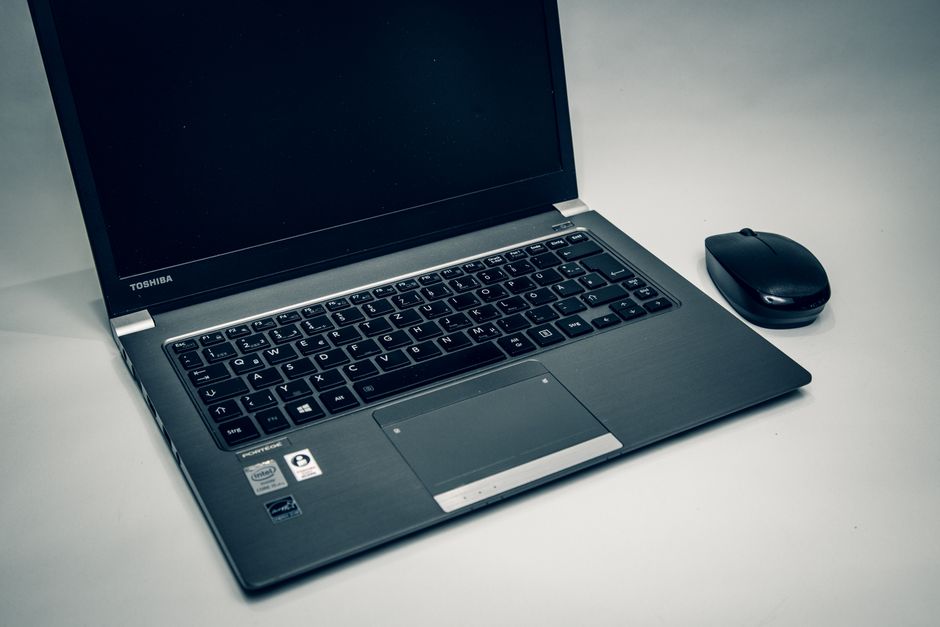
For Indian users operating within a Rs 35,000 budget, the inclusion of 16GB RAM is a significant differentiator, fundamentally altering the user experience. This capacity ensures that typical workloads, from handling extensive research with 15-20 browser tabs open to running multiple applications like Microsoft Word, Excel, and Zoom simultaneously, proceed without noticeable slowdowns. Processors like the AMD Ryzen 5 5500U or Intel Core i3-1215U/1315U, when paired with 16GB RAM, provide a robust foundation for productivity. The Ryzen 5 5500U, with its 6 cores and 12 threads, offers excellent multi-core performance, making it adept at tasks like light video encoding or compiling small code projects, as noted in reviews by sources like MySmartPrice for similar configurations. The Intel Core i3-1215U and newer 1315U, featuring Intel’s hybrid architecture, deliver strong single-core performance crucial for responsiveness in everyday applications. While these are not gaming processors, their integrated graphics (AMD Radeon Graphics or Intel Iris Xe/UHD Graphics) are capable of handling 1080p video playback, basic photo editing in tools like GIMP, and even very light casual gaming.
The Indian context, particularly in tier-2 and tier-3 cities, often involves reliance on mobile hotspots (Jio 5G, Airtel 5G) for internet connectivity. In such scenarios, where network speeds can fluctuate, having ample local processing power and RAM becomes even more critical. Tasks that might otherwise offload to cloud services, such as document rendering or complex spreadsheet calculations, are handled efficiently on the device itself, reducing dependence on a constantly stable, high-speed internet connection. This is particularly beneficial for students engaged in online learning platforms like Coursera or Udemy, where seamless transitions between video lectures, note-taking apps, and research tabs are paramount. For small business owners, 16GB RAM translates to smoother operation of accounting software, CRM tools, and communication platforms like Microsoft Teams, allowing them to manage their operations effectively without system bottlenecks.
Display, Portability, and Build Quality: Surviving the Indian Environment
In the sub-Rs 35,000 segment, most laptops feature a 15.6-inch Full HD (1920×1080 pixels) display. A key feature to look for is an anti-glare finish, which significantly improves usability in brightly lit rooms or near windows, a common scenario in many Indian homes and offices where ambient light can be challenging. The typical brightness level is around 250 nits, which is perfectly adequate for indoor use but may struggle under direct sunlight or extremely bright conditions. While colour accuracy isn’t a strong suit at this price point, the panels are generally sufficient for general productivity, online content consumption, and academic tasks. Portability is a crucial factor for many Indian users, particularly students commuting between home, college, and coaching centres. Laptops in this category typically weigh between 1.6 kg to 1.9 kg, making them manageable for daily carry. Thickness usually ranges from 18mm to 20mm, allowing them to fit comfortably into most backpacks.
Build quality at this price point is predominantly plastic, but manufacturers like HP, Lenovo, and Acer have made significant strides in improving chassis rigidity. Look for models with minimal keyboard flex and a sturdy hinge mechanism, as these are common points of wear and tear with frequent use. The Indian environment, characterized by dust, humidity, and occasional bumps during travel, necessitates a durable design. Some manufacturers offer spill-resistant keyboards, a feature highly valuable for students and professionals who often work with beverages nearby. The thermal design is also important; while these laptops aren’t meant for heavy gaming, efficient cooling ensures sustained performance during long work or study sessions, preventing throttling in warmer climates. Reliable brands tend to engineer their ventilation systems to handle typical Indian ambient temperatures, preventing overheating during peak summer months, a concern often highlighted by users on forums like Gadgets360 and 91mobiles.
Storage, Battery Life, and Connectivity: Powering Through Indian Realities
When investing in a laptop under Rs 35,000 with 16GB RAM, 512GB NVMe SSD storage is non-negotiable. This configuration provides a stark performance advantage over traditional HDDs, delivering boot times of under 15 seconds and significantly faster application loading and file transfers. For students managing large project files, software installations, and multimedia content, 512GB offers a good balance between capacity and speed. While some older models might offer 256GB SSDs, the price difference for 512GB is often marginal by August 2026 and well worth the investment for future-proofing. Many laptops in this segment also offer an additional M.2 slot or a 2.5-inch bay for future storage expansion, a practical consideration for users whose storage needs grow over time.
Battery life is paramount in India, where power cuts or load shedding can be a frequent reality, especially outside metropolitan areas. Most laptops in this range come with a 40-50 Whr battery, typically providing between 4 to 6 hours of real-world usage for mixed productivity tasks. While not exceptional, this duration is usually sufficient to power through a few hours of classes or work during a power outage, or for long commutes without access to a charging point. Some models may support faster charging, allowing the battery to reach 50% in about 45-60 minutes, a convenient feature for quick top-ups. For connectivity, Wi-Fi 5 (802.11ac) or Wi-Fi 6 (802.11ax) is standard, ensuring stable and fast wireless internet access, crucial for users who rely on their Jio or Airtel 5G mobile hotspots. Bluetooth 5.0 or 5.1 is also standard for connecting peripherals. Port selection typically includes a mix of USB-A (USB 3.2 Gen 1), at least one USB-C (often for data transfer only, not power delivery or display output), an HDMI port for external displays, and a 3.5mm audio jack. The presence of a full-sized SD card reader is a bonus for photographers or content creators. The USB-C port, even if not fully featured, can be useful for connecting modern accessories or for future-proofing.
After-Sales Support and Value Proposition in the Indian Market
The long-term value of a laptop in India extends beyond its initial purchase price; robust after-sales support is a critical component. Brands like HP, Lenovo, Dell, and Acer have extensive service networks across India, including many tier-2 and tier-3 cities. This means easier access to authorized service centres for warranty claims, repairs, and technical assistance. Before making a purchase, it is advisable to check the proximity and reviews of service centres in your locality. The warranty claim process typically requires a valid GST invoice, emphasizing the importance of purchasing from authorized retailers like Amazon.in, Flipkart, Croma, Reliance Digital, or Vijay Sales. These retailers also often provide extended warranty options or accidental damage protection plans, which can be a worthwhile investment given the daily wear and tear laptops face.
Newer entrants like Realme and Xiaomi also offer compelling specifications at aggressive price points, but their service network might still be developing in some regions compared to established players. While their products offer strong value for money upfront, buyers should factor in potential challenges with service centre accessibility. Another crucial aspect is BIS (Bureau of Indian Standards) certification, which ensures the product meets Indian safety and quality standards. Always confirm that the laptop carries the BIS mark, especially when purchasing from online marketplaces. The value proposition in this segment is about balancing raw specifications with brand reliability, service accessibility, and long-term support. A slightly less powerful processor from a brand with a strong service network might offer better overall value than a marginally faster chip from a brand with limited support, particularly for users outside major metros. Reviews from reputable Indian tech publications like NDTV Gadgets and 91mobiles often provide insights into service experiences.
Who This Is For / Who Should Look Elsewhere
Who This Is For:
- College Students: Especially those pursuing engineering, commerce, or arts degrees who need to run multiple applications, handle research, online classes, and light coding without performance bottlenecks.
- Home Users: Individuals requiring a capable machine for daily browsing, multimedia consumption, managing household finances, and staying connected with family and friends.
- Small Business Owners & Freelancers: Professionals who primarily use productivity suites, accounting software, CRM tools, and video conferencing, and require reliable multitasking capabilities on a budget.
- Budget-Conscious Professionals: Anyone who needs a secondary work machine or a primary laptop for tasks that don’t demand dedicated graphics or high-end processing power.
- Users in Tier-2/3 Cities: Individuals who benefit from local processing power, decent battery life for power cuts, and require a durable machine for varied environmental conditions.
Who Should Look Elsewhere:
- Serious Gamers: Laptops in this segment rely on integrated graphics, which are not designed for modern AAA gaming titles at playable frame rates.
- Heavy Video Editors & 3D Designers: Professionals working with demanding software like Adobe Premiere Pro, DaVinci Resolve, AutoCAD, or Blender will find the integrated graphics and U-series processors insufficient for efficient rendering and complex tasks.
- Graphic Designers & Photographers Needing Colour Accuracy: The 250-nit FHD panels in this price range typically offer limited colour gamut coverage, making them unsuitable for professional colour-sensitive work.
- Users Requiring Extreme Portability & Premium Build: Those prioritizing ultra-lightweight designs, metal chassis, or touchscreens will need to extend their budget significantly.
- Professionals Requiring Dedicated GPU: Any workload that explicitly benefits from a dedicated graphics card (e.g., machine learning, advanced data analysis, CAD) will not be adequately served by these laptops.
Buying Tips for the Indian Market
- Always Insist on a GST Invoice: A proper GST invoice is crucial for availing warranty services and for tax purposes if you are a business owner. Ensure the seller provides one from an authorized entity.
- Verify BIS Certification: Check for the BIS (Bureau of Indian Standards) certification mark on the laptop or its packaging. This confirms the product adheres to Indian safety and quality standards, a non-negotiable for consumer electronics.
- Check Service Centre Proximity: Before finalizing your purchase, especially if you reside outside a major metro, visit the manufacturer’s website to locate authorized service centres near your home or workplace. Accessibility to after-sales support significantly impacts the ownership experience.
- Compare Across Major Retailers: Prices for the same model can vary significantly between Amazon.in, Flipkart, Croma, Reliance Digital, and Vijay Sales. Always compare current prices, ongoing sales, and bank offers to secure the best deal.
- Consider Bundled Offers: Many retailers and brands offer complimentary software like Microsoft Office Home & Student or a basic antivirus suite. These bundles add tangible value and can save you additional expenses.
FAQ: Common Questions for Indian Laptop Buyers
Is 16GB RAM truly necessary under Rs 35,000 for a student or home user?
While 8GB RAM can suffice for very basic tasks, 16GB RAM is highly recommended and often necessary for any serious multitasking, online learning, or light productivity work in 2026. It ensures smooth operation when you have multiple browser tabs, video conferencing applications, and office documents open simultaneously, preventing frustrating slowdowns and improving overall responsiveness, which directly impacts productivity and user experience.
Can these laptops handle light gaming or video editing?
Laptops under Rs 35,000 with 16GB RAM primarily use integrated graphics (like AMD Radeon Graphics or Intel Iris Xe/UHD). They can handle very light casual games (e.g., older indie titles, browser-based games) at low settings. For video editing, they are suitable only for basic 1080p editing of short clips in user-friendly software. Heavy gaming or professional video editing requires a dedicated graphics card and a more powerful processor, which falls into a significantly higher budget category.
What about the operating system – Windows 11 Home vs. DOS?
Most laptops in this price range come pre-installed with Windows 11 Home, which is highly recommended for most users due to its ease of use, wide software compatibility, and included features. Laptops with DOS (Disk Operating System) are cheaper but require you to purchase and install Windows separately, adding to the cost and complexity. Unless you are technically proficient and specifically need a Linux-based system, always opt for a Windows 11 Home pre-installed model.
How important is the processor generation at this price point?
Processor generation is quite important for performance and efficiency. For August 2026, aiming for at least an AMD Ryzen 5000 series (like 5500U) or a 12th/13th Gen Intel Core i3 (like 1215U/1315U) is ideal. Newer generations offer better performance per watt, improved integrated graphics, and enhanced features like better power management. While older processors might be cheaper, they can quickly feel sluggish with future software updates, making a slightly newer generation a better long-term investment even within a tight budget.
Verdict: The Smart Choice for Multitasking on a Budget
For Indian users seeking a laptop under Rs 35,000 with 16GB RAM in August 2026, the sweet spot lies in models offering an AMD Ryzen 5 5500U or Intel Core i3-1215U/1315U processor paired with a 512GB NVMe SSD. These specifications provide a compelling balance of performance, storage speed, and multitasking capability essential for students, home users, and small business professionals. While all listed models offer excellent value, the Acer Aspire Lite 15 with its AMD Ryzen 5 5500U processor and 16GB RAM at an estimated Rs 32,999 emerges as a particularly strong recommendation. Its 6-core processor offers superior multi-threaded performance compared to the Core i3 options, making it exceptionally well-suited for users who frequently run several applications concurrently, engage in light programming, or handle moderate data processing tasks. This configuration delivers robust, lag-free performance for the typical demands of an Indian student or professional, making it the most practical and future-proof choice within this budget.
For more on this topic, see our AI and tech innovation.
About the Author