
Is that amazing deal on a new smartphone too good to be true? Often, in the bustling Indian market, it is. The proliferation of counterfeit smartphones poses a significant risk to consumers, not just in terms of wasted money but also potential security vulnerabilities and poor user experience. From high-end flagships to popular budget models, fakes can mimic originals with alarming accuracy, making it challenging for an average buyer to differentiate. Understanding how to thoroughly inspect a device before purchase is crucial, especially when buying from unofficial channels or the second-hand market.
A counterfeit phone might look identical on the surface but often hides substandard components, outdated software, and lacks official warranty support. These devices can fail prematurely, offer abysmal performance, or even compromise your personal data, as widely reported by cyber-security firms like Quick Heal Technologies. This guide from BudgetTech India will equip you with practical, actionable steps to verify the authenticity of any smartphone, ensuring your investment is genuine and secure.
Verify the IMEI Number
One of the most reliable ways to check a phone’s authenticity is through its International Mobile Equipment Identity (IMEI) number. Every genuine mobile device has a unique 15-digit IMEI, which acts like its digital fingerprint. This number is registered with the manufacturer and often with government bodies, making it difficult for counterfeiters to replicate accurately across a large batch of fake devices.
To find your phone’s IMEI, dial *#06# on the dialer. The number should instantly appear on your screen. Alternatively, you can usually find it printed on the phone’s retail box, on a sticker under the battery (for removable battery phones), or within the phone’s software settings under “About Phone” or “Status.” Once you have the IMEI, cross-reference it with online databases.
- Dial
*#06#to display the IMEI on the screen. - Check the IMEI printed on the retail box against the one displayed on the phone.
- Visit imei.info or the manufacturer’s official website (e.g., Samsung India, Xiaomi India) to verify the details.
- Ensure the model name, specifications, and warranty status match what was advertised.
Physical Inspection and Build Quality
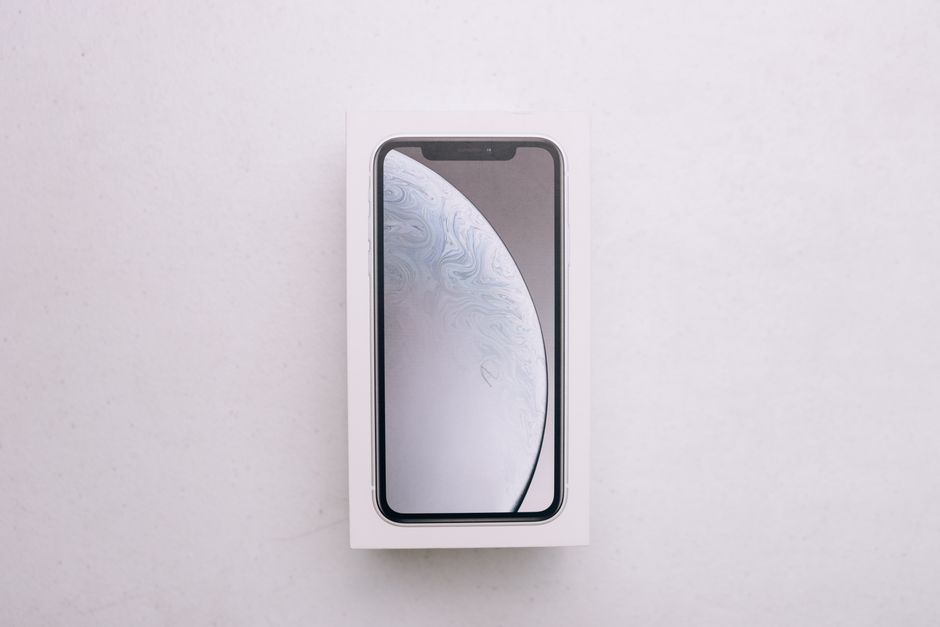
Counterfeit phones often cut corners on materials and manufacturing processes. A thorough physical inspection can reveal tell-tale signs of a fake. Pay close attention to the phone’s weight; genuine devices usually have a specific heft due to quality components, while fakes might feel unusually light or heavy. Examine the alignment of buttons, ports, and camera modules; misaligned or loose parts are red flags.
Scrutinize the branding and logos. Authentic brands like Apple or OnePlus have precise, high-quality etchings or prints. Fakes might have blurred logos, incorrect fonts, or slight spelling errors. For instance, a recent report by Gadgets360 highlighted how subtle differences in the font on a fake iPhone’s back panel were a giveaway. Check the screen-to-body ratio and bezel thickness; counterfeits often have thicker bezels than the original specifications.
- Inspect logos and branding for clarity, font accuracy, and spelling errors.
- Feel the device’s weight and materials; genuine phones often have a distinct premium feel.
- Check the alignment of physical buttons (power, volume), charging ports, and speaker grilles.
- Look for perfectly flush glass panels and consistent gaps between components.
Software and Performance Checks
The operating system and overall performance are often major differentiators. Boot up the phone and navigate through the UI. Fake Android phones might run an older version of Android disguised with a custom launcher to mimic the latest OS, or they might have pre-installed bloatware that isn’t typically found on genuine devices. Verify the Android version and security patch level in “Settings > About Phone.”
Performance benchmarks can also expose fakes. While we don’t perform in-house testing, reputable tech review sites like GSMArena and 91mobiles often publish benchmark scores (e.g., AnTuTu, Geekbench) for genuine models. If a phone feels sluggish or crashes frequently, especially when running demanding apps like BGMI or Instagram, it’s a strong indicator of inferior hardware. Check the available internal storage; fakes often advertise high storage but have significantly less actual usable space, as documented by MySmartPrice in their analyses of counterfeit devices.
- Verify the Android version and security patch level in the phone’s settings.
- Check for unusual pre-installed apps or a non-standard user interface.
- Run a benchmark app (e.g., AnTuTu, if you can safely install it) and compare scores to widely reported benchmarks for the genuine model.
- Test demanding applications like BGMI or video streaming to assess performance stability.
Camera and Display Analysis
Camera quality is a frequent casualty in counterfeit phones. Genuine smartphones, even budget ones, offer respectable camera performance. Take a few photos and videos; fakes often produce grainy images, poor color reproduction, and struggle in low light. Compare the sample photos with official camera samples or reviews from sites like Android Central, which often provide detailed camera analyses.
The display is another critical component. Genuine phones boast vibrant colors, good contrast, and adequate brightness. Counterfeits often use cheaper LCD panels with poor viewing angles, low resolution, and washed-out colors. Pixel density can be checked by closely examining the screen for individual pixels, which are more visible on lower-resolution fake displays. Touch responsiveness and accuracy can also be compromised on fakes, leading to a frustrating user experience.
- Take test photos and videos in various lighting conditions and compare quality with known genuine samples.
- Examine the display for brightness, color accuracy, contrast, and viewing angles.
- Test touch screen responsiveness and multi-touch capabilities.
- Verify the advertised camera megapixels and aperture through a camera info app, if available.
Battery, Charging, and Connectivity
Battery performance in fake phones is typically abysmal. They might drain quickly, charge slowly, or exhibit excessive heating, especially during basic usage or charging. Check the charging speed with the provided charger; genuine fast charging technologies like Warp Charge or Dash Charge are usually absent or poorly implemented in fakes. Excessive heat during charging can also indicate a faulty or dangerous battery.
Connectivity issues are also common. Test Wi-Fi, Bluetooth, and mobile network reception (Jio and Airtel are good benchmarks in India). Dual-SIM functionality, a common feature in India, might be poorly implemented or entirely non-functional on counterfeit devices. Ensure call quality is clear and stable. A fake device might also lack proper certifications, making it susceptible to voltage spikes common in some Indian regions, potentially damaging the device or posing a safety hazard.
- Monitor battery drain during light and heavy usage.
- Test charging speed and observe if the device heats up excessively.
- Verify Wi-Fi, Bluetooth, and mobile network (2G/3G/4G/5G) connectivity.
- Test dual-SIM functionality with two active SIM cards.
Original vs. Fake Phone: A Quick Comparison
| Feature | Original Phone | Fake/Counterfeit Phone |
|---|---|---|
| IMEI Verification | Matches official databases, manufacturer details. | Often invalid, generic, or mismatched details. |
| Build Quality | Premium materials, precise fit and finish, consistent weight. | Cheap plastics, misaligned parts, inconsistent weight, rough edges. |
| Operating System | Latest official Android/iOS, clean UI, regular updates. | Outdated Android, custom skin, bloatware, no updates, security risks. |
| Performance | Smooth, responsive, reliable for demanding tasks (e.g., BGMI). | Laggy, frequent crashes, poor multitasking, struggles with basic apps. |
| Camera Quality | Sharp images, accurate colors, good low-light performance. | Grainy, washed-out photos, poor focus, often lower actual MP. |
| Display Quality | Vibrant colors, high resolution, good viewing angles, responsive touch. | Dull colors, low resolution, poor viewing angles, unresponsive touch. |
| Battery Life | Consistent, charges at expected speed, minimal heating. | Rapid drain, slow charging, excessive heating, potential safety hazard. |
Who Should Buy / Who Should Skip
Who should buy (after careful checks): Individuals looking for budget-friendly options on the second-hand market, or those purchasing from lesser-known online sellers or local shops where the authenticity of products might not be guaranteed. If you’re considering a deal that seems exceptionally good, especially for a popular model, exercising extreme caution and conducting all the checks outlined above is non-negotiable.
Who should skip (without proper checks): Anyone buying a phone from an unverified seller, a street vendor, or an online marketplace that doesn’t offer buyer protection and easy returns. If the seller cannot provide a proper bill, warranty card, or refuses to let you perform these checks, it’s best to walk away. Purchasing from authorized retailers like Amazon.in, Flipkart, Croma, Reliance Digital, or Vijay Sales significantly reduces the risk of encountering a fake, as these channels typically guarantee genuine products with official warranties.
Frequently Asked Questions (FAQ)
Q1: Can a fake phone harm my personal data?
A1: Yes, absolutely. Counterfeit phones often come with modified software that may contain malware, spyware, or security vulnerabilities, potentially compromising your personal data, banking information, and privacy, as warned by cybersecurity experts.
Q2: What should I do if I accidentally bought a fake phone?
A2: If you discover you’ve bought a fake, immediately contact the seller for a refund. If the seller is unresponsive, report the incident to the platform you bought it from (if online) and consider filing a complaint with consumer protection authorities in India, providing all transaction details and evidence of the phone’s inauthenticity.
Q3: Are refurbished phones the same as fake phones?
A3: No, they are distinct. Refurbished phones are genuine devices that have been previously used, returned, and then repaired or restored to working condition by the manufacturer or an authorized refurbisher. They often come with a limited warranty. Fake phones, on the other hand, are fraudulent imitations designed to deceive buyers with inferior components and no official backing.
Navigating the smartphone market in India requires vigilance, especially with the prevalence of sophisticated counterfeits. By meticulously following these checks, you can significantly reduce your risk and ensure that your hard-earned money is spent on a genuine, reliable device that truly delivers the experience you expect.
For more on this topic, see our tech buying guides.
About the Author