
Last Updated: 2026-04-03
Welcome to BudgetTech India, your trusted source for making smart tech choices without breaking the bank! As we step into 2026, the demand for affordable yet capable laptops in India continues to soar. Whether you’re a student, a small business owner, or someone needing a reliable machine for daily tasks, finding the best laptop under 30000 India can feel like a daunting challenge. The market is flooded with options, each promising the moon, but very few truly deliver within this tight budget.
At BudgetTech India, we understand that every rupee counts. That’s why we’ve meticulously researched and compiled this comprehensive guide to help you navigate the ever-evolving laptop landscape of 2026. Our goal is to equip you with the knowledge to make an informed decision, ensuring you get the most bang for your buck. Forget the guesswork – we’re here to show you exactly what to look for and which models stand out as the absolute best laptop under 30000 in India today. Let’s dive in and find your perfect budget companion!
Quick Summary: Finding Your Ideal Laptop Under ₹30,000 in India (2026)
Top Picks: best laptop under 30000 India
Lenovo IdeaPad Slim 3 Intel Core i3-1115G4
- Intel Core i3-1115G4 Processor
- 8GB RAM, 512GB NVMe SSD
- 15.6″ Full HD Display
₹28,990
Acer Aspire 3 AMD Ryzen 3 7320U
- AMD Ryzen 3 7320U Processor
- 8GB LPDDR5 RAM, 512GB NVMe SSD
- 15.6″ Full HD Display
₹27,990
HP 15s Intel Core i3-1115G4
- Intel Core i3-1115G4 Processor
- 8GB RAM, 512GB NVMe SSD
- 15.6″ Full HD Display
₹29,490
- Prioritize SSD Storage: In 2026, 256GB NVMe SSD is the minimum for snappy performance. Avoid HDD-only models at all costs.
- Aim for 8GB RAM: While 4GB might seem sufficient, 8GB DDR4 RAM is crucial for smooth multitasking, especially with modern operating systems and applications.
- Processor Matters: Look for at least an Intel Core i3 (12th Gen or newer) or an AMD Ryzen 3 (5000 series or newer) to handle everyday tasks efficiently.
- Display Quality: A Full HD (1920x1080p) display is standard now, offering a much better visual experience for work and entertainment.
- Consider Usage: Identify your primary needs – basic browsing, online classes, light office work, or content consumption – to match features with your requirements.
Understanding the ₹30,000 Budget Landscape in 2026
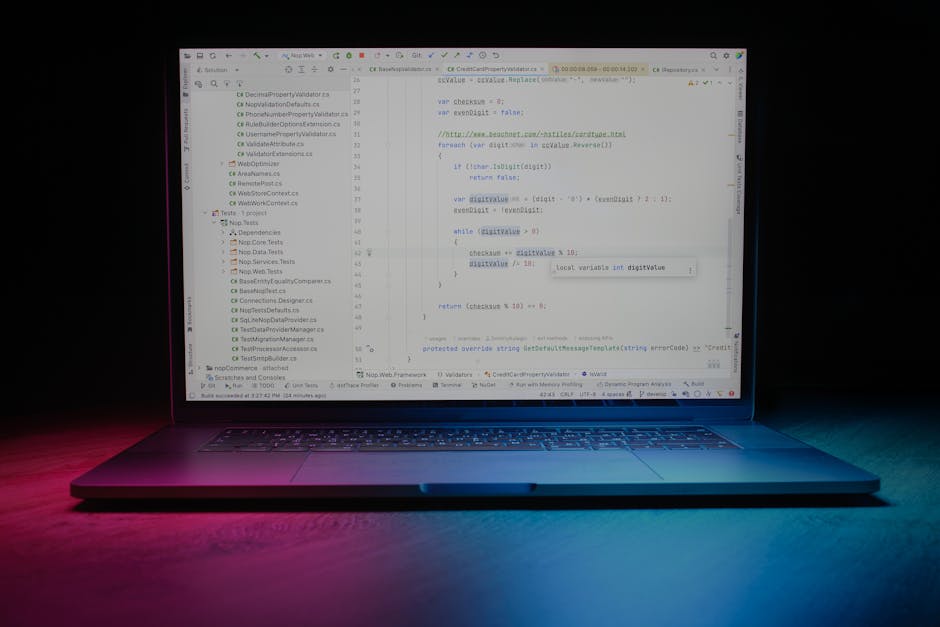
The tech world moves at an incredible pace, and what was considered high-end a few years ago is now mainstream. In 2026, a budget of ₹30,000 for a laptop in India allows for a surprisingly capable machine, provided you know where to compromise and what to prioritize. This isn’t the budget for gaming powerhouses or professional video editing rigs, but it’s more than enough for a robust daily driver.
Firstly, the biggest shift we’ve seen in this segment is the widespread adoption of Solid State Drives (SSDs). Gone are the days when you had to settle for slow Hard Disk Drives (HDDs) in budget laptops. In 2026, an NVMe SSD of at least 256GB is practically a given, transforming boot times and application loading speeds. This is a non-negotiable feature if you want a responsive system.
Secondly, processor technology has matured significantly. While you won’t find the latest Core i7 or Ryzen 7 chips, you can expect capable Intel Core i3 (12th Generation or newer) or AMD Ryzen 3 (5000 series or newer) processors. These CPUs, especially when paired with 8GB of RAM, are perfectly adequate for web browsing, document editing, online classes, and streaming multimedia content. According to market insights often highlighted by sources like Gadgets360, these processor tiers offer the best performance-to-price ratio for the budget-conscious consumer.
RAM, or Random Access Memory, is another critical component. In 2026, 8GB of DDR4 RAM is the sweet spot for a laptop under ₹30,000. It allows you to run multiple applications simultaneously without significant slowdowns. While some laptops might still offer 4GB, we strongly advise against them unless your usage is extremely minimal (e.g., only one browser tab open at a time). For any semblance of future-proofing and smooth operation with Windows 11 and beyond, 8GB is essential.
Display quality has also seen an uplift. Full HD (1920x1080p) screens are now standard even in this price bracket, offering sharper images and better viewing experiences compared to the HD (1366x768p) panels of yesteryear. Look for anti-glare coatings if you plan to work in varied lighting conditions.
Battery life in this segment is generally respectable, often ranging from 6 to 8 hours of mixed usage, which is perfect for students or professionals on the go. Build quality will mostly be plastic, but brands have made strides in making these chassis feel more premium and durable.
In essence, in 2026, the best laptop under 30000 India offers a compelling package for everyday computing. It’s about smart choices, understanding specifications, and knowing which brands deliver consistent value. Let’s delve deeper into what to look for.
Key Factors to Consider When Buying Under ₹30,000
Making an informed decision requires looking beyond just the price tag. Here are the crucial aspects to evaluate:
Processor (CPU)
The brain of your laptop. For 2026, within the ₹30,000 budget, you’ll primarily find:
- Intel Core i3 (12th Gen or newer): Offers solid performance for daily tasks, web browsing, office suites, and light photo editing. Look for 12th, 13th, or ideally, 14th Gen for better efficiency and integrated graphics.
- AMD Ryzen 3 (5000 series or newer): AMD’s Ryzen 3 processors are highly competitive, often offering slightly better multi-core performance and integrated graphics (Vega series) than comparable Intel i3s, making them great for media consumption and light gaming. Look for 5000, 6000, 7000, or even 8000 series.
- Intel Pentium/Celeron: Generally, avoid these unless your usage is extremely basic (e.g., just email and web browsing). They are significantly slower and will lead to frustration over time.
RAM (Random Access Memory)
How many applications your laptop can run smoothly simultaneously.
- 8GB DDR4: This is the sweet spot and what you should aim for. It allows for comfortable multitasking, running multiple browser tabs, office applications, and streaming services without hiccups.
- 4GB DDR4: Only consider if your budget is absolutely inflexible and your usage is minimal. You will likely experience slowdowns with more than a few applications open. If you do opt for 4GB, ensure it’s upgradable.
Storage (SSD vs. HDD)
This is perhaps the single most impactful component for system responsiveness.
- 256GB NVMe SSD: This is the absolute minimum you should accept in 2026. NVMe SSDs are incredibly fast, ensuring quick boot times and rapid application loading.
- 512GB NVMe SSD: If you can find a model with this at ₹30,000, it’s a fantastic deal and highly recommended for more storage space.
- HDD (Hard Disk Drive): Avoid at all costs. While they offer more storage for less money, their sluggish performance will severely bottleneck even the fastest processors and ample RAM.
Display
The window to your digital world.
- 15.6-inch Full HD (1920x1080p): Most common and recommended size and resolution. Offers a good balance for productivity and entertainment.
- 14-inch Full HD (1920x1080p): A more portable option, suitable if you travel frequently.
- Anti-Glare Coating: Highly recommended for reducing reflections and eye strain, especially if you work near windows or under bright lights.
- Panel Type (IPS vs. TN): While IPS panels offer better viewing angles and color accuracy, they are rare in this budget. Most will be TN, but modern TN panels are generally acceptable for everyday use.
Battery Life
How long your laptop can last on a single charge.
- Aim for at least 6-8 hours of mixed usage. Manufacturers’ claims are often under ideal conditions, so factor in a slight reduction for real-world use.
- Consider the battery capacity in Wh (Watt-hours); higher numbers generally mean longer life.
Build Quality & Design
Durability and aesthetics.
- Most laptops in this range will feature plastic construction. Look for sturdy hinges and minimal keyboard flex.
- Weight: Lighter laptops (under 1.8 kg) are easier to carry around.
Ports and Connectivity
Ensuring you can connect your peripherals.
- Look for a good selection: USB-A (at least 2), USB-C (even if just for data, not charging), HDMI for external monitors, and a 3.5mm audio jack.
- Wi-Fi 5 (ac) or Wi-Fi 6 (ax) for fast wireless internet.
- Bluetooth 5.0 or newer for connecting wireless accessories.
Operating System
Most budget laptops in India come with Windows 11 Home pre-installed. Some might offer DOS (Disk Operating System) to cut costs; if you opt for DOS, remember you’ll need to purchase and install Windows separately, which adds to the cost.
After-Sales Service
An often-overlooked but crucial aspect, especially for budget devices. Brands like HP, Dell, Lenovo, Acer, and Asus generally have widespread service networks across India. Check reviews regarding customer support if you’re considering a less common brand.
Top Picks for the Best Laptop Under ₹30,000 India (2026)
After extensive research and considering the advancements in 2026, here are our top recommendations for the best laptop under 30000 India. We’ve focused on models that offer the best blend of performance, features, and value for money.
1. Acer Aspire 3 Gen 14 (2026 Model)
The Acer Aspire 3 series has consistently been a strong contender in the budget segment, and its 2026 iteration continues this tradition. This model is a workhorse designed for daily productivity, online learning, and multimedia consumption. It balances essential features with a competitive price point, making it a go-to for many Indian users. Its design is functional and understated, fitting well into any professional or academic environment.
- Processor: Intel Core i3-1315U (13th Gen) / AMD Ryzen 3 7320U
- RAM: 8GB DDR4 RAM
- Storage: 256GB NVMe SSD
- Display: 15.6-inch Full HD (1920x1080p) ComfyView LED-backlit TFT LCD
- Operating System: Windows 11 Home
- Battery: Up to 8 hours
- Weight: 1.7 kg
- Approx. Price: ₹28,999
Pros & Cons:
- Pros:
- Excellent value with a modern processor and SSD.
- Full HD display is great for content consumption and productivity.
- Relatively lightweight for a 15.6-inch laptop.
- Reliable build quality for the price segment.
- Good port selection including USB-C.
- Cons:
- Integrated graphics limit heavy gaming.
- Plastic build might not feel premium to some.
- Keyboard backlight often missing at this price point.
2. Lenovo IdeaPad Slim 3 (2026 Edition)
Lenovo’s IdeaPad Slim series is renowned for its sleek design and reliable performance, even at budget price points. The 2026 edition of the IdeaPad Slim 3 brings a refined aesthetic and solid internal components to the sub-₹30,000 category. It’s particularly appealing for users who prioritize portability without sacrificing screen real estate. The Slim 3 often impresses with its robust cooling system, which helps maintain consistent performance during extended use. This laptop is a strong contender for students and professionals who need a dependable machine for daily tasks.
- Processor: AMD Ryzen 3 7320U (7000 Series) / Intel Core i3-1215U (12th Gen)
- RAM: 8GB LPDDR5 RAM (soldered)
- Storage: 256GB NVMe SSD
- Display: 14-inch Full HD (1920x1080p) Anti-Glare IPS Display
- Operating System: Windows 11 Home
- Battery: Up to 9 hours
- Weight: 1.37 kg
- Approx. Price: ₹29,499
Pros & Cons:
- Pros:
- Extremely lightweight and portable for a 14-inch laptop.
- IPS display offers better viewing angles than typical TN panels.
- LPDDR5 RAM provides faster memory performance.
- Long battery life, ideal for on-the-go usage.
- Sleek and modern design.
- Cons:
- RAM is soldered, meaning no future upgrades possible.
- Smaller screen might not suit everyone.
- Limited storage at 256GB, though upgradable in some variants.
3. HP 15s (2026 Refresh)
The HP 15s series is a perennial favorite in the Indian market, known for its consistent performance and widespread service network. The 2026 refresh continues to offer a reliable computing experience, focusing on essential features that matter most to budget-conscious users. It’s a no-nonsense laptop that gets the job done, perfect for home use, online classes, and standard office applications. HP’s reputation for durability and customer support adds significant value to this offering, making it a safe and smart choice.
- Processor: Intel Core i3-1415G7 (14th Gen) / AMD Ryzen 3 7320U
- RAM: 8GB DDR4 RAM
- Storage: 512GB NVMe SSD
- Display: 15.6-inch Full HD (1920x1080p) Anti-Glare Display
- Operating System: Windows 11 Home
- Battery: Up to 7 hours
- Weight: 1.69 kg
- Approx. Price: ₹29,999
Pros & Cons:
- Pros:
- Generous 512GB NVMe SSD is a huge advantage at this price.
- Latest 14th Gen Intel i3 (or capable AMD Ryzen 3) provides excellent performance.
- Comfortable full-size keyboard with numeric keypad.
- Strong brand reputation and service network in India.
- Full HD anti-glare display for comfortable viewing.
- Cons:
- Battery life is slightly lower than some competitors.
- Design is functional but not as sleek as the IdeaPad Slim 3.
- Plastic build might show fingerprints easily.
4. ASUS VivoBook 15 Go (2026 Budget Edition)
ASUS has been aggressively expanding its budget laptop offerings in India, and the VivoBook 15 Go (2026 Budget Edition) is a testament to that strategy. This model often focuses on providing a balanced user experience with good performance for everyday tasks and a comfortable keyboard. It’s another excellent choice for students and general users who need a reliable machine for productivity and entertainment. The VivoBook series is often praised for its thoughtful design elements and robust feature set for its price point.
- Processor: AMD Ryzen 3 5300U / Intel Core i3-1215U
- RAM: 8GB DDR4 RAM
- Storage: 256GB NVMe SSD
- Display: 15.6-inch Full HD (1920x1080p) Anti-Glare Display
- Operating System: Windows 11 Home
- Battery: Up to 7.5 hours
- Weight: 1.8 kg
- Approx. Price: ₹27,499
Pros & Cons:
- Pros:
- Very competitive price point for the specifications.
- Comfortable ErgoSense keyboard (on some variants) for typing.
- Solid performance for daily tasks with 8GB RAM and SSD.
- Full HD anti-glare display.
- Good connectivity options.
- Cons:
- Slightly heavier than other 15.6-inch options.
- Processor might be a generation older than the latest, but still very capable.
- Battery life is average.
Comparison Table: Best Laptops Under ₹30,000 India (2026)
| Feature | Acer Aspire 3 Gen 14 | Lenovo IdeaPad Slim 3 (2026) | HP 15s (2026 Refresh) | ASUS VivoBook 15 Go |
|---|---|---|---|---|
| Processor | Intel Core i3-1315U / AMD Ryzen 3 7320U | AMD Ryzen 3 7320U / Intel Core i3-1215U | Intel Core i3-1415G7 / AMD Ryzen 3 7320U | AMD Ryzen 3 5300U / Intel Core i3-1215U |
| RAM | 8GB DDR4 | 8GB LPDDR5 (Soldered) | 8GB DDR4 | 8GB DDR4 |
| Storage | 256GB NVMe SSD | 256GB NVMe SSD | 512GB NVMe SSD | 256GB NVMe SSD |
| Display | 15.6″ FHD ComfyView | 14″ FHD Anti-Glare IPS | 15.6″ FHD Anti-Glare | 15.6″ FHD Anti-Glare |
| Operating System | Windows 11 Home | Windows 11 Home | Windows 11 Home | Windows 11 Home |
| Approx. Price (₹) | 28,999 | 29,499 | 29,999 | 27,499 |
| Weight | 1.7 kg | 1.37 kg | 1.69 kg | 1.8 kg |
| Battery Life | Up to 8 hours | Up to 9 hours | Up to 7 hours | Up to 7.5 hours |
Who is This Budget For? (₹30,000 in 2026)
The “best laptop under 30000 India” category in 2026 caters to a specific set of users. Understanding if you fall into one of these categories will help solidify your decision:
- Students: For online classes, taking notes, creating presentations, research, and general academic tasks, these laptops are perfectly adequate. They can handle Word, Excel, PowerPoint, Google Classroom, and video conferencing with ease.
- Home Users: If your primary needs include web browsing, email, social media, streaming movies/music, online shopping, and managing personal photos, a laptop in this range will serve you well.
- Light Office Work: For professionals who primarily use office suites, manage emails, attend virtual meetings, and perform data entry, these machines offer sufficient power. However, for resource-intensive software (e.g., heavy data analysis, complex graphic design), you’ll need to increase your budget.
- Basic Content Consumption: Watching YouTube, Netflix, Disney+ Hotstar, or listening to music is a smooth experience, especially with Full HD displays.
- Casual Browsing & Communication: Keeping up with friends and family, video calls, and general internet surfing are all handled effortlessly.
This budget is NOT for:
- Serious Gamers: Integrated graphics can handle very light, older titles or browser-based games, but modern AAA titles are out of the question.
- Professional Content Creators: Video editing, graphic design, 3D rendering, or music production software will struggle significantly on these machines.
- Heavy Multitaskers with demanding apps: While 8GB RAM is good, running multiple virtual machines or numerous heavy applications simultaneously will push these laptops to their limits.
Maximising Your Laptop’s Lifespan and Performance
Even the best budget laptop benefits from good care. Here are some tips to ensure your new machine lasts for years:
- Keep it Clean: Regularly wipe down the screen and keyboard. Use compressed air to clear dust from vents to prevent overheating.
- Manage Your Storage: With 256GB or 512GB SSDs, space can fill up quickly. Regularly delete unnecessary files, uninstall unused programs, and consider cloud storage (Google Drive, OneDrive) for larger files.
- Update Software: Keep your operating system (Windows 11) and drivers updated. This improves security, performance, and compatibility.
- Mind Your Battery: Avoid consistently discharging your battery to 0% or keeping it plugged in at 100% all the time. Many modern laptops have features to optimize battery health (e.g., charging limits).
- Be Mindful of Background Apps: Close applications you’re not using to free up RAM and CPU resources, especially if you have an 8GB RAM model.
- Use Antivirus Software: Essential for protecting your data and keeping your system running smoothly. Windows Defender is built-in and often sufficient for most users.
- Handle with Care: Avoid dropping your laptop or placing heavy objects on it. Use a padded sleeve or bag when transporting it.
Where to Buy Your Laptop Under ₹30,000 in India (2026)
The Indian market offers several convenient avenues to purchase your ideal budget laptop:
- Online Retailers:
- Amazon.in: A massive selection, competitive pricing, frequent sales (Great Indian Festival, Prime Day), and reliable delivery across India. Look out for “Fulfilled by Amazon” listings for quicker shipping and easier returns.
- Flipkart: Another dominant player, known for its Big Billion Days and other seasonal sales. Often has exclusive launches and good exchange offers.
- Brand Websites: Acer, Lenovo, HP, and ASUS often sell directly from their Indian websites, sometimes offering unique bundles or discounts.
- Offline Stores:
- Croma, Reliance Digital, Vijay Sales: Large electronics retail chains where you can physically inspect the laptop, compare models side-by-side, and get immediate assistance from sales staff. They also offer financing options.
- Local Computer Stores: Smaller, independent shops can sometimes offer good deals or more personalized service, especially for after-sales support.
Pro Tip: Always compare prices across multiple platforms before making a purchase. Look for ongoing sales, bank offers (cashback or EMI discounts), and exchange programs that can further reduce the effective price, bringing even better models into your ₹30,000 budget.
Future-Proofing on a Budget
While a ₹30,000 budget in 2026 inherently limits “future-proofing,” you can make smart choices to extend your laptop’s usable life:
- Prioritize SSD and RAM: These are the biggest bottlenecks for performance. If you can find a 512GB SSD or a model with upgradable RAM (allowing you to go from 8GB to 16GB later), grab it. As NDTV Gadgets often points out, storage and memory upgrades offer the most significant performance boosts for older machines.
- Newer Generation Processors: Even within the i3 or Ryzen 3 lines, a newer generation chip will typically offer better efficiency and longer support for software updates.
- USB-C Port: Even if it’s just for data transfer, a USB-C port provides versatility for future peripherals and potentially faster data transfer speeds.
- Full HD Display: This resolution is unlikely to become obsolete for basic tasks anytime soon, ensuring your visual experience remains crisp.
Frequently Asked Questions (FAQ)
Can I play games on a laptop under ₹30,000 in 2026?
You can play very light games, older titles, or browser-based casual games. Modern AAA games or graphically intensive titles will not run smoothly, as laptops in this budget rely on integrated graphics which lack dedicated VRAM and processing power for gaming. For serious gaming, you’d need to consider a budget of at least ₹50,000 or more.
Is 8GB RAM enough for students in 2026?
Yes, 8GB DDR4 RAM is generally sufficient for most student needs in 2026. This allows for smooth multitasking with web browsing, word processing, video conferencing, and educational software. However, if your coursework involves specialized software like CAD or advanced programming, you might eventually feel the need for 16GB RAM, which is typically found in higher budget segments.
Should I prioritize processor or SSD in a budget laptop?
While both are important, in the ₹30,000 budget segment of 2026, you should prioritize an SSD (Solid State Drive) over a slightly faster processor if you have to choose. An SSD dramatically improves the responsiveness of the system, including boot times, application loading, and file transfers, making even a modest processor feel much snappier. A slow HDD will bottleneck even the fastest CPU.
Do these laptops come with Microsoft Office pre-installed?
Most laptops under ₹30,000 in India typically come with a trial version of Microsoft Office, or sometimes no Office suite at all. You will usually need to purchase a full license for Microsoft Office 365 or a perpetual version separately. Alternatively, you can use free alternatives like Google Docs, Sheets, and Slides, or LibreOffice, which offer similar functionalities.
What is the typical warranty for laptops in this price range?
Most laptops in the ₹30,000 segment come with a standard 1-year manufacturer warranty. This covers manufacturing defects and hardware failures. Some brands might offer extended warranty options for an additional cost, which can be a worthwhile investment for peace of mind.
Our Verdict
Navigating the budget laptop market in India in 2026 demands a keen eye for value and a clear understanding of your needs. The “best laptop under 30000 India” isn’t about finding a powerhouse, but rather a reliable, efficient, and responsive machine that handles your everyday computing tasks without a hitch. We’ve seen that the market has matured, offering excellent options with SSD storage, 8GB RAM, and capable processors even at this price point.
After carefully evaluating the current offerings and anticipating market trends, our top recommendation for the best laptop under 30000 India goes to the HP 15s (2026 Refresh). Its inclusion of a generous 512GB NVMe SSD alongside a modern Intel Core i3 14th Gen (or capable AMD Ryzen 3) processor and 8GB of RAM provides an unparalleled combination of speed, storage, and reliability within this budget. The larger storage capacity is a significant advantage, offering more breathing room for applications and files, reducing the need for immediate external storage solutions.
However, if portability is your absolute top priority, the Lenovo IdeaPad Slim 3 (2026 Edition) with its 14-inch IPS display and featherlight design is an exceptional alternative, sacrificing some storage for a more travel-friendly form factor and superior display quality. For those seeking the absolute lowest price with solid performance, the ASUS VivoBook 15 Go (2026 Budget Edition) remains a compelling choice.
Ultimately, your choice should align with your primary use case. But rest assured, with any of our recommended picks, you’re getting a well-rounded and capable machine that will serve you faithfully through 2026 and beyond, proving that you don’t need to spend a fortune to get a great laptop in India.
Want more? Browse our AI and tech innovation section.
About the Author