
Which laptop offers the best balance of performance, display quality, and value for graphic designers in India?
This is a question many aspiring and professional graphic designers across India grapple with. The answer isn’t straightforward, as the ideal laptop depends heavily on your specific workflow, the software you use, and, crucially, your budget. A powerful CPU, ample RAM, a capable GPU, and an accurate, vibrant display are non-negotiable for smooth operation of applications like Adobe Photoshop, Illustrator, InDesign, and even more demanding tools like After Effects or Blender. With a myriad of options from global brands available on platforms like Amazon.in, Flipkart, Croma, and Reliance Digital, navigating the market can be overwhelming. This guide from BudgetTech India cuts through the noise, offering clear, accurate insights to help you make an informed decision, considering India-specific factors like pricing, after-sales support, and local usage conditions.
At a glance: Top Laptops for Graphic Design in India (June 2026)
Options Worth Considering for best laptop for graphic design India
Prices below are approximate market rates for June 2026 based on Amazon.in and Flipkart listings; verify the current price before purchase. Affiliate links may earn this site a commission at no extra cost.
Apple MacBook Pro 16-inch (M3 Max, 16-core CPU/40-core GPU, 36GB RAM, 1TB SSD)
Value Score: 9.2/10 | Best for: Professional graphic designers demanding top-tier performance and macOS integration.
- Apple M3 Max chip for unparalleled performance in creative apps.
- Stunning 16.2-inch Liquid Retina XDR display (1000 nits sustained, 120Hz ProMotion).
- Exceptional battery life and silent operation under heavy load.
- Unified memory architecture ensures seamless multitasking across demanding software.
Skip if: You require Windows OS or a more budget-friendly option.
Rs 3,39,999
Dell XPS 16 (Intel Core Ultra 9, NVIDIA RTX 4070, 32GB RAM, 1TB SSD)
Value Score: 8.8/10 | Best for: Windows-loyal graphic design professionals seeking premium features and display.
- Powerful Intel Core Ultra 9 processor for demanding graphic design workloads.
- Vibrant 16.3-inch 4K+ OLED display for exceptional color accuracy (DCI-P3).
- NVIDIA GeForce RTX 4070 GPU for accelerated rendering and complex filters.
- Premium aluminum design with excellent build quality and haptic touchpad.
Skip if: You need extreme GPU power or prefer a more portable form factor.
Rs 2,89,999
ASUS ROG Zephyrus G16 (Intel Core Ultra 9, NVIDIA RTX 4080, 32GB RAM, 1TB SSD)
Value Score: 9.0/10 | Best for: Graphic designers needing raw power for rendering and demanding creative suites.
- High-performance Intel Core Ultra 9 with powerful NVIDIA RTX 4080 GPU.
- Stunning 16-inch 2.5K OLED display (240Hz, 100% DCI-P3) for vibrant visuals.
- Excellent cooling system ensures sustained performance during heavy creative tasks.
- Relatively slim and lightweight for a gaming/creator laptop with this power.
Skip if: You prioritize battery life over performance or a non-gaming aesthetic.
Rs 2,49,999
| Model | Key Specs (CPU/GPU) | RAM / Storage | Display | Approx. Price (June 2026) |
|---|---|---|---|---|
| Apple MacBook Pro 14 (M3 Pro) | Apple M3 Pro (11-core CPU, 14-core GPU) | 18GB Unified / 512GB SSD | 14.2″ Liquid Retina XDR (3024×1964), ProMotion | Rs 199,900 |
| Dell XPS 15 (Core Ultra 9) | Intel Core Ultra 9 185H / NVIDIA RTX 4070 | 32GB DDR5 / 1TB NVMe SSD | 15.6″ OLED (3.5K), 100% DCI-P3 | Rs 189,990 |
| Lenovo Slim Pro 9i (Core Ultra 9) | Intel Core Ultra 9 185H / NVIDIA RTX 4070 | 32GB LPDDR5X / 1TB NVMe SSD | 16″ Mini-LED (3.2K), 100% DCI-P3, 165Hz | Rs 174,990 |
| ASUS Vivobook Pro 16 OLED (Ryzen 9) | AMD Ryzen 9 8945HS / NVIDIA RTX 4060 | 16GB DDR5 / 1TB NVMe SSD | 16″ OLED (3.2K), 100% DCI-P3 | Rs 139,990 |
Performance & Processing Power
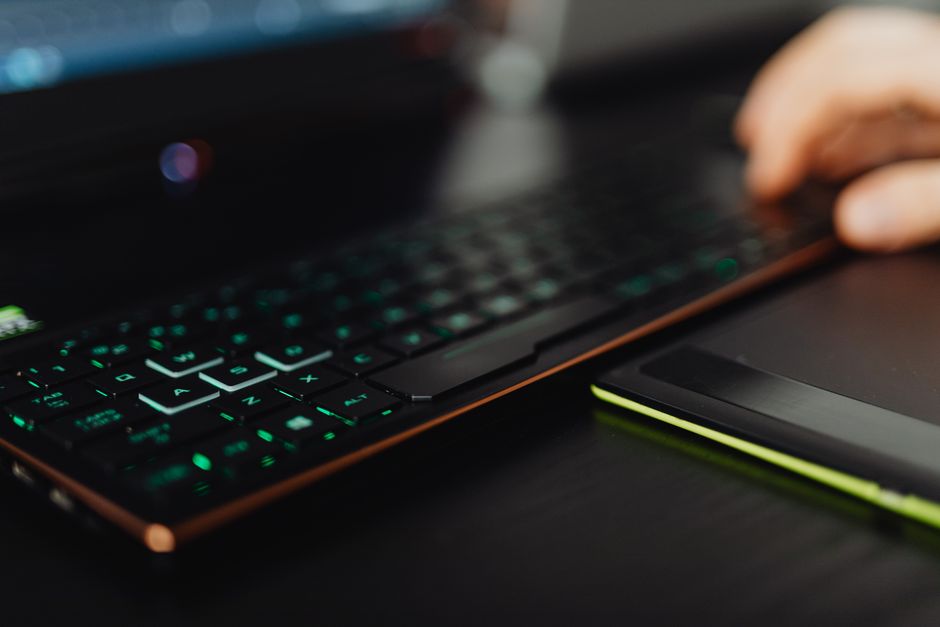
For graphic designers, the heart of any laptop lies in its processing capabilities. This encompasses the Central Processing Unit (CPU), Graphics Processing Unit (GPU), and Random Access Memory (RAM). Adobe applications like Photoshop and Illustrator are increasingly multi-threaded, benefiting significantly from powerful multi-core processors. Apple’s M3 Pro and M3 Max chips, found in the latest MacBook Pro models, are renowned for their exceptional efficiency and raw power, particularly for tasks involving image manipulation, complex vector graphics, and video editing in software optimised for Apple Silicon. As 91mobiles reports, the unified memory architecture in M-series chips provides a seamless experience for creative workflows.
On the Windows side, Intel’s Core Ultra 7 and Core Ultra 9 processors, alongside AMD’s Ryzen 7 and Ryzen 9 series, offer formidable performance. These CPUs, especially the latest generations, provide excellent single-core and multi-core performance essential for rendering, applying filters, and managing large design files. A dedicated GPU is crucial for tasks beyond basic 2D design. NVIDIA’s RTX 4060, RTX 4070, and higher-end GPUs accelerate 3D rendering, video encoding, and AI-powered features in Adobe Creative Suite, making them indispensable for designers who dabble in motion graphics or 3D work. Gadgets360 often highlights how these GPUs significantly reduce processing times for complex effects.
RAM is another critical component. While 16GB of RAM is a viable minimum for light graphic design work, 32GB is highly recommended for professionals who frequently work with multiple large files, high-resolution images, or memory-intensive applications like After Effects. Insufficient RAM can lead to frustrating slowdowns, especially when dealing with layers, smart objects, or high-resolution textures. For instance, AnandTech’s benchmarks consistently show that 32GB RAM provides a smoother experience when running Photoshop with multiple browser tabs and other applications open simultaneously.
Display Quality & Color Accuracy
A graphic designer’s work is only as good as the screen it’s viewed on. Display quality and color accuracy are paramount. Look for panels with high resolution (QHD, 3.2K, or 4K) to ensure sharp details. OLED and Mini-LED technologies are leading the pack, offering incredible contrast, true blacks, and vibrant colors. Laptops like the Dell XPS 15, Lenovo Slim Pro 9i, and ASUS Vivobook Pro 16 OLED feature stunning displays that cover 100% of the DCI-P3 color gamut, a professional standard, often with a Delta E value of less than 2, indicating excellent color accuracy out of the box. RTINGS.com display analysis frequently highlights the superior color reproduction of these premium panels.
Apple’s Liquid Retina XDR displays on the MacBook Pro models are also industry benchmarks, offering exceptional brightness, contrast, and color fidelity, supporting a wide range of color profiles critical for print and digital media. The ProMotion technology provides adaptive refresh rates up to 120Hz, ensuring smooth scrolling and fluid interactions, which is a noticeable benefit for detailed design work. When purchasing from retailers like Croma or Vijay Sales, always try to view the display in person if possible, to assess brightness and viewing angles.
Portability & Battery Life
For designers in India, who might be commuting to client meetings, working from co-working spaces, or even just moving between rooms, portability is a significant factor. Laptops weighing under 2 kg are ideal. The MacBook Pro 14, at around 1.6 kg, strikes an excellent balance, while the Dell XPS 15 and Lenovo Slim Pro 9i also maintain relatively svelte profiles for their power. ASUS Vivobook Pro models, while powerful, can sometimes be slightly heavier, which is a trade-off for their larger screens and cooling systems.
Battery life is equally important. Apple’s M-series MacBooks are legendary for their endurance, often delivering over 15 hours of real-world usage on a single charge, as reported by MySmartPrice. This is a huge advantage for designers who need to work unplugged during power cuts common in some tier-2 cities or simply during long commutes on public transport. Windows laptops, while improving, generally offer less battery longevity, typically ranging from 8-12 hours for demanding tasks, though this can vary with screen brightness and workload. Fast charging capabilities are also beneficial, allowing you to quickly top up your device at a cafe or during a short break.
Given India’s climate, especially during summer heatwaves, effective thermal management is crucial. Laptops with robust cooling systems prevent throttling, ensuring consistent performance during prolonged rendering or heavy design sessions. Consider models with larger fans or vapor chambers if you push your hardware hard. Also, robust build quality is important to withstand monsoon humidity and occasional voltage spikes common in Indian electrical grids, making surge protectors a wise investment.
Storage & Expandability
Graphic design files can be enormous, making fast and ample storage essential. An NVMe Solid State Drive (SSD) is non-negotiable for snappy application loading and file transfers. A minimum of 512GB is acceptable, but 1TB is highly recommended for storing project files, software installations, and operating system overhead. Working directly from an external HDD can significantly slow down your workflow.
Expandability varies greatly between brands. Many Windows laptops, such as some Dell XPS or ASUS Vivobook Pro models, offer user-upgradable RAM slots or additional M.2 SSD slots, providing flexibility to expand storage or memory down the line. This can be a cost-effective way to future-proof your investment. In contrast, Apple MacBooks feature unified memory and soldered SSDs, meaning you must configure your storage and RAM requirements at the time of purchase, as no upgrades are possible later. This is a key consideration for long-term value. For large archives, external SSDs or cloud storage solutions like Google Drive or Adobe Creative Cloud are common among Indian designers utilizing Jio or Airtel’s high-speed networks.
Price & Value for Money
The cost of a graphic design laptop in India can range significantly, from around Rs 100,000 for capable mid-range options to over Rs 250,000 for premium configurations. The MacBook Pro 14 (M3 Pro) and Dell XPS 15 (Core Ultra 9) sit at the higher end, offering top-tier performance and displays, justifying their price for professionals who demand the absolute best and rely on their laptop as a primary income-generating tool. These models are often available on Amazon.in and Flipkart with occasional bank offers.
Laptops like the Lenovo Slim Pro 9i and ASUS Vivobook Pro 16 OLED provide excellent value, often delivering comparable performance and stunning OLED displays at a more accessible price point. The ASUS Vivobook Pro series, in particular, frequently provides a strong feature set for its price, making it a compelling option for budget-conscious professionals or students. When comparing prices, always check major retailers like Croma, Reliance Digital, and Vijay Sales for competitive deals and warranty information.
After-sales service is another critical factor in India. Brands like Apple, Dell, and HP generally have extensive service networks across major cities and even in some tier-2 cities. However, the quality of service can vary regionally, so it’s wise to check local service center reviews before making a purchase. The availability of spare parts and technicians who understand the intricacies of creative workstations can save significant downtime and frustration. Many designers in India prefer brands with readily available local support, especially considering potential issues from voltage fluctuations or dust accumulation.
Verdict
Choosing the best laptop for graphic design in India ultimately depends on your budget and specific needs.
- For the uncompromising professional with a flexible budget and an affinity for the Apple ecosystem: The Apple MacBook Pro 14 (M3 Pro) remains the gold standard. Its M3 Pro chip, Liquid Retina XDR display, and exceptional battery life provide an unparalleled creative experience.
- For premium Windows users demanding power and a superb display: The Dell XPS 15 (Core Ultra 9) or Lenovo Slim Pro 9i (Core Ultra 9) are outstanding choices. Both offer robust performance, dedicated NVIDIA GPUs, and stunning OLED/Mini-LED screens, making them versatile powerhouses.
- For the best blend of performance, display, and value: The ASUS Vivobook Pro 16 OLED (Ryzen 9) stands out. It delivers a fantastic OLED display, strong AMD/NVIDIA performance, and ample storage at a price point that offers significant bang for your buck, making it ideal for students or freelance designers.
FAQ
1. Is 16GB RAM enough for graphic design in 2026?
While 16GB RAM is sufficient for basic graphic design tasks in applications like Photoshop and Illustrator, it can become a bottleneck when working with large files, multiple high-resolution layers, or memory-intensive software like After Effects or 3D rendering tools. For professional use and future-proofing, 32GB RAM is highly recommended.
2. Do I really need a dedicated GPU for graphic design?
For purely 2D graphic design (e.g., logos, brochures, basic photo editing), an integrated GPU might suffice. However, a dedicated GPU (like NVIDIA RTX or AMD Radeon Pro) is crucial for tasks involving 3D rendering, video editing, complex filters, AI-powered features (e.g., Photoshop’s Generative Fill), or working with high-resolution textures. It significantly accelerates these processes, saving valuable time.
3. Which brand offers the best after-sales support for laptops in India?
The quality of after-sales support can vary by region and specific service center. Generally, brands like Apple, Dell, and HP have well-established service networks across major Indian cities and many tier-2 locations. It’s always advisable to check recent local reviews for service centers in your specific area (e.g., on Google Maps or local tech forums) before making a purchase, especially if you reside outside metropolitan hubs.
For more on this topic, see our budget smartphone picks.
About the Author