How to Fix Slow Charging on Your Android Phone: An Indian User’s Comprehensive Guide
The smartphone landscape in India is constantly evolving, and August 2026 sees a fascinating shift. While flagship devices continue to push boundaries, the real battleground is the mid-range segment (Rs 15,000 – Rs 30,000), where phones like the Redmi Note series, iQOO Z-series, and various Realme and Samsung models now routinely offer blazing-fast charging speeds—think 67W, 80W, or even 120W, once exclusive to top-tier phones. This rapid adoption of high-wattage charging has inadvertently highlighted a growing frustration for many Indian users: slow charging on their existing, often 2-3 year old Android devices. With 5G becoming more pervasive, demanding apps consuming more power, and the unique challenges of India’s climate—from monsoon humidity impacting charging ports to voltage fluctuations stressing adapters—a sluggish charge isn’t just an inconvenience; it’s a productivity bottleneck. This guide cuts through the noise to provide actionable, India-specific solutions to diagnose and fix your slow-charging Android phone, potentially saving you the cost of an unnecessary upgrade.
Quick Summary: Revive Your Android’s Charging Speed
- Verify Charger & Cable: Always start by ensuring you’re using the original, or a certified, high-quality charger and cable that matches your phone’s maximum supported wattage. Cheap or damaged accessories are the most common culprits.
- Optimise Software: Close power-hungry background apps, review battery optimisation settings, and keep your phone’s software updated. Sometimes, a rogue app or an outdated OS can significantly hinder charging efficiency.
- Check Battery Health: Use built-in diagnostics or third-party apps to assess your battery’s health. If capacity has degraded significantly (e.g., below 80% after 2-3 years), a battery replacement might be necessary.
- Maintain Physical Components: Regularly inspect and gently clean your phone’s charging port for lint or debris. Protect your device from extreme heat, humidity (especially during monsoon), and voltage spikes with appropriate accessories.
- Seek Professional Help: For persistent hardware issues like a faulty charging port or a swollen battery, always consult an authorised service centre to ensure genuine parts and maintain device integrity.
What’s Going On: Understanding Your Phone’s Charging Dynamics
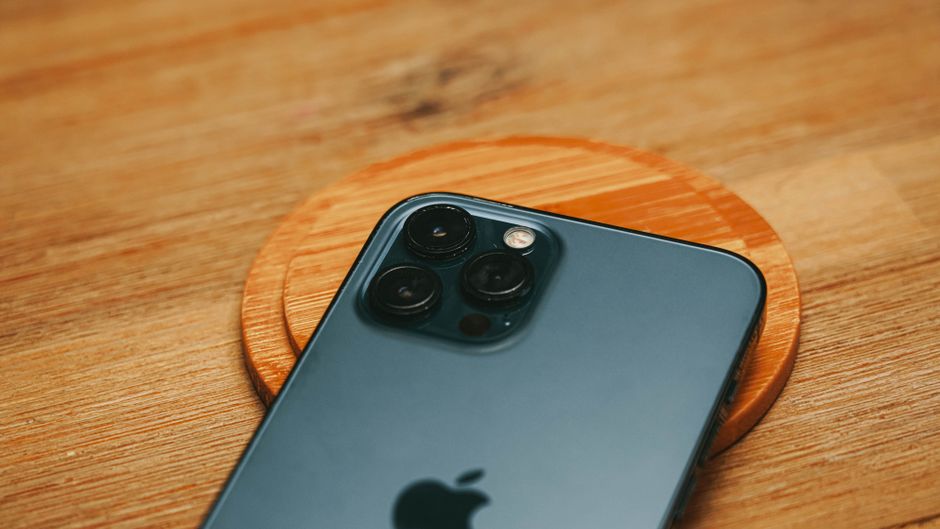
Modern smartphone charging is far more sophisticated than simply plugging in a cable. It’s a complex negotiation between the phone’s charging circuitry and the power adapter, determining the optimal current (Amperage) and voltage to deliver the maximum safe Wattage (Power = Voltage x Amperage). Most contemporary Android phones utilise standards like USB Power Delivery (USB-PD), often with PPS (Programmable Power Supply) for fine-tuned voltage adjustments, or proprietary technologies such as Qualcomm Quick Charge, OnePlus’s Warp Charge, OPPO’s SuperVOOC, and Xiaomi’s HyperCharge. These systems are designed to deliver power efficiently and safely, often employing a two-stage charging process: a rapid initial charge to about 80% and a slower trickle charge to 100% to protect battery health.
However, this sophisticated system can be disrupted. An older phone, perhaps designed for 18W or 33W charging, will inherently charge slower than a new model supporting 100W, even with the same charger, because its internal components are not rated for higher power input. Furthermore, as phones age, their internal charging circuits can become less efficient, and battery health degrades, leading to slower absorption of power. The increasing reliance on 5G connectivity, which demands more power than 4G, coupled with resource-intensive applications for gaming, streaming, and video calls, means batteries are drained faster, making slow charging even more noticeable and frustrating for the average user in cities like Bengaluru or Hyderabad where 5G is prevalent.
Why It Matters: The Real Impact of Slow Charging on Indian Users
In the fast-paced Indian context, a slow-charging phone isn’t just an inconvenience; it can significantly impact daily life and productivity. Imagine needing to quickly top up your phone before heading out for an urgent client meeting in Mumbai, only to find it barely gains 10% in 30 minutes. Or consider a college student in Pune relying on their phone for online classes and project work, where a sluggish charge means precious study time is lost waiting for their device. For users juggling dual SIM cards – perhaps a Jio 5G connection for data and an Airtel 4G for calls due to varying regional coverage – the constant power drain makes reliable, fast charging even more critical.
Beyond immediate frustration, slow charging can lead to detrimental long-term habits. Users might leave their phones plugged in for excessively long periods, potentially generating more heat, which accelerates battery degradation, especially during India’s hot summer months. The temptation to use the phone while it’s charging, further slowing down the process and increasing thermal stress, becomes stronger. Economically, slow charging can prematurely drive users to upgrade their devices, leading to unnecessary expenditure when a simple diagnosis and fix might extend the phone’s lifespan. This issue directly affects the value proposition of a device, making its effective usable life shorter and increasing the total cost of ownership in a market highly sensitive to price-to-value ratios.
What to Do About It: A Systematic Approach to Fixing Slow Charging
Addressing slow charging requires a methodical approach, starting with the easiest and most common culprits before moving to more complex issues. Before you consider replacing your phone, follow these steps:
- Initial Checks: Always begin by restarting your phone. A simple reboot can often clear temporary software glitches. Also, ensure your phone’s software is up to date, as manufacturers frequently release updates that include charging optimisations and bug fixes.
- Examine External Components: The charger and cable are often the weakest links. Try a different, known-good charger and cable (preferably original or certified) to rule out accessory failure.
- Software Review: Dive into your phone’s settings to identify and manage power-hungry applications and ensure no software settings are inadvertently limiting charging speed.
- Hardware Inspection: Check the physical condition of your phone’s charging port and monitor its battery health. These internal components can degrade over time or suffer physical damage.
- Environmental Factors: Consider how your charging environment might be impacting performance, especially in India’s diverse climate.
- Professional Consultation: If all else fails, it’s time to visit an authorised service centre for expert diagnosis and repair.
The Charger and Cable: Often the First Culprits
The journey of power from your wall socket to your phone’s battery depends heavily on the charger and the USB cable. These are, statistically, the most frequent causes of slow charging. Many users in India often use non-original chargers or cheap, unbranded cables purchased from local shops or online marketplaces, which might not meet the required specifications for their phone’s fast charging protocols. For instance, using a generic 5V/2A (10W) charger with a phone designed for 33W or 67W charging will naturally result in significantly slower speeds. Even if the charger is powerful, an inferior cable can bottleneck the power delivery. USB cables are not all created equal; some are designed for data transfer with minimal current capacity, while others are built with thicker gauge wires and better shielding for high-power delivery. For fast charging, especially at 60W and above, you need a high-quality, often “E-marked” USB-C to USB-C cable that can safely handle the higher voltages and currents. Frayed, bent, or damaged cables, even original ones, can also lead to inconsistent power delivery or outright failure.
To diagnose: First, try charging your phone with the original charger and cable that came with it. If that’s not possible, borrow a certified charger and cable from a friend whose phone has similar fast charging capabilities. Look for brands like Anker, Ugreen, or official brand accessories (Samsung, Xiaomi, etc.) for reliable replacements. Always check for the BIS (Bureau of Indian Standards) certification mark on chargers sold in India, which indicates adherence to safety and quality standards. A good quality, BIS-certified USB-C to C cable can cost Rs 400-800, while a certified 65W charger might range from Rs 1,500-2,500. Investing in these ensures optimal performance and safety, preventing issues like voltage spikes, which are unfortunately common in various parts of India, especially in smaller towns or during power cuts.
Software Shenanigans: Apps, Updates, and Settings
Even with perfect hardware, your phone’s software can sabotage charging speeds. A multitude of background applications constantly running, refreshing data, or accessing location services can consume significant power, effectively slowing down the net charge percentage gain. Heavy gaming, video streaming, or navigation apps, if left running in the background, can turn your charging session into a slow crawl. Furthermore, operating system bugs or poorly optimised software updates can sometimes interfere with the charging controller, leading to inefficiencies. In August 2026, with Android 15 likely rolling out, such issues can occasionally surface with new software versions.
To troubleshoot software: Start by closing all unnecessary applications before plugging in your phone. Go to your phone’s ‘Battery’ settings to identify apps with high background usage and restrict their activity. Most Android phones have an “Adaptive Battery” or “Battery Optimisation” feature; ensure this is enabled. Check for any pending software updates and install them, as these often include performance and battery management improvements. If you recently updated your phone and noticed a drop in charging speed, check online forums (like XDA Developers or brand-specific communities) for similar reports; sometimes, a minor patch is quickly released. As a last resort for persistent software-related slow charging, a factory reset can sometimes resolve deep-seated issues, but remember to back up all your data beforehand. This is a particularly useful step if you’ve accumulated a lot of apps and customisations over years of use.
Battery Health and Hardware Woes: When to Seek Help
Beyond external accessories and software, the internal components of your phone, particularly the battery and charging port, are critical. Lithium-ion batteries degrade over time, typically losing capacity after 500-800 charge cycles or roughly 2-3 years of use. This degradation means the battery can hold less charge and might struggle to accept power as efficiently, leading to slower charging times and reduced overall endurance. Many Android phones now offer a “Battery Health” section within their settings (e.g., in Samsung’s Device Care or Xiaomi’s Battery settings) or you can use third-party apps like AccuBattery to estimate current capacity. If your battery health is significantly below 80%, a replacement is often the most effective solution.
The charging port itself is another common point of failure. Over time, lint, dust, and debris can accumulate inside the port, preventing the cable from making a proper connection. This is particularly prevalent in dusty Indian environments or for users who carry their phones in pockets. Gently cleaning the port with a non-conductive tool like a wooden toothpick or a soft-bristled brush can often resolve this. However, be extremely careful not to damage the internal pins. More seriously, corrosion due to moisture exposure (a common issue during India’s monsoon season) or physical damage from repeated plugging/unplugging can lead to intermittent or slow charging. If you suspect battery degradation or a faulty port after cleaning, it’s crucial to visit an authorised service centre. Attempting DIY battery replacements or port repairs can void your warranty, damage other components, or even pose safety risks, especially with swollen batteries.
Environmental Factors and Usage Habits: The Indian Context
India’s diverse climate and unique infrastructure present specific challenges that can affect your phone’s charging speed and battery health. High ambient temperatures, common during Indian summers, cause your phone to heat up more rapidly during charging. When a phone gets too hot, its internal safety mechanisms automatically slow down the charging rate to prevent overheating and potential damage to the battery and other components. Charging your phone under direct sunlight, near a window, or even under a pillow can exacerbate this issue. Conversely, the high humidity during the monsoon season can lead to moisture ingress into the charging port, causing corrosion on the pins and leading to poor contact, intermittent charging, or even short circuits. Users in coastal cities like Chennai or Kochi might experience this more frequently.
Furthermore, voltage fluctuations and power cuts, which are still prevalent in many tier-2 and tier-3 cities across India, can stress both your charger and your phone’s charging circuitry. Using a quality surge protector or a power strip with voltage stabilisation can help mitigate these risks. Finally, your usage habits play a significant role. Heavily using your phone for gaming, video calls, or streaming while it’s plugged in will inevitably slow down charging, as the power input is simultaneously being consumed by the active tasks. For optimal charging speed, it’s always best to leave your phone idle or use it minimally while it’s connected to the charger. For users with dual SIMs, especially if one is on a new 5G network and the other on 4G, the phone might consume more power constantly managing both connections, making efficient charging even more critical.
Comparison Table: Common Charging Solutions & Their Costs in India (Approx. August 2026)
| Solution/Item | Approx. Cost in India (Rs) | Potential Impact on Charging | Notes & Indian Context |
|---|---|---|---|
| Certified USB-C to C Cable (E-marked, 60W+) | 300 – 800 | Significant improvement if old cable was faulty/low quality. | Look for BIS certification. Brands like Anker, Ugreen, Spigen. Avoid unbranded local market cables. |
| Certified Fast Charger (e.g., 20W USB-PD) | 800 – 1,500 | Boosts charging for phones supporting 18W-30W. | Essential if using an old 10W charger. BIS certified is a must. Brands like Samsung, Xiaomi, Anker, Baseus. |
| Certified Ultra-Fast Charger (e.g., 65W USB-PD/PPS) | 1,500 – 2,500 | Maximises speed for phones supporting 45W-67W+. | Future-proof for newer devices. Ensure it supports your phone’s specific protocol. |
| Authorised Battery Replacement (Mid-range phone) | 1,500 – 3,500 | Restores original charging speed and battery life. | Cost varies by brand/model. Always use authorised service centres for genuine parts and warranty. |
| Authorised Charging Port Repair/Replacement | 800 – 2,000 | Fixes intermittent charging, connection issues. | Necessary if cleaning doesn’t work. Cost depends on phone model and service centre. |
Who This Guide Is For / When Fixing Isn’t Enough: Should You Upgrade?
This comprehensive guide is primarily designed for Android smartphone users in India who are experiencing slow charging issues on their devices, particularly those acquired within the last 1 to 3 years. It’s for the individual looking to maximise the lifespan of their current phone, save money by attempting self-diagnosis and minor fixes, and understand the specific environmental and market factors unique to India that influence charging performance. If you’re using a dual-SIM setup, frequently travel between regions with varying network coverage, or live in areas prone to voltage fluctuations or high humidity, the insights here will be particularly relevant.
However, there comes a point when fixing isn’t enough, and an upgrade becomes the more practical and cost-effective solution. If your Android phone is over three years old, its battery health has degraded below 70-75% even after considering a replacement, and its general performance (processor speed, RAM, camera capabilities) is no longer meeting your daily needs, then a new device might be a better investment. For instance, if a battery replacement costs Rs 3,000 for a phone whose market value has depreciated to Rs 8,000-10,000, and a new mid-range phone at Rs 18,000 offers 100W charging, 5G connectivity, a significantly better camera, and a fresh warranty, the upgrade offers far greater price-to-value. Furthermore, if your phone has suffered multiple hardware issues beyond just charging (e.g., screen flickering, speaker issues), or if you need features like advanced 5G band compatibility for superior network access with Jio or Airtel, then holding onto an older device becomes a false economy. Evaluating the total cost of repair versus the benefits of a new device is crucial in the Indian market.
Buying Tips for Chargers, Cables, and Repairs in India
- Prioritise BIS Certification: For any charger, power bank, or even certain cables you purchase in India, always look for the BIS (Bureau of Indian Standards) certification mark. This ensures the product meets Indian safety and quality standards, crucial for protecting your device from voltage fluctuations and preventing electrical hazards.
- Demand a GST Invoice: Whether you’re buying a new charger from Amazon.in or getting a battery replaced at a service centre, insist on a proper GST invoice. This document is vital for availing warranty services, proving authenticity, and for consumer protection under Indian law. Without it, warranty claims can become very difficult.
- Understand Warranty & After-Sales: Check the warranty period for accessories (typically 6 months to 1 year for chargers and cables) and for any replaced parts (e.g., battery, charging port) from authorised service centres. Know the location of brand-authorised service centres in your city, especially if you reside in a Tier-2 city where options might be limited.
- Purchase from Authorised Retailers: Buy chargers, cables, and other accessories from reputable online platforms like Amazon.in, Flipkart, or established offline retailers such as Croma, Reliance Digital, or Vijay Sales. Avoid unverified sellers or local grey markets where counterfeit or low-quality products are common.
- Match Charging Specifications: Don’t just buy any “fast charger.” Ensure the charger’s wattage (e.g., 33W, 65W) and charging protocol (e.g., USB-PD, Quick Charge, SuperVOOC) are compatible with your phone’s maximum supported charging speed to get the best performance. Check your phone’s manufacturer specifications or product page on sites like GSMArena or Gadgets360.
Frequently Asked Questions by Indian Android Users
Can using a very fast charger (e.g., 100W) damage my old phone that only supports 33W?
No, modern Android phones and reputable fast chargers are designed with smart charging protocols that negotiate the power delivery. A 100W charger will only deliver the maximum power your phone can safely accept (e.g., 33W). It won’t force more power into the phone than it’s designed for. However, always ensure the charger is from a reputable brand and, ideally, BIS certified for safety.
How often should I replace my phone’s battery in India?
A typical smartphone battery lasts about 2-3 years or 500-800 full charge cycles before its capacity drops significantly (below 80% of its original capacity). If you notice severe battery drain, unexpected shutdowns, or significantly slow charging despite troubleshooting, and your phone is 2+ years old, consider a battery replacement at an authorised service centre. The cost for a mid-range phone’s battery replacement can range from Rs 1,500 to Rs 3,500, depending on the brand and model.
Does charging my phone overnight reduce its battery life?
Modern Android phones incorporate advanced charging management systems that prevent overcharging. Once the battery reaches 100%, the phone stops drawing power and only trickle charges to maintain the full level. While not inherently damaging, constant overnight charging over many years can contribute to the slow, natural degradation of battery health. However, for most users, it’s generally safe and convenient.
Is it safe to use my phone while it’s charging, especially for gaming or streaming?
While generally safe from an electrical hazard perspective with certified chargers, heavy usage like gaming or streaming video while charging can significantly slow down the charging process and cause the phone to generate excessive heat. Prolonged exposure to high temperatures is detrimental to battery longevity and overall phone health. For faster charging and better battery preservation, it’s best to minimise phone usage during charging sessions.
Verdict: Smart Troubleshooting Saves Money, Smart Upgrading Makes Sense
Before you consider replacing your Android phone due to slow charging, a systematic approach to troubleshooting your charger, cable, software, and battery health can often resolve the issue, saving you significant money and extending your device’s lifespan. However, if your device is over three years old with severely degraded battery health, a compromised charging port, and general performance issues, investing in a new mid-range device offering faster charging and improved features might be the more practical and cost-effective upgrade for the discerning Indian consumer looking for optimal price-to-value.
For more on this topic, see our tech buying guides.
About the Author