The year 2025 is here, and with it comes a dazzling array of laptops and PCs, each promising to be your ultimate digital companion. But let’s be real, navi
The year 2025 is here, and with it comes a dazzling array of laptops and PCs, each promising to be your ultimate digital companion. But let’s be real, navigating this tech jungle can feel like trying to find a specific vendor in a crowded Delhi market – exciting, but potentially overwhelming. Don’t worry, I’m here to be your friendly guide, helping you cut through the noise and find the perfect machine that truly fits your Indian lifestyle and budget.
Decoding Your Digital Needs: Laptop vs. PC in 2025
Recommended Laptops & PCs Picks
HP 15s-fq Series
Reliable Intel Core i3 performance for daily student tasks.
8GB RAM paired with a fast 512GB SSD for quick boot-ups.
Full HD display for clear visuals during online classes and entertainment.
Before diving into specs, ask yourself: what’s your primary use case? Are you a student attending online classes from your hostel, a hybrid professional juggling WFH and office commutes, a budding content creator, or a serious gamer? The answer determines whether a nimble laptop or a powerful desktop PC is your best bet.
Laptops, especially ultrabooks and 2-in-1s, are champions of portability. If you need to work from a café in Bengaluru, attend lectures from different college buildings, or travel frequently, a laptop is your go-to. However, for sheer raw power, upgradeability, and ergonomic comfort during long hours of work or gaming, a desktop PC still reigns supreme. Think of it as choosing between a swift scooter for city errands and a robust SUV for long, demanding journeys.
Key Specs That Truly Matter for Indians
Laptop vs Desktop – Image via Pexels
Here’s a breakdown of the components you should pay attention to, tailored for the Indian user:
Processor (CPU): The Brain Power
This is the heart of your machine. For casual browsing, online classes, or basic office tasks (like Tally or MS Office), an Intel Core i3 (12th gen or newer) or AMD Ryzen 3 (6000 series or newer) will suffice and keep costs down. For professionals working with multiple apps, light photo editing, or mid-level gaming, an Intel Core i5 or AMD Ryzen 5 is the sweet spot. If you’re into heavy video editing, 3D rendering, or competitive gaming, aim for an Intel Core i7/i9 or AMD Ryzen 7/9. For 2025, look for the latest generations (e.g., Intel 14th/15th gen, AMD Ryzen 8000/9000 series) for future-proofing.
RAM: Multitasking Muscle
Indians love multitasking – whether it’s juggling multiple browser tabs, streaming a cricket match, and working on a presentation simultaneously. 8GB RAM is the bare minimum for smooth operation in 2025. 16GB is highly recommended for most users, offering a significant jump in fluidity. If you’re a power user, gamer, or content creator, 32GB will ensure buttery-smooth performance even with demanding applications.
Storage: Speed or Space?
Forget HDDs for your primary drive. SSDs (Solid State Drives) are non-negotiable for system speed. An NVMe SSD is even faster. Aim for at least 256GB SSD for your operating system and essential apps. For storing your vast collection of movies, photos, or games, consider a 512GB or 1TB SSD. If budget is tight on a desktop, you can combine a smaller SSD for the OS with a larger HDD for bulk storage. Cloud storage (Google Drive, OneDrive) is also increasingly relevant for supplementing local storage.
Graphics Card (GPU): Beyond Gaming
While crucial for gamers, a dedicated GPU (NVIDIA GeForce RTX/GTX or AMD Radeon RX) is also vital for video editors, graphic designers, and even AI-powered software users. For casual users, integrated graphics (like Intel Iris Xe or AMD Radeon Graphics) are perfectly fine. But if you’re into creative work or gaming, even an entry-level dedicated GPU will make a world of difference. As NDTV Gadgets often points out, the right GPU can significantly enhance your experience beyond just gaming.
Display: Your Window to the World
For laptops, look for Full HD (1920×1080) resolution. IPS panels offer better viewing angles and colour accuracy, which is great for watching movies or working on creative projects. OLED screens, though pricier, offer stunning colours and true blacks. For desktops, consider monitor size (24-27 inches is common), refresh rate (120Hz+ for gaming), and panel type.
Battery Life (Laptops Only): The Unplugged Advantage
Given India’s occasional power fluctuations and the need for mobility, good battery life is paramount. Look for laptops offering 8+ hours of real-world usage if you’re frequently on the move. Some premium models now offer over 15 hours, perfect for a full day of college or work without searching for a plug point.
Budgeting Smart: Getting the Best Bang for Your Buck
Multitasking Screens – Image via Pexels
In 2025, the market is competitive:
Under ₹50,000: Expect decent performance for basic tasks. Look for good build quality and 8GB RAM with an SSD. Great for students or basic home use.
₹50,000 – ₹80,000: This is the sweet spot for most. You can find capable laptops with Core i5/Ryzen 5, 16GB RAM, and 512GB SSDs. Suitable for hybrid professionals and light creative work.
₹80,000 – ₹1,20,000+: Here you step into performance territory with dedicated GPUs, better displays, and premium build. Ideal for gamers, content creators, and power users.
Always keep an eye out for festive sales (Diwali, Flipkart/Amazon Big Billion Days) and consider EMI options from major retailers.
India-Specific Considerations for Your Purchase
After-Sales Service: A strong service network is crucial. Brands like Dell, HP, Lenovo, and Asus generally have good presence across India. Research reviews on local service centres.
Connectivity: Ensure Wi-Fi 6/7 support for fast internet and ample USB ports (Type-A and Type-C) for your accessories like external drives, printers, or your phone.
Durability & Portability: If you travel by public transport or rough roads, a sturdy, lightweight laptop is a blessing.
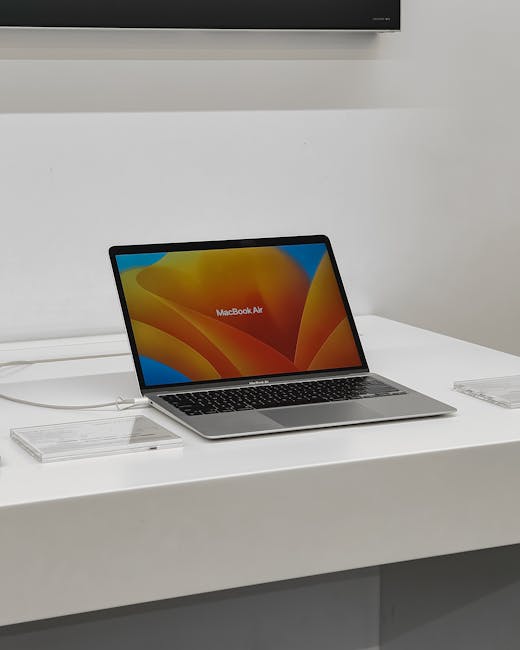
Software Ecosystem: Windows remains dominant, offering broad compatibility. macOS is preferred by some creative professionals, while ChromeOS offers a lightweight, cloud-centric experience ideal for students or basic users.
As Gadgets360 often emphasizes in their reviews, considering the local support infrastructure can save you a lot of headaches down the line.
Final Thoughts: Your Perfect Tech Match Awaits
Choosing a laptop or PC in 2025 isn’t just about the fastest processor or the largest storage; it’s about finding a tool that seamlessly integrates into your life, enhancing your productivity, creativity, or entertainment. Don’t rush. Define your needs, set a realistic budget, and research. The “best” device isn’t a universal truth; it’s the one that’s perfect for *you*. Happy hunting, and may your new machine serve you well!