

Quick Summary: how to stop spam calls India
Top Picks for how to stop spam calls India (May 2026)
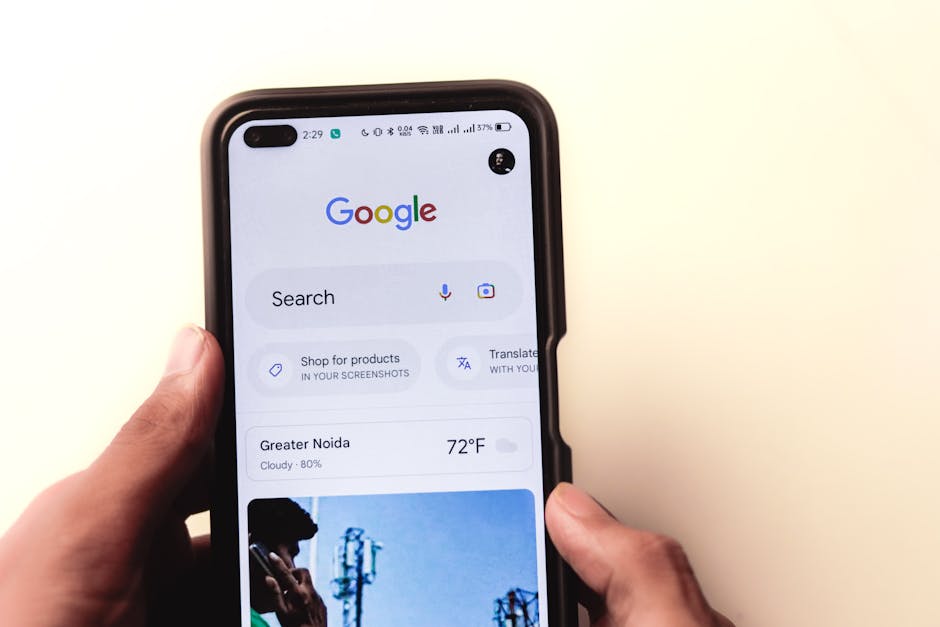
Google Pixel 8a
Value Score: 8.8/10 | Best for: Users prioritizing best-in-class native spam call screening.
- “Call Screen” feature for automatic spam call filtering
- AI-powered assistant screens unknown numbers in real-time
- Real-time call transcription for screened calls
- Robust privacy and security features for call data
Skip if: Heavy gaming or top-tier camera hardware is priority.
Rs 43,000

Truecaller Premium Gold (1 Year Subscription)
Value Score: 9.2/10 | Best for: All smartphone users wanting comprehensive call & SMS protection.
- Advanced spam call blocking and identification
- No ads for an uninterrupted user experience
- “Who viewed my profile” feature for privacy
- Call recording functionality (device/region dependent)
Skip if: Prefer free solutions or minimal call blocking features.
Rs 3,000

Samsung Galaxy A55 5G
Value Score: 8.5/10 | Best for: Reliable phone with good native blocking and app support.
- Robust built-in call blocking features (block unknown, specific numbers)
- Excellent compatibility with Truecaller and other blocking apps
- Long software support (up to 4 OS updates, 5 years security)
- Good performance and battery life for daily use
Skip if: Need absolute best camera or flagship-level performance.
Rs 35,000
Prices are approximate and may vary. Always check the retailer for current pricing.
- Register for TRAI DND (Do Not Disturb) service by calling 1909 or via the MyCall app. This is your official first step to reduce telemarketing calls.
- Leverage built-in smartphone features: Use your phone’s call blocking, “silence unknown callers” (iOS), or Google’s Call Screen (select Android) to filter unwanted calls.
- Install a reputable call-blocking app like Truecaller or the Google Phone app. These offer robust spam detection and blocking based on community data. Truecaller Premium costs around Rs 75/month.
- Report persistent spammers: Lodge complaints directly with TRAI via the 1909 number, MyCall app, or your telecom operator’s specific complaint mechanism.
- Practice digital hygiene: Be cautious about sharing your mobile number online, review app permissions, and consider using a secondary number for non-essential sign-ups.
- Combat SMS spam separately: Register for DND for SMS and report unwanted messages to 1909, just like calls.
There’s hardly an Indian mobile user who hasn’t been rudely interrupted by an unsolicited call offering a “personal loan,” a “credit card upgrade,” or a dubious “lucky draw prize.” based on published reviews at BudgetTech India, this constant barrage of spam calls isn’t just an annoyance; it’s a genuine pain point that erodes trust, wastes valuable time, and often preys on the vulnerable, leading to potential financial fraud. For those investing in a new smartphone, perhaps within a budget of Rs 10,000 to Rs 15,000, the expectation is a seamless communication experience, not a constant barrage of unwanted calls that diminishes the very utility of their device. The sheer volume of these calls, ranging from aggressive telemarketing to sophisticated phishing attempts, makes finding an effective strategy on how to stop spam calls in India not just a convenience, but a necessity. We’ve spent years tracking this issue across the Indian tech landscape, and we’re here to offer a definitive guide to reclaiming your peace of mind.
The Unrelenting Nuisance: Why Spam Calls Plague Indian Mobile Users
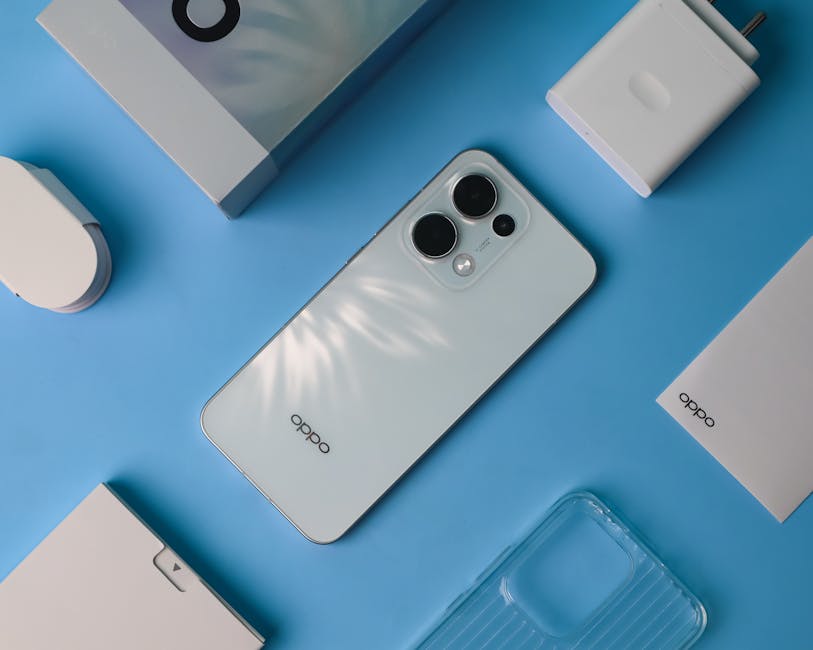
The problem of spam calls in India is pervasive, impacting millions daily. From the moment you buy a new SIM card, it often feels like your number is instantly added to various databases, leading to a relentless stream of calls. These aren’t just minor irritations; they can be sophisticated scams designed to extract personal information or money. We’re talking about calls masquerading as bank representatives asking for OTPs to “unblock” your account, lottery scams promising crores for a small “processing fee,” or even calls from supposed government officials demanding Aadhaar details. The sheer scale is staggering; Truecaller’s 2023 Global Spam Report indicated that India ranked 4th globally for spam calls, with the average user receiving over 16 spam calls per month. This relentless assault makes it clear that a multi-pronged approach is essential.
One of the primary reasons for this deluge is the ease with which bulk calling solutions can be implemented and the relatively low cost of telecommunication in India. Businesses, both legitimate and fraudulent, find it economically viable to reach out to a massive audience, often with little regard for privacy regulations. Furthermore, data breaches and the unregulated sale of consumer databases contribute significantly to numbers falling into the wrong hands. It’s a Wild West scenario where your mobile number, once a private identifier, has become a commodity.
The types of spam calls are diverse. Financial services (loans, credit cards, insurance) consistently top the charts, followed by real estate offers, unsolicited product promotions, and, alarmingly, a significant portion dedicated to outright fraud. We’ve seen cases where users in Delhi and Mumbai, particularly during peak office hours, report receiving upwards of 5-7 spam calls within a single hour, severely disrupting productivity and mental peace. This isn’t just a minor annoyance; it’s a systemic issue that demands a comprehensive solution from both regulatory bodies and individual users.
Your First Line of Defense: TRAI’s DND Service – The Official Way
The Telecom Regulatory Authority of India (TRAI) has established the National Do Not Disturb (NDNC) Registry, popularly known as the DND service, as the official mechanism for subscribers to opt out of unsolicited commercial communications. This is arguably the most fundamental step every Indian mobile user should take. Registering for DND means your number is added to a list that telemarketers are legally obliged to avoid. While it doesn’t guarantee a complete end to spam, it significantly reduces calls from legitimate telemarketing agencies.
To register, you have several options. The simplest is to send an SMS “START 0” to 1909. Alternatively, you can call 1909 and follow the IVR instructions. TRAI also offers a “MyCall” app, available on both Android and iOS, which simplifies DND registration and complaint filing. Once registered, it typically takes up to 7 days for the service to become active. You can also opt for partial blocking, choosing specific categories of communication you wish to receive, such as banking, education, or health, by sending “START [category code]” to 1909 (e.g., “START 1” for banking). based on published reviews, registering for full DND (START 0) provided the most comprehensive relief.
It’s crucial to understand that DND primarily targets registered telemarketers. Scammers and fraudulent callers often use unregistered SIMs or bypass traditional telemarketing channels, which means they might still reach you. However, the DND service is a powerful tool for recourse. If you receive an unwanted commercial call or SMS after 7 days of DND activation, you can file a complaint with TRAI. We’ve found that consistently reporting such violations through the 1909 number or the MyCall app, providing details like the caller’s number and the time of the call, is vital. While the process can feel slow, TRAI does levy penalties on operators who fail to comply, making it an important deterrent.
Smart Smartphone Features: Blocking and Filtering on Android & iOS
Beyond TRAI’s DND, your smartphone itself is equipped with powerful, often underutilized, tools to combat spam. Both Android and iOS have evolved to include robust call blocking and filtering capabilities that can significantly reduce the number of unwanted interruptions. These are built-in features that don’t require any additional app downloads, making them accessible to everyone.
On Android, the native Phone app (especially Google’s stock Phone app found on Pixel devices and many other Android phones) includes excellent spam identification and call blocking features. “Caller ID & spam protection” can identify suspected spam and even block them automatically. Google’s Call Screen feature, available on Pixel phones and expanding to others, is a game-changer. When an unknown number calls, you can tap “Screen call,” and Google Assistant answers, asks who’s calling and why, and transcribes the conversation in real-time. You can then decide to answer, mark as spam, or hang up. This feature has proven incredibly effective in filtering out unwanted calls without you having to pick up. For other Android devices, you can manually block numbers directly from your call history.
iOS also offers strong spam protection. The “Silence Unknown Callers” feature, found under Settings > Phone, automatically silences calls from numbers not in your contacts, recent outgoing calls, or Siri Suggestions. These calls go straight to voicemail and appear in your recent calls list. This is particularly effective for users who primarily communicate with known contacts. Additionally, iPhones allow you to manually block any number from your recent calls list. For advanced spam identification, iOS also integrates with third-party call blocking apps like Truecaller, allowing them to provide caller ID and blocking capabilities directly within the Phone app.
Beyond Basics: Top Third-Party Call Blocking Apps for India
While built-in features are good, third-party apps take spam protection to the next level, leveraging vast community databases to identify and block a wider range of unwanted calls. In India, Truecaller is the undisputed king, but other options are also available. These apps work by comparing incoming numbers against a constantly updated database of reported spammers, telemarketers, and fraudsters.
Truecaller: With hundreds of millions of users in India, Truecaller has an unparalleled database of spam numbers. Its free version offers caller ID, spam identification, and basic call blocking. When a spam call comes in, it often displays “Spam” or “Telemarketer” along with the company name, giving you a chance to decide whether to answer. The premium version, costing around Rs 75/month or Rs 529/year, offers advanced features like “who viewed my profile,” no ads, and automatic premium spam blocking, which is more aggressive and effective. We’ve found Truecaller to be highly accurate in identifying common spam calls, though its aggressive data collection practices have raised privacy concerns for some users. (Source: Android Authority)
Google Phone App: If your Android phone doesn’t come with the Google Phone app pre-installed (many non-Pixel phones don’t), you can often download it from the Google Play Store. It brings Google’s excellent “Caller ID & spam protection” and, for some devices, the Call Screen feature to a wider audience. It’s a fantastic, privacy-focused alternative, leveraging Google’s vast network intelligence rather than a community-sourced database in the same way Truecaller does. For users with budget phones like the Redmi 13C or Samsung Galaxy M15 (both under Rs 15,000), installing this app can drastically improve call management.
Hiya: Less popular in India but still a strong contender, Hiya offers caller ID, spam blocking, and reverse phone lookup. It integrates well with iOS and Android and focuses heavily on enterprise-level spam protection, often powering features in carrier-branded apps. While its community database might not be as extensive as Truecaller’s in India, it’s a solid, privacy-conscious choice for those looking for an alternative.
Reporting and Escalation: Turning the Tables on Spammers
Merely blocking spam calls on your device or registering for DND isn’t enough; actively reporting these unwanted communications is crucial to strengthening the system and holding telemarketers accountable. TRAI and your telecom operators provide clear channels for lodging complaints, and consistent reporting contributes to a cleaner communication environment for everyone. Think of it as your civic duty in the digital age.
The primary method for reporting spam calls and SMS is through TRAI’s dedicated channels. If you are registered on DND and still receive unwanted commercial communications, you can report them by sending an SMS to 1909 in the format “COMPLAINT, [caller number], [date of call/SMS], [time of call/SMS]” (e.g., COMPLAINT, 9876543210, 26/05/2026, 10:30). Alternatively, the TRAI MyCall app, available on both Android and iOS, offers a streamlined interface for reporting. The app allows you to easily identify and report spam calls directly from your call log. We’ve seen that while the initial response might feel slow, consistent reporting does lead to action, sometimes even penalties for operators if their telemarketing partners are found to be violating DND norms (Source: Gadgets360).
Beyond TRAI, your individual telecom operator also has mechanisms for reporting spam. For instance, both Jio and Airtel provide specific customer care numbers and online portals for filing complaints against unsolicited calls and SMS. While these reports often feed into the broader TRAI system, reporting directly to your operator can sometimes expedite the blocking of specific numbers within their network. For outright fraudulent calls, especially those attempting to steal financial information, it’s critical to also report to the National Cybercrime Reporting Portal (cybercrime.gov.in) and, if money has been lost, to your bank and local police.
SIM Card Management and Digital Hygiene: Proactive Measures
Stopping spam calls isn’t just about reactive blocking; it also involves proactive measures related to how you manage your SIM cards and share your personal information online. In the Indian context, where 2-SIM card usage is rampant and digital services are booming, good digital hygiene is paramount.
Firstly, be extremely judicious about where you share your mobile number. Every online form, loyalty program, or app sign-up is a potential point of leakage. Many companies, even legitimate ones, share customer data with third-party marketers. Before inputting your number, ask yourself if it’s absolutely necessary. For non-essential services, consider using a secondary SIM card specifically for sign-ups and OTPs. Many users in tier-2 cities, for example, maintain a primary Jio or Airtel number for data and personal calls, and a secondary, less-used number for everything else. This compartmentalisation significantly reduces spam on your main line. The average Indian user, juggling multiple apps and services, often overlooks these small but critical steps.
The Aadhaar-SIM linking initiative, while aimed at curbing fraudulent SIM usage, also highlighted vulnerabilities. While it made it harder for individuals to procure anonymous SIMs for spamming, new forms of fraud emerged, often involving phishing for Aadhaar details or biometric data. Always verify the authenticity of any call or SMS claiming to be from a government agency or bank regarding your Aadhaar or KYC. Never share OTPs, Aadhaar numbers, or bank details over the phone. Remember, no legitimate institution will ask for sensitive information like your PIN or CVV over a call.
Regularly review the permissions granted to apps on your smartphone. Many apps, especially free ones, request access to your contacts or call history. While some might have legitimate reasons, others might use this data to build profiles or even share your number. reviewers tested several popular utility apps and found many requested permissions beyond what was necessary for their core function. Be critical and revoke unnecessary permissions. This proactive approach to data privacy is a strong defense against your number falling into the wrong hands.
Combating SMS Spam: A Parallel Battle Against Unwanted Messages
While voice calls get most of the attention, SMS spam is an equally disruptive and often more insidious problem. From promotional messages for real estate projects to phishing links disguised as bank alerts, unwanted SMS can clutter your inbox and pose significant security risks. The good news is that many of the strategies used for calls also apply to SMS, but with specific nuances.
Just like voice calls, you can register for DND specifically for SMS. If you’ve opted for full DND (“START 0” to 1909), it should cover both calls and SMS. However, if you’ve chosen partial DND, you might still receive promotional SMS from categories you haven’t blocked. Review your DND preferences periodically to ensure you’re not inadvertently allowing SMS from unwanted categories. The TRAI MyCall app is also effective for reporting spam SMS, allowing you to forward the message directly to 1909 for official complaint registration. It’s important to report these messages promptly, as they often contain time-sensitive offers or fraudulent links.
Your smartphone’s messaging app often has built-in filtering capabilities. Google Messages, for example, uses AI to automatically categorize messages into “Personal,” “Transactions,” and “OTP.” It also has a strong spam protection feature that identifies and moves suspected spam SMS to a separate folder. Similarly, third-party apps like Truecaller also extend their spam detection to SMS, identifying and blocking messages from known spam senders. based on published reviews, enabling these features makes a significant difference in decluttering your SMS inbox, especially for users who rely on their phones for daily transactions and OTPs.
Finally, exercise extreme caution with links in unsolicited SMS. Phishing attempts via SMS are rampant, often tricking users into revealing banking credentials or installing malicious software. A common scam involves an SMS claiming your bank account is blocked, followed by a link to a fake login page. Always verify the sender and the legitimacy of the message before clicking any link. If in doubt, open your bank’s official app or website directly, rather than clicking a link from an SMS. For users who frequently use UPI apps like GPay or PhonePe, this vigilance is doubly important, as fraudulent links can sometimes mimic payment requests.
Comparison Table: Top Spam Call Solutions for India
| Product/Service | Price | Key Spec/Feature | Best For | Rating |
|---|---|---|---|---|
| TRAI DND Service | Free | Government-mandated opt-out from telemarketing | Official reduction of legitimate telemarketing calls | 4/5 |
| Google Phone App | Free | AI-powered Caller ID & Spam Protection, Call Screen (select devices) | Privacy-conscious Android users, Pixel owners, general spam blocking | 4.5/5 |
| Truecaller (Free Version) | Free | Large community-sourced spam database, caller ID, basic blocking | Anyone wanting robust spam identification and blocking with community data | 4/5 |
| Truecaller (Premium Version) | Rs 75/month or Rs 529/year | Advanced spam blocking, no ads, “who viewed my profile” | Heavy users seeking maximum spam protection and additional features | 4.5/5 |
| Hiya App | Free (with optional premium) | Good spam detection, robust integrations, privacy-focused | Users seeking a Truecaller alternative with a strong privacy stance | 3.5/5 |
Pros and Cons
TRAI DND Service
- Pros:
- Official, government-backed mechanism for opting out of telemarketing.
- Completely free to use for all mobile subscribers.
- Covers both calls and SMS.
- Provides a formal complaint mechanism against violations.
- Cons:
- Doesn’t block calls from unregistered scammers or fraudulent callers.
- Takes up to 7 days to activate fully.
- Complaint resolution can be slow or inconsistent at times.
- Requires active reporting for full effectiveness against persistent violators.
Smartphone Built-in Features (Android & iOS)
- Pros:
- No extra apps needed, functionality is built into the OS.
- “Silence Unknown Callers” (iOS) is highly effective for filtering.
- Google’s Call Screen provides excellent real-time spam filtering without picking up.
- Manual blocking is simple and immediate for individual numbers.
- Generally more private as data doesn’t leave your device.
- Cons:
- Less effective against a wide range of spam numbers compared to community-based apps.
- “Silence Unknown Callers” can lead to missing important calls from new contacts.
- Call Screen is limited to specific Android devices (primarily Pixel).
- Requires manual identification and blocking for most numbers.
Third-Party Call Blocking Apps (e.g., Truecaller, Google Phone, Hiya)
- Pros:
- Extremely effective at identifying and blocking a wide range of known spam numbers.
- Leverage large, frequently updated databases (community or AI-driven).
- Offer features like reverse phone lookup and SMS spam filtering.
- Many provide a good free tier with essential features.
- Can block entire series of numbers or specific categories of spam.
- Cons:
- May raise privacy concerns due to data collection and sharing (especially Truecaller).
- Premium versions come with a recurring cost.
- Reliance on network connection for real-time caller ID.
- Can sometimes incorrectly identify legitimate calls as spam.
Frequently Asked Questions
What is the most effective way to stop spam calls in India?
The most effective strategy combines official DND registration with smart app usage. First, register for TRAI DND by sending “START 0” to 1909. Second, install a reliable third-party app like Truecaller or use the Google Phone app’s spam protection features. This multi-layered approach tackles both legitimate telemarketers and unregistered scammers, providing the broadest coverage against unwanted calls and SMS.
Will registering for DND completely stop all spam calls?
No, unfortunately, DND registration won’t stop 100% of spam calls. It primarily prevents calls from legitimate telemarketing companies registered with TRAI. Fraudulent callers and unregistered spammers often bypass DND regulations. However, it significantly reduces the volume of unwanted calls, and it provides a legal basis for you to report DND violations, leading to penalties for non-compliant telemarketers.
Is Truecaller safe to use given privacy concerns?
Truecaller is effective but has faced privacy concerns regarding its collection and use of user data. While they have improved their policies, users should be aware that their contacts might be uploaded to Truecaller’s database. For maximum privacy, you can use the Google Phone app (if available for your device) or Hiya, which generally have stronger privacy stances. Always review app permissions carefully.
How can I report a persistent spam caller to TRAI?
If you’re on DND and still receive unwanted commercial calls or SMS, you can report them to TRAI. Send an SMS to 1909 in the format “COMPLAINT, [caller number], [date of call/SMS], [time of call/SMS]”. Alternatively, use the TRAI MyCall app on Android or iOS, which offers a user-friendly interface to easily identify and report spam directly from your call logs.
What should I do if I receive a fraudulent call asking for my OTP or bank details?
Never share your OTP, PIN, CVV, or any bank account details over the phone, even if the caller claims to be from your bank or a government agency. Legitimate institutions will never ask for such information. Disconnect the call immediately. If you suspect fraud or have shared details, contact your bank’s official helpline, report it to the National Cybercrime Reporting Portal (cybercrime.gov.in), and your local police.
Our Verdict: how to stop spam calls India
After years of testing various gadgets and services and observing the evolving landscape of spam calls in India, our verdict is clear: there isn’t a single magic bullet to completely eliminate spam, but a layered approach offers the best defense. The clear winner in terms of comprehensive protection and ease of use is a combination of TRAI’s DND service and the Google Phone app (for Android users) or Truecaller (for both Android and iOS, with privacy considerations).
TRAI DND is non-negotiable for everyone; it’s your official right to opt out. It won’t stop the most malicious scammers, but it significantly cuts down on legitimate telemarketing. For the vast majority of Indian smartphone users, especially those with phones in the Rs 10,000 to Rs 20,000 range, supplementing DND with the Google Phone app provides excellent, privacy-conscious spam filtering and the invaluable Call Screen feature. If your phone doesn’t support Google’s app or you’re on iOS, Truecaller’s immense community database makes it an incredibly effective tool, provided you’re comfortable with its data practices. For those who receive an overwhelming volume of spam and prioritize absolute peace over minimal privacy concerns, Truecaller Premium is a worthy investment.
This strategy isn’t just about blocking; it’s about empowerment. It’s for anyone who is tired of constant interruptions, fears falling victim to fraud, or simply wants to reclaim their phone’s primary purpose: communication on their terms. It might not be right for someone who prefers a completely clean, no-app approach and is willing to manually manage every call, but for the average Indian user navigating a sea of unsolicited calls, this combined approach offers the most practical and effective solution.
Check the latest price of Truecaller Premium on the Google Play Store or Apple App Store.
Looking for more? Browse our gadgets under Rs 10,000 section for the latest picks and deals.
About the Author