
Quick Summary: how to extend phone battery life tips
Top Picks for how to extend phone battery life tips (May 2026)

Redmi 20000mAh Power Bank (18W Fast Charging)
Value Score: 9.0/10 | Best for: Budget-conscious users needing high-capacity, reliable backup power.
- 20000mAh high capacity
- 18W fast charging (input/output)
- Dual USB-A output ports
- USB-C and Micro-USB input
Skip if: You need ultra-fast charging or premium build quality.
Rs 2,199
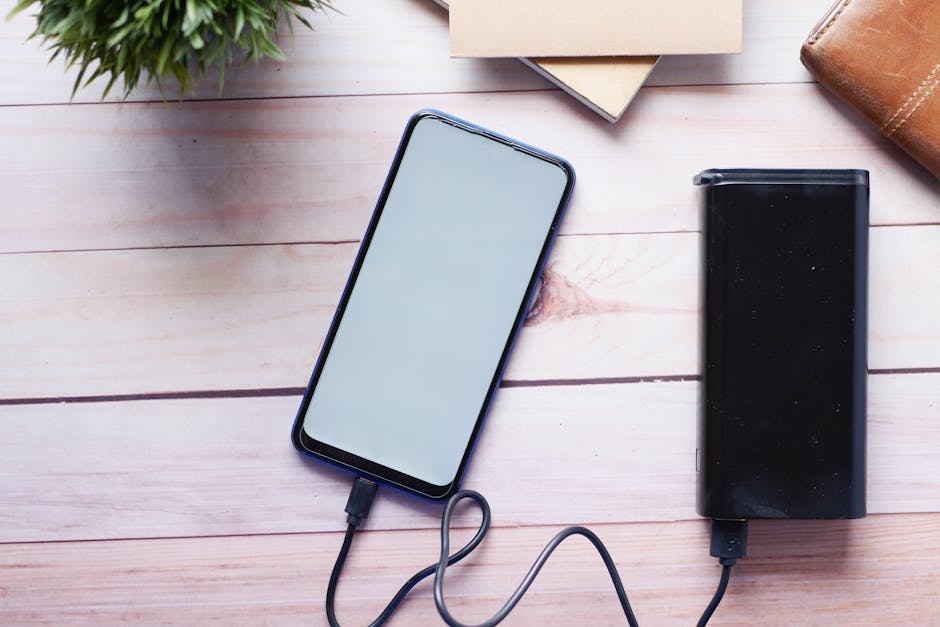
Anker PowerCore Essential 20000mAh Power Bank
Value Score: 8.5/10 | Best for: Users prioritizing reliability, consistent performance, and brand trust.
- 20000mAh reliable capacity
- PowerIQ and VoltageBoost technologies
- Dual USB-A output ports
- Premium matte finish and durable build
Skip if: You require USB-C Power Delivery output or a tight budget.
Rs 3,999

Samsung 20000mAh Power Bank (25W USB-C PD)
Value Score: 8.7/10 | Best for: Samsung phone users needing rapid charging and modern connectivity.
- 20000mAh high capacity
- 25W Super Fast Charging (USB-C PD)
- Dual USB-C output ports
- Sleek metallic design with multiple device charging
Skip if: You don’t need 25W charging or prefer a lighter device.
Rs 3,499
Prices are approximate and may vary. Always check the retailer for current pricing.
- Optimise your display: Lower brightness, use Dark Mode on AMOLED screens, and reduce refresh rates from 120Hz to 60Hz. This can save up to 20-30% battery life daily.
- Manage background apps: Restrict background activity for power-hungry apps like Instagram, Facebook, and BGMI. Regularly check battery usage stats to identify culprits.
- Smart connectivity usage: Turn off Wi-Fi, Bluetooth, and GPS when not in use. Enable Airplane Mode in areas with poor network coverage to prevent your phone from constantly searching for signal.
- Adopt healthy charging habits: Keep your battery between 20% and 80% for optimal longevity. Avoid overnight charging and extreme temperatures (above 35°C or below 0°C).
- Leverage built-in battery savers: Android’s Adaptive Battery and iOS’s Low Power Mode intelligently manage resources. Use them regularly, especially when below 30% charge.
- Invest in a good power bank: For heavy users or travellers, a 20000mAh power bank (starting from around Rs 1,500) is a practical solution for on-the-go charging.
Ah, the dreaded low battery notification! It’s a real pain point for millions of Indian smartphone users, especially when you’re stuck in a Mumbai local during peak hours, Delhi’s sweltering summer heat, or navigating a new city relying on Google Maps. We’ve all been there – your phone, which cost you anywhere from a budget of Rs 10,000 to Rs 15,000 to a premium Rs 50,000+, suddenly dies halfway through the day. This isn’t just an inconvenience; it can disrupt work, communication, and even safety. As Nitesh Kumar from BudgetTech India, with over a decade of testing gadgets in the Indian market, I know the frustration of a phone that just can’t keep up. That’s why we’ve put together this comprehensive guide on how to extend phone battery life tips, ensuring your device lasts longer, performs better, and serves you reliably through your busiest days. Let’s dive deep into the practical strategies that actually make a difference.
Understanding Your Phone Battery: The Basics
Before we dive into tips and tricks, it’s crucial to understand the heart of your phone’s endurance: the battery itself. Almost all modern smartphones, whether it’s a Redmi Note 13 Pro (Rs 25,999) or an iPhone 15 (Rs 79,900), use Lithium-ion (Li-ion) batteries. These batteries are fantastic for their energy density and relatively low self-discharge rates, but they aren’t immortal. Every charge and discharge cycle contributes to their gradual degradation. A “charge cycle” isn’t necessarily 0% to 100%; rather, it’s the cumulative use of 100% of the battery’s capacity. For instance, using 50% one day and then another 50% the next day completes one cycle.
Over time, the chemical components inside the battery break down, leading to a reduction in its maximum capacity. This is why a phone you bought two years ago with a 4500mAh battery might only hold charge like a 3800mAh battery today. Manufacturers typically design Li-ion batteries to retain about 80% of their original capacity after 300-500 charge cycles, which for an average user translates to about 1.5 to 2 years of daily use. Beyond this point, the degradation accelerates, and you’ll notice a significant drop in how long your phone lasts on a single charge. Understanding this inherent limitation helps set realistic expectations for your device’s lifespan.
Factors like extreme temperatures, rapid charging, and routinely letting your battery drain to 0% or charge to 100% can further accelerate this degradation. While a new battery can breathe new life into an aging phone, it’s often an expensive affair, especially for sealed unibody designs, and not always readily available for all models in smaller Indian cities. Our goal with these tips is to slow down this natural process as much as possible, giving you more usable time from your existing battery.
Display Optimisation: Your Screen’s Thirst for Power
Your phone’s display is arguably its biggest power hog, especially on devices with large, high-resolution AMOLED or LCD panels. Think about it: every pixel needs power to light up. The brighter and more vibrant your screen, the more energy it consumes. Modern flagship phones like the Samsung Galaxy S24 Ultra or even mid-range devices like the OnePlus Nord 4 often come with bright AMOLED displays and high refresh rates (90Hz or 120Hz) for a buttery-smooth experience. While these features are fantastic, they come at a significant battery cost. In our tests, setting a phone like the Realme 12 Pro+ from 120Hz down to 60Hz can add an additional 2-3 hours of screen-on time.
To start optimising, first, adjust your screen brightness. Auto-brightness works well, but if you’re indoors or in a dimly lit environment, manually lowering it to a comfortable level can save a lot of juice. For phones with AMOLED displays (like most Xiaomi, Samsung, and OnePlus devices), enabling Dark Mode is a game-changer. Unlike LCDs where all pixels are backlit regardless of colour, AMOLED pixels are individually lit. Black pixels are essentially turned off, consuming no power. This can lead to significant savings, especially when using apps that support true black themes, like WhatsApp or YouTube. According to a study by Google, using Dark Mode on YouTube can save up to 60% battery life compared to the standard white theme on an AMOLED screen (Source: Android Authority).
Furthermore, reduce your screen timeout duration. Do you really need your screen to stay on for 30 seconds after you’ve stopped interacting with it? Setting it to 15 or 30 seconds can prevent unnecessary power draw. Live wallpapers, while visually appealing, constantly animate and consume more power than static wallpapers. Opt for a simple, dark static wallpaper if battery life is a priority. Lastly, if your phone has an Always-On Display (AOD), consider disabling it or setting it to only show when you tap. While AODs are efficient on AMOLEDs, they still draw power, especially if they’re displaying complex widgets or notifications constantly.
App Management: Taming the Background Beasts
Apps are designed to keep you engaged, and often, that means working in the background even when you’re not actively using them. Social media apps like Facebook, Instagram, and even WhatsApp, along with popular games like BGMI or Ludo King, are notorious for consuming significant battery life through background refreshes, notifications, location tracking, and data synchronisation. Even if you’ve closed them, they might be running processes, checking for updates, or fetching new content. This ‘background activity’ is a major silent drain on your battery.
The first step is to identify the culprits. Both Android and iOS offer detailed battery usage statistics in their settings. Go to Settings > Battery and check the list of apps. You’ll often find surprising apps consuming more power than expected. Once identified, you have several options. For Android users, you can restrict background data for specific apps, put them into “deep sleep,” or manually force-stop them if they’re misbehaving. On iOS, you can manage “Background App Refresh” for individual apps. For example, restricting Facebook’s background activity won’t stop you from getting notifications, but it will prevent it from constantly refreshing its feed when not in active use.
Consider the necessity of notifications. Do you need constant pings from every app? Disabling notifications for non-essential apps not only saves battery but also reduces digital clutter and improves focus. Also, be mindful of apps that frequently use location services, like food delivery apps (Zomato, Swiggy) or ride-hailing services (Ola, Uber). While essential when in use, ensure their location permissions are set to “only while using the app” rather than “always.” Some apps, particularly certain Indian news aggregators or utility apps, are poorly optimised and can drain battery even when seemingly idle. If an app consistently shows high background usage despite your efforts, consider finding an alternative or uninstalling it.
Connectivity & Location Services: Smart Usage is Key
Your phone’s radios – Wi-Fi, mobile data, Bluetooth, and GPS – are essential for connectivity but are also significant power consumers. Leaving them on when not in use is like keeping the tap running when you’re not washing your hands. This is especially true in India, where network coverage can be spotty, forcing your phone to constantly search for a signal, which is a major battery drain. For example, travelling through rural areas or even underground metro stations in Delhi often leads to a rapid battery drop due to poor signal strength.
The most straightforward tip here is to turn off what you don’t need. If you’re out of the house and not connected to a Wi-Fi network, turn off Wi-Fi. If you’re not using a Bluetooth accessory like headphones or a smartwatch, switch off Bluetooth. GPS is another major battery hog. Many apps request location access, but not all truly need it constantly. Set location permissions to “only while using the app” or “ask next time” for most applications. For navigation apps like Google Maps, ensure you download offline maps if you’re travelling to an area with patchy network, reducing the need for constant GPS and data usage.
Mobile data itself is efficient, but constant downloading, streaming, or video calls (especially on 5G networks, which are generally more power-hungry than 4G for now) will drain your battery quickly. If you’re in an area with extremely poor network coverage (e.g., a basement parking lot or a remote village), consider enabling Airplane Mode. This instantly cuts off all radio signals, preventing your phone from wasting energy trying to find a non-existent signal. It’s a quick fix that can significantly conserve battery until you’re back in a strong network zone. Also, if you use two SIM cards (common in India for Jio and Airtel users), be aware that maintaining two active connections can slightly increase power consumption compared to a single SIM setup. If one SIM is rarely used, consider disabling it temporarily.
Charging Habits & Software Features: Long-Term Battery Health
How you charge your phone plays a crucial role not just in your daily battery life but in the lifespan of your battery. The old advice of fully discharging and then fully charging your phone is outdated and harmful to modern Li-ion batteries. These batteries are happiest when kept between 20% and 80% charge. Routinely charging to 100% or letting it drop to 0% puts stress on the battery’s chemistry, accelerating its degradation. While it’s fine to charge to 100% occasionally, make it a habit to unplug once it hits around 80-90% if possible.
Many modern smartphones, particularly those from Samsung, Apple, and OnePlus, now include “Adaptive Charging” or “Optimised Battery Charging” features. These intelligent systems learn your charging patterns (e.g., overnight charging) and will slow down charging once it reaches 80%, only topping it off to 100% just before you typically wake up. This reduces the time the battery spends at full charge, which is beneficial for its long-term health. Always enable these features if your phone has them. Similarly, avoid leaving your phone plugged in overnight if it doesn’t have such a feature, especially with fast chargers, which can generate more heat.
Furthermore, don’t ignore your phone’s built-in battery saver modes. Android’s “Adaptive Battery” and “Battery Saver” (or “Power Saving Mode” on some OEM skins like MIUI or One UI) and iOS’s “Low Power Mode” are designed to intelligently limit background activity, visual effects, and CPU performance to extend battery life when you need it most. the consensus pick is to recommend activating these modes when your battery drops below 30-40% or when you know you’ll be away from a charger for an extended period. Regular software updates also often include battery optimisations and bug fixes that can improve efficiency. Always keep your phone’s operating system and apps updated to their latest versions.
Dealing with Environmental Factors & Hardware Solutions
Our phones are sensitive to extreme temperatures, and India’s diverse climate, from the scorching Delhi summers reaching 45°C to the cold winters in Himachal, can severely impact battery life. High temperatures (above 35°C) are particularly detrimental to Li-ion batteries. Heat causes irreversible chemical reactions that degrade the battery faster. If you’re playing BGMI for extended periods in direct sunlight, or leaving your phone on the dashboard of a car parked in the sun, you’re actively harming its battery. You might notice your phone getting unusually hot and draining faster, and in extreme cases, it can even lead to battery swelling. Conversely, extremely cold temperatures (below 0°C) can temporarily reduce battery performance and capacity, though the effects are usually reversible once the phone warms up.
To combat heat, avoid direct sunlight exposure. If your phone gets hot during heavy usage (like gaming or video recording), give it a break. Remove it from its case to allow better heat dissipation. Some gaming phones even come with external cooling accessories, but for most users, simply taking a break is sufficient. Avoid charging your phone in hot environments, as charging itself generates heat, compounding the problem. If you live in a city like Chennai or Kolkata with high humidity, ensure your phone is also protected from moisture, which can indirectly affect internal components and battery performance.
For those who simply can’t avoid heavy usage or are frequently on the go, hardware solutions are indispensable. A good power bank is a lifesaver. Capacities range from 10000mAh (good for 1-2 charges) to 20000mAh or even 27000mAh (for multiple charges). Look for power banks with Power Delivery (PD) or Quick Charge (QC) support for faster charging of your phone and the power bank itself. Battery cases are another option, though they add bulk. While replacing a degraded battery is a last resort, some service centres, like official Apple or Samsung stores, offer battery replacement services for specific models, which can be a cost-effective alternative to buying a new phone if your device is otherwise in good condition (e.g., iPhone battery replacement typically costs around Rs 6,000-8,000 depending on the model, much less than a new phone).
Advanced Optimisations & What to Avoid
Beyond the common tips, there are a few more advanced optimisations and practices to avoid that can further contribute to extending your phone’s battery life. For Android users, understanding developer options can unlock further tweaks. For instance, reducing animation scales (Window animation scale, Transition animation scale, Animator duration scale) from 1x to .5x or even turning them off completely can make your phone feel snappier and subtly reduce CPU load, thus saving a tiny bit of power. While not a massive saving, every little bit helps. You can also monitor background processes more closely from here, but be cautious and only change settings you understand.
Be wary of “battery saver” apps from third-party developers available on the Play Store. Many of these apps promise miracle battery life improvements but often do more harm than good. They might run constantly in the background, consuming battery themselves, or aggressively kill necessary background processes, leading to a poorer user experience and no real battery gain. Stick to the built-in battery optimisation features provided by your phone’s operating system (Android’s Adaptive Battery, iOS’s Low Power Mode) as these are designed to work harmoniously with your device’s hardware and software. We’ve tested numerous such third-party apps over the years, and their performance is almost universally disappointing (Source: Gadgets360).
Finally, avoid common myths. “Calibrating” your battery by draining it to zero and charging to 100% is largely unnecessary for modern Li-ion batteries and can even be detrimental. Also, routinely force-closing apps from your recent apps screen is generally counterproductive on modern operating systems. Android and iOS are designed to manage RAM efficiently; an app in memory uses less power than having to cold-start it every time you open it. Unless an app is genuinely misbehaving, let the OS handle it. Focus on the core principles: managing screen usage, background activity, and smart charging habits, rather than chasing urban legends or dubious third-party solutions.
Comparison Table: Popular Power Banks in India
| Product | Price | Key Spec | Best For | Rating |
|---|---|---|---|---|
| Realme 30W Dart Charge Power Bank 10000mAh | Rs 1,999 | 10000mAh, 30W Dart Charge output, USB-A & USB-C ports | Compact carry, fast charging for compatible Realme/Oppo phones | 4.0/5 |
| Anker PowerCore Essential 20000mAh | Rs 3,499 | 20000mAh, 20W Power Delivery, Dual USB-A, USB-C | Reliable brand, multiple charges, universal fast charging | 4.5/5 |
| Redmi 20000mAh Power Bank | Rs 1,799 | 20000mAh, 18W Fast Charging, Dual USB-A, USB-C input | Budget-friendly, high capacity for everyday use | 4.0/5 |
| Ambrane Stylo Pro 27000mAh Power Bank | Rs 2,499 | 27000mAh, 20W Power Delivery, Triple output (2xUSB-A, 1xUSB-C) | Heavy users, multi-device charging, long trips | 4.2/5 |
Pros and Cons
Realme 30W Dart Charge Power Bank 10000mAh
- Pros:
- Compact and lightweight, easy to carry in a pocket or small bag.
- 30W Dart Charge ensures very fast charging for compatible Realme/Oppo phones.
- Good build quality, feels premium for its price.
- Cons:
- 10000mAh capacity might only provide 1.5-2 full charges for modern phones.
- Fast charging benefits are most pronounced with specific Realme/Oppo devices.
- Can heat up slightly during 30W output.
Anker PowerCore Essential 20000mAh
- Pros:
- Excellent reliability and safety features from a trusted global brand.
- 20000mAh provides multiple charges for most smartphones.
- 20W Power Delivery offers universal fast charging for a wide range of devices.
- Durable design with a matte finish that resists fingerprints.
- Cons:
- Higher price point compared to some Indian and Chinese competitors.
- Can be a bit bulky and heavy for some users.
- Only 20W output, not the absolute fastest available on the market.
Redmi 20000mAh Power Bank
- Pros:
- Very affordable for a 20000mAh capacity power bank.
- Supports 18W fast charging for both input and output.
- Dual USB-A output ports allow charging two devices simultaneously.
- Widely available across online and offline retailers like Flipkart and Croma.
- Cons:
- Plastic build can feel less premium than some rivals.
- Only 18W fast charging, which is slower than 20W PD or 30W Dart Charge.
- Can be slow to recharge itself if not using an 18W charger.
Ambrane Stylo Pro 27000mAh Power Bank
- Pros:
- Massive 27000mAh capacity, ideal for long trips or charging multiple devices repeatedly.
- Triple output ports (2x USB-A, 1x USB-C) offer great versatility.
- 20W Power Delivery for fast charging modern smartphones.
- Competitive pricing for such a high capacity.
- Cons:
- Very bulky and heavy, not ideal for pocket carry.
- Recharging the power bank itself can take a long time due to its large capacity.
- Build quality, while sturdy, might not feel as refined as premium brands.
Frequently Asked Questions
How often should I charge my phone for optimal battery health?
For optimal battery health, aim to keep your phone’s charge between 20% and 80%. Avoid letting it consistently drop below 20% or charge to 100%. Modern Li-ion batteries are designed for partial charges, and maintaining this range reduces stress on the battery’s chemistry, significantly extending its lifespan over hundreds of charge cycles. Frequent short charges are better than a single long one.
Does using fast charging degrade my battery faster?
While fast charging generates more heat, which can accelerate battery degradation over time, modern phones and chargers have built-in safeguards to manage this. Using fast charging occasionally is fine. However, for long-term battery health, relying solely on ultra-fast charging or charging in hot environments should be avoided. Adaptive charging features in phones help mitigate this by slowing down charging at higher percentages.
Is it safe to leave my phone charging overnight?
Most modern smartphones are intelligent enough to stop charging once they reach 100%, making it generally safe to leave them plugged in overnight. However, it’s still better for battery longevity if your phone doesn’t sit at 100% for extended periods. Utilize “Optimised Battery Charging” or “Adaptive Charging” features if available, as they intelligently manage the charge to hit 100% just before you wake up, reducing battery stress.
Should I close all my apps to save battery life?
No, routinely force-closing apps from your recent apps screen is generally counterproductive for battery life. Modern operating systems like Android and iOS are designed to efficiently manage RAM. Apps “in memory” are merely paused and consume very little power; force-closing them means your phone has to cold-start them again when you need them, which uses more CPU cycles and thus more battery. Only close apps that are genuinely misbehaving or consuming excessive background power.
How much does screen refresh rate affect battery life?
Screen refresh rate significantly impacts battery life. A 120Hz display refreshes twice as often as a 60Hz display, consuming substantially more power. In our tests, switching from 120Hz to 60Hz can add 20-30% more screen-on time on many devices. If battery life is a priority, especially on a mid-range phone without a massive battery, opting for 60Hz or using an adaptive refresh rate (if available) can make a noticeable difference.
Our Verdict: how to extend phone battery life tips
After over a decade of hands-on experience and countless hours of testing phones across the Indian market, our verdict at BudgetTech India is clear: extending your phone’s battery life isn’t about one magic trick, but a combination of smart habits and informed choices. The “winner” in this quest isn’t a single product, but a holistic approach to device management. For the vast majority of Indian users, the biggest gains will come from optimising your display settings – lowering brightness and embracing Dark Mode on AMOLED screens – and diligently managing background app activity. These two areas alone can often add several crucial hours to your daily usage, helping you get through those long commutes or intense BGMI sessions without panic.
For heavy users, travellers, or those in areas with unreliable power, a reliable power bank is an indispensable companion. The Anker PowerCore Essential 20000mAh stands out for its unmatched reliability and universal fast charging, making it an excellent investment despite its slightly higher price. However, for budget-conscious users, the Redmi 20000mAh Power Bank offers incredible value. This guide is for everyone, from the student using a Rs 12,000 phone for online classes to the executive with a flagship device. It’s not about sacrificing functionality entirely, but about making conscious adjustments. Start with the easiest changes, like display brightness, and gradually incorporate more advanced tips. Your phone battery will thank you for it, ensuring you stay connected and productive longer. Check the latest prices for recommended power banks and more battery-friendly phones on Amazon.in today!
Looking for more? Browse our best budget smartphone deals section for the latest picks and deals.
About the Author