Last Updated: 2026-03-20
Welcome to BudgetTech India, your trusted guide to making smart tech decisions without breaking the bank! In 2026, the Indian laptop market is more vibrant and competitive than ever, offering incredible value across all price points. But let’s be honest, for many of us, the sweet spot for a new laptop lies firmly in the budget segment. If you’re searching for the best laptop under 30000 India, you’re in the right place. This comprehensive guide is meticulously crafted to help you navigate the myriad options, understand what truly matters, and ultimately, make an informed purchase that perfectly suits your needs.
The sub-Rs 30,000 category has seen significant advancements in recent years. What was once a realm of compromises and underpowered machines is now home to surprisingly capable devices perfect for students, home users, small business owners, and anyone needing a reliable daily driver. We’ve delved deep into the latest hardware, software trends, and user feedback specifically for the Indian market to bring you our top recommendations and insights for 2026. Our goal is to ensure you don’t just find a laptop, but the *best* laptop for your specific requirements within this budget, a device that offers the optimal blend of performance, features, and durability.
Finding the ideal blend of specifications, build quality, and after-sales service within such a tight budget can be challenging. Many brands offer enticing features, but discerning which ones are genuinely beneficial and which are mere marketing fluff requires careful analysis. This article cuts through the noise, providing you with actionable advice and spotlighting models that consistently deliver on their promises. So, let’s embark on this journey to discover your next budget-friendly powerhouse!
Quick Summary: Best Laptops Under Rs 30,000 in 2026
Top Picks: best laptop under 30000 India

Lenovo IdeaPad Slim 3 (82XM0066IN)
- AMD Ryzen 3 7320U Processor
- 8GB RAM / 256GB SSD
- 15.6″ FHD Display
₹27,990
Acer Aspire 3 (A315-24P)
- AMD Ryzen 3 7320U Processor
- 8GB RAM / 512GB SSD
- 15.6″ FHD Display
₹28,990

HP 15s-fq2673TU
- Intel Core i3-1115G4 Processor
- 8GB RAM / 512GB SSD
- 15.6″ FHD Display
₹29,490

- Processors: Expect Intel N-series (N100/N200) or AMD Ryzen 3 (older gen) to dominate, offering excellent efficiency for everyday tasks.
- RAM & Storage: 8GB RAM paired with a 256GB NVMe SSD is the sweet spot, providing smooth multitasking and fast boot times. Avoid 4GB RAM if possible.
- Display: Full HD (1920×1080) panels are common, with IPS options increasingly available for better viewing angles and color accuracy.
- Ideal Users: These laptops are perfect for students, home users, online classes, basic office work, web browsing, and media consumption.
- Where to Buy: Amazon.in and Flipkart remain the primary platforms for competitive pricing and wide selection in India.
Understanding the Sub-30K Laptop Landscape in 2026
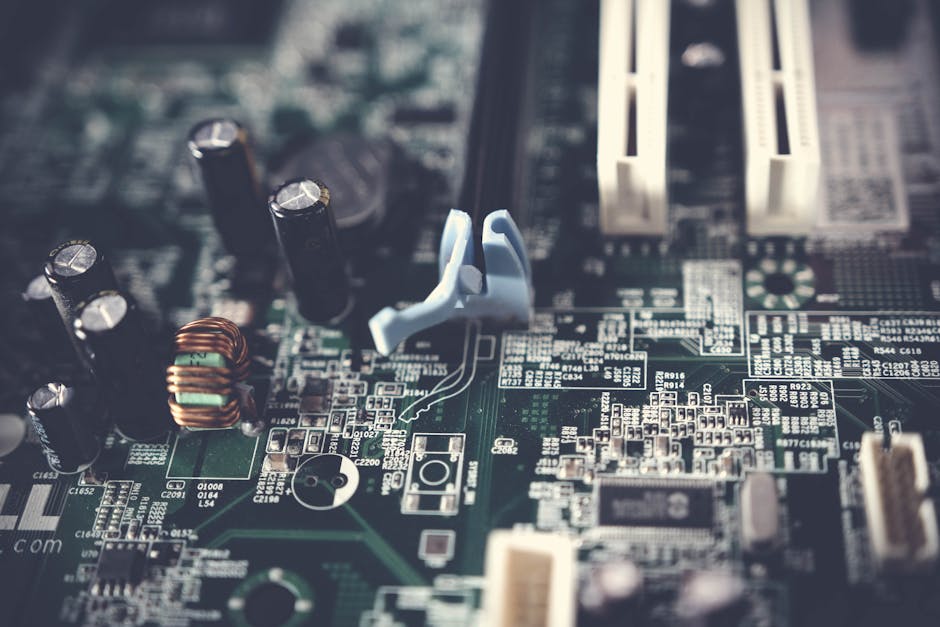
In 2026, the sub-Rs 30,000 laptop segment in India isn’t about cutting-edge performance or premium features. Instead, it’s about smart engineering, efficient components, and delivering a reliable user experience for essential tasks. Manufacturers have become adept at optimizing hardware to meet specific price points, leading to a much more capable entry-level market than even a few years ago. Here’s what you can realistically expect and what defines this category:
Processors: The Efficiency Kings
The days of sluggish Celeron or Pentium processors being the only option at this price are largely behind us. In 2026, you’ll primarily encounter:
- Intel N-series (N100, N200): These are modern, highly efficient processors designed for thin and light laptops. They excel at web browsing, office applications, streaming, and light multitasking. While not powerhouses, their low power consumption translates to excellent battery life and silent operation. Many reviews, including those on Gadgets360, frequently praise the N-series for its surprising capability within its intended scope.
- AMD Ryzen 3 (older generation): You might find some laptops featuring an older generation AMD Ryzen 3 processor (e.g., Ryzen 3 7320U or similar low-power variants). These often offer a slight edge in multi-core performance and integrated graphics compared to the N-series, making them a good choice if your tasks involve a bit more number-crunching or light photo editing.
- MediaTek Kompanio: While less common in Windows laptops, some Chromebooks in this price range might feature MediaTek Kompanio processors, which are optimized for ChromeOS, delivering snappy performance for web-centric tasks.
RAM: 8GB is the New Minimum
For a smooth experience in 2026, 8GB of DDR4 RAM is highly recommended. With modern operating systems and web browsers consuming more memory, 4GB RAM can quickly become a bottleneck, leading to frustrating slowdowns, especially when multitasking. While some models might still offer 4GB to hit a lower price point, we strongly advise against it if your budget allows for 8GB. NDTV Gadgets has often highlighted in their budget laptop reviews that 8GB RAM significantly enhances the overall responsiveness of these machines.
Storage: SSD is Non-Negotiable
This is perhaps the most crucial upgrade in budget laptops. An SSD (Solid State Drive), particularly an NVMe SSD, transforms the user experience. You’ll get lightning-fast boot times, quick application loading, and a generally snappier system compared to traditional HDDs. In the sub-Rs 30,000 segment, a 256GB NVMe SSD is the standard. While 128GB might be available, it fills up quickly. 512GB NVMe SSDs are rare but occasionally pop up during sales. If you need more storage, external drives or cloud storage are excellent companions.
Display: Full HD and Improving Panels
Most laptops in this category now feature Full HD (1920×1080) resolution, which is great for crisp text and clear visuals. The quality of the panel, however, can vary. Look for IPS (In-Plane Switching) panels for better viewing angles and color reproduction. TN (Twisted Nematic) panels are still present, especially in the most budget-friendly options, but they often suffer from poor viewing angles and washed-out colors. Screen size typically ranges from 14-inch to 15.6-inch, with 15.6-inch being the most popular for general use.
Battery Life: All-Day Potential for Light Use
Thanks to efficient processors, many laptops in this segment can now offer 6-8 hours of battery life under light usage conditions (web browsing, document editing). This makes them genuinely portable for students attending classes or professionals working remotely from cafes.
Build Quality & Design: Functional and Practical
Expect plastic builds, which are standard at this price point. However, modern plastics are durable. Look for designs that prioritize functionality, with decent hinge quality and a comfortable keyboard. Weight typically ranges from 1.5 kg to 1.8 kg, making them reasonably portable for daily commutes in cities like Bangalore or Hyderabad.
Operating System: Windows 11 Home (S Mode) or ChromeOS
Most Windows laptops will come with Windows 11 Home, often in ‘S Mode’. S Mode restricts you to apps from the Microsoft Store for enhanced security and performance, but you can usually switch out of it for free if you need to install third-party software. Chromebooks running ChromeOS are also a strong contender if your workflow is primarily web-based.
By understanding these parameters, you can set realistic expectations and make a more informed choice when looking for the best laptop under 30000 India.
Key Factors to Consider Before You Buy
Before you jump into comparing specific models, it’s crucial to understand what truly matters when evaluating a laptop in the sub-Rs 30,000 segment. Prioritizing these factors will ensure you pick a device that aligns perfectly with your usage patterns.
Processor (CPU): The Brain of Your Laptop
As discussed, Intel N-series (N100, N200) and older AMD Ryzen 3 chips are your primary options. For general tasks like web browsing, emails, online classes, and basic document creation, the Intel N-series is more than adequate. If you dabble in light photo editing, have multiple browser tabs open, or need slightly better graphics performance for casual games, an AMD Ryzen 3 might offer a marginal edge. Always check the specific model number of the processor, as performance can vary even within the same series.
RAM: Multitasking Powerhouse
8GB RAM is non-negotiable for a smooth experience in 2026. With 4GB, you’ll quickly hit limits, leading to stuttering and slow performance, especially if you have several applications or browser tabs open simultaneously. If a laptop you’re considering has 4GB RAM, check if it’s upgradeable. However, in this budget, upgradeability is often limited or requires professional assistance, so it’s best to aim for 8GB out of the box.
Storage: Speed Over Raw Capacity
An SSD is paramount. A 256GB NVMe SSD offers a fantastic balance of speed and capacity for most users. If you manage to find a 512GB NVMe SSD within budget, that’s a bonus, but don’t compromise on SSD for a larger HDD. For those with extensive media libraries, consider external hard drives or cloud storage services to supplement the internal SSD. The speed difference between an SSD and an HDD is perhaps the most significant performance boost you can get in a budget laptop.
Display: Your Window to the Digital World
A Full HD (1920×1080) resolution is standard and provides a comfortable viewing experience. The panel type is where you’ll see differences. IPS panels offer wider viewing angles and more accurate colors, which is beneficial for anyone consuming media or working with visuals. TN panels, while cheaper, often result in color shifts when viewed from an angle. For reading documents or casual browsing, a TN panel might be acceptable, but for movies or online lectures, an IPS panel is far superior. Also, consider if the display has anti-glare properties, which can be very useful in brightly lit Indian homes or offices.
Battery Life: Portability Matters
For students or professionals on the go, a laptop that can last through a few hours of classes or meetings without needing a charger is invaluable. Aim for devices that promise at least 6-8 hours of typical usage. Remember that advertised battery life is usually under ideal conditions, so real-world usage will be slightly less. Factors like screen brightness, Wi-Fi usage, and the intensity of applications running will all affect actual battery performance.
Build Quality and Design: Durability and Aesthetics
While premium materials like aluminum are rare at this price point, a well-built plastic chassis can be surprisingly robust. Look for minimal flex in the keyboard deck and lid. A lightweight design (under 1.8 kg) enhances portability. The hinge mechanism is another critical component – ensure it feels sturdy and can hold the screen firmly at different angles. Aesthetic preferences are personal, but a sleek, understated design is often preferred.
Ports and Connectivity: Staying Connected
Ensure the laptop has the ports you need. Essential ports include USB-A for peripherals, an HDMI port for external monitors, and a headphone jack. The inclusion of a USB-C port is a significant plus, offering versatility for charging, data transfer, and display output. Modern connectivity like Wi-Fi 6 (802.11ax) will provide faster and more stable wireless connections, which is increasingly important in crowded Wi-Fi environments.
Operating System: Windows 11 vs. ChromeOS
Most budget laptops come with Windows 11 Home (often in S Mode). Windows offers broad software compatibility and familiarity. Chromebooks, running ChromeOS, are fantastic if most of your work happens in a web browser, and you rely heavily on cloud services and Android apps. They are generally faster and more secure but have limitations on desktop software. Choose based on your primary workflow.
Brand Reliability and After-Sales Service
In India, brands like Acer, Lenovo, HP, ASUS, and Dell have strong presences and wide service networks. While budget models don’t always come with the same premium support as their high-end counterparts, having accessible service centers across major cities like Mumbai, Delhi, or Chennai can be a lifesaver if issues arise. Check recent customer reviews on platforms like Amazon.in and Flipkart regarding service experiences for specific models.
By carefully weighing these factors against your personal requirements, you’ll be well-equipped to select the best laptop under 30000 India that truly meets your expectations in 2026.
Our Top Picks for the Best Laptop Under 30000 India (2026 Edition)
After extensive research, analyzing market trends, and considering the specific needs of Indian users, we’ve narrowed down the field to a few standout contenders for the title of the best laptop under 30000 India in 2026. These models strike an excellent balance between performance, features, and affordability.
1. Acer Aspire 3 Slimline (2026 Refresh)
The Acer Aspire series has consistently delivered strong value, and its 2026 refresh continues this tradition. This model is often lauded for its balanced specifications and reliable performance, making it a go-to choice for students and general home users. It’s a prime example of a laptop that punches above its weight in the sub-Rs 30,000 category.
- Processor: Intel N100 (4-Core, up to 3.4 GHz)
- RAM: 8GB DDR4 RAM
- Storage: 256GB NVMe SSD
- Display: 15.6-inch Full HD (1920×1080) IPS Display, Anti-Glare
- Operating System: Windows 11 Home S Mode
- Weight: Approximately 1.6 kg
- Battery: Up to 7 hours of mixed usage
Pros:
- Excellent Full HD IPS display for vibrant visuals and good viewing angles.
- Intel N100 processor provides surprisingly snappy performance for everyday tasks and great power efficiency.
- 8GB RAM ensures smooth multitasking for browsing, office apps, and online classes.
- Lightweight and relatively thin design for a 15.6-inch laptop.
- Good port selection including USB-C.
- Reliable build quality for its price point.
Cons:
- Windows 11 S Mode might require switching out for some third-party apps.
- Integrated graphics are only suitable for very light gaming.
- Keyboard lacks backlighting, which can be an issue in low-light conditions.
Availability: Widely available on Amazon.in and Flipkart.
2. Lenovo IdeaPad Slim 3 (2026 Edition)
Lenovo’s IdeaPad Slim series is renowned for its robust build quality and practical design, and the 2026 edition of the Slim 3 continues to impress within the budget segment. NDTV Gadgets has frequently highlighted the IdeaPad series for its reliability and user-centric features, making it a strong contender for those who prioritize durability and a comfortable typing experience. This model is particularly appealing to users who spend long hours typing or attending virtual meetings.
- Processor: AMD Ryzen 3 7320U (4-Core, 8-Thread, up to 4.1 GHz)
- RAM: 8GB LPDDR5 RAM
- Storage: 256GB NVMe SSD
- Display: 14-inch Full HD (1920×1080) TN Display, Anti-Glare
- Operating System: Windows 11 Home
- Weight: Approximately 1.37 kg
- Battery: Up to 8 hours of mixed usage
Pros:
- AMD Ryzen 3 7320U offers a slight performance edge, especially in multi-threaded tasks.
- Very lightweight and portable, ideal for students or frequent commuters in cities like Pune.
- Excellent battery life, making it a true all-day companion.
- Comfortable and responsive keyboard, typical of Lenovo.
- Comes with full Windows 11 Home (not S Mode).
Cons:
- The TN display, while Full HD and anti-glare, has narrower viewing angles compared to IPS panels.
- Limited upgradeability for RAM.
- Audio quality is decent but not exceptional.
Availability: Check Flipkart and Amazon.in for the latest deals.
3. HP 15s (2026 Value Edition)
The HP 15s series is a perennial favorite in the Indian market, known for its widespread availability and consistent performance. The 2026 Value Edition aims to deliver a solid everyday computing experience for families and home office users. It focuses on providing a large screen and ample storage for the price, making it a practical choice for those who need a reliable workhorse without breaking the bank.
- Processor: Intel N200 (4-Core, up to 3.7 GHz)
- RAM: 8GB DDR4 RAM
- Storage: 512GB NVMe SSD
- Display: 15.6-inch Full HD (1920×1080) TN Display, BrightView
- Operating System: Windows 11 Home
- Weight: Approximately 1.69 kg
- Battery: Up to 6 hours of mixed usage
Pros:
- Generous 512GB NVMe SSD for ample storage at this price point.
- Intel N200 processor offers good performance for productivity and general tasks.
- Large 15.6-inch display is great for media consumption and working with multiple windows.
- Familiar HP design and reliable build quality.
- Comes with full Windows 11 Home.
Cons:
- The TN display, despite being Full HD, offers less vibrant colors and narrower viewing angles compared to IPS.
- Battery life is slightly shorter than some competitors.
- The BrightView display can be reflective in bright environments.
Availability: Look for deals on Amazon.in, Flipkart, and local HP authorized retailers.
4. ASUS VivoBook Go 15 (2026 Essential)
ASUS has been making significant strides in the budget laptop segment with its VivoBook series, offering stylish designs and solid performance. The VivoBook Go 15 (2026 Essential) is a testament to this, aiming to provide a premium feel and a great display experience even at an affordable price. It’s a fantastic option for users who value aesthetics and screen quality.
- Processor: Intel N100 (4-Core, up to 3.4 GHz)
- RAM: 8GB LPDDR5 RAM
- Storage: 256GB NVMe SSD
- Display: 15.6-inch Full HD (1920×1080) IPS Display, Anti-Glare
- Operating System: Windows 11 Home S Mode
- Weight: Approximately 1.63 kg
- Battery: Up to 7.5 hours of mixed usage
Pros:
- Stunning Full HD IPS display is a highlight, offering excellent visuals.
- Modern and sleek design that feels more premium than its price suggests.
- Efficient Intel N100 processor paired with fast LPDDR5 RAM for smooth performance.
- Good battery life for a 15.6-inch laptop.
- Ergonomic keyboard with a decent travel distance.
Cons:
- Windows 11 S Mode might be a limitation for some users.
- Webcam quality is basic, as is common in this price range.
- Audio output is acceptable but not outstanding.
Availability: Frequently on sale on Flipkart and Amazon.in.
Comparison Table: Best Laptops Under Rs 30,000 India (2026)
| Feature | Acer Aspire 3 Slimline (2026) | Lenovo IdeaPad Slim 3 (2026) | HP 15s (2026 Value Edition) | ASUS VivoBook Go 15 (2026) |
|---|---|---|---|---|
| Processor | Intel N100 | AMD Ryzen 3 7320U | Intel N200 | Intel N100 |
| RAM | 8GB DDR4 | 8GB LPDDR5 | 8GB DDR4 | 8GB LPDDR5 |
| Storage | 256GB NVMe SSD | 256GB NVMe SSD | 512GB NVMe SSD | 256GB NVMe SSD |
| Display Size & Type | 15.6″ FHD IPS | 14″ FHD TN | 15.6″ FHD TN | 15.6″ FHD IPS |
| Operating System | Win 11 Home S | Win 11 Home | Win 11 Home | Win 11 Home S |
| Weight | ~1.6 kg | ~1.37 kg | ~1.69 kg | ~1.63 kg |
| Battery Life (claimed) | Up to 7 hours | Up to 8 hours | Up to 6 hours | Up to 7.5 hours |
| Approx. Price (Rs) | 27,000 – 29,000 | 28,000 – 30,000 | 28,500 – 29,500 | 27,500 – 29,500 |
Performance Expectations: What Can You Really Do?
It’s vital to have realistic expectations when investing in the best laptop under 30000 India. While these machines are surprisingly capable for their price, they are designed for specific types of workloads. Here’s a breakdown of what you can comfortably achieve and where you might hit limitations in 2026:
Excellent For:
- Web Browsing and Online Activities: Smoothly navigate the web, open multiple tabs, stream YouTube, Netflix, Hotstar, and access social media platforms.
- Productivity and Office Work: Microsoft Office Suite (Word, Excel, PowerPoint), Google Docs, Sheets, and Slides will run flawlessly. Perfect for students writing assignments or professionals handling documents and presentations.
- Online Classes and Video Conferencing: Platforms like Zoom, Google Meet, and Microsoft Teams work without a hitch, making these ideal for remote learning or work-from-home setups.
- Email Management: Effortlessly manage your emails with desktop clients or web-based services.
- Media Consumption: Enjoy movies, TV shows, and music streaming in Full HD quality.
- Light Photo Editing: Basic photo adjustments and graphic design using web-based tools like Canva or lightweight software like GIMP are entirely feasible.
- Basic Coding and Programming: Ideal for learning programming languages, running simple scripts, and working with development environments for web development (HTML, CSS, JavaScript) or Python.
- Personal Finance Management: Using accounting software or web services for personal budgeting.
Limitations to Keep in Mind:
- Heavy Gaming: These laptops are not built for demanding AAA gaming titles. You might be able to play very old or extremely lightweight indie games, but don’t expect smooth frame rates or high-resolution graphics.
- Video Editing and Graphic Design (Professional Level): Software like Adobe Premiere Pro, Photoshop (for complex projects), AutoCAD, or 3D rendering applications will struggle significantly due to limited processing power and integrated graphics.
- Virtualization: Running multiple virtual machines or complex development environments can quickly overwhelm the processor and RAM.
- High-Intensity Data Analysis: Complex data modeling or large database operations might be slow.
- Multitasking with Heavy Applications: While 8GB RAM helps, trying to run a demanding video call, a heavy spreadsheet, and multiple browser tabs with complex web apps simultaneously might lead to slowdowns.
In essence, these laptops are workhorses for everyday digital life. They are designed to be reliable companions for learning, working, and entertainment, delivering consistent performance within their specified capabilities. Managing your expectations around these limitations will lead to greater satisfaction with your purchase.
Optimizing Your Budget Laptop Experience
Once you’ve found the best laptop under 30000 India, there are several steps you can take to ensure it runs smoothly and efficiently for years to come. Getting the most out of a budget machine often comes down to smart usage and maintenance practices.
1. Keep Your Operating System and Drivers Updated
Regularly update Windows 11 and your device drivers. These updates often include performance improvements, security patches, and bug fixes that can significantly enhance your laptop’s stability and speed. You can typically find driver updates through your laptop manufacturer’s support website or Windows Update.
2. Manage Startup Programs
Many applications tend to launch automatically when your laptop starts, consuming valuable RAM and CPU cycles. Go to Task Manager (Ctrl+Shift+Esc), navigate to the “Startup” tab, and disable any unnecessary programs from launching with Windows. This will drastically improve boot times and overall system responsiveness.
3. Use a Lightweight Browser
Browsers like Google Chrome can be RAM-hungry. Consider using Microsoft Edge, which is often more optimized for Windows, or explore lightweight alternatives if you find your browser slowing down your system. Regularly clear your browser’s cache and history.
4. Embrace Cloud Storage
With a 256GB SSD, local storage can fill up quickly. Utilize cloud storage services like Google Drive, OneDrive, or Dropbox for documents, photos, and videos. This frees up crucial space on your SSD, ensuring your system files and frequently used applications have enough room to operate efficiently. It also provides a convenient backup solution.
5. Keep Your Desktop Clean
Avoid cluttering your desktop with numerous files and shortcuts. Each icon on your desktop uses a small amount of system resources. Organize your files into folders and store them in appropriate locations, reserving the desktop for only essential shortcuts.
6. Invest in an External SSD/HDD
If you have a large collection of movies, music, or photos, an external hard drive or SSD is an excellent investment. It offloads large files from your internal drive, preserving its speed for the operating system and applications. USB 3.0 or USB-C external drives offer fast transfer speeds.
7. Regularly Clean Your Laptop
Dust can accumulate in the vents and fans, leading to overheating and performance throttling. Periodically clean the vents with compressed air. Keep the screen and keyboard clean to maintain hygiene and extend their lifespan.
8. Install Essential Software Only
Resist the temptation to install every free software you come across. Unnecessary programs consume disk space and can run in the background, slowing down your system. Stick to applications you genuinely need and use.
9. Optimize Power Settings
Adjust your power plan to “Balanced” or “Power Saver” mode when you don’t need maximum performance. This can extend battery life and reduce heat generation, contributing to the longevity of your laptop.
By following these simple tips, your best laptop under 30000 India will not only perform optimally but also provide you with a satisfying user experience for a longer period.
Future-Proofing on a Budget: Is it Possible?
The term “future-proofing” is often associated with high-end, expensive electronics. However, even when looking for the best laptop under 30000 India, you can make choices that extend its relevance and usability in the coming years. While you won’t get cutting-edge technology, smart decisions can prevent your budget laptop from feeling obsolete too quickly.
Prioritize Key Specifications
The most effective way to “future-proof” in this budget is to focus on components that are difficult or impossible to upgrade later:
- 8GB RAM: As emphasized, 8GB RAM is crucial. In 2026, 4GB will already feel restrictive. Having 8GB ensures better multitasking and compatibility with future software updates. Many budget laptops have soldered RAM, making upgrades impossible, so get it right the first time.
- NVMe SSD: The speed of an SSD is a game-changer. While 256GB is common, if you can stretch to 512GB, it offers more breathing room for larger applications and files as your digital life expands. SSDs are generally more durable than HDDs, contributing to longevity.
- Full HD IPS Display: An IPS panel will provide a significantly better visual experience compared to a TN panel. As more content becomes high-resolution, a good quality display will remain a pleasure to use.
Look for Modern Connectivity
Connectivity standards evolve rapidly. Choosing a laptop with modern ports and wireless capabilities ensures better compatibility with future peripherals and networks:
- USB-C Port: A versatile USB-C port (especially one that supports Power Delivery and DisplayPort Alt Mode) is a huge asset. It allows for single-cable docking solutions, faster data transfer, and compatibility with a growing ecosystem of USB-C accessories.
- Wi-Fi 6 (802.11ax): While not strictly necessary, Wi-Fi 6 offers faster speeds and better performance in congested network environments. As more routers and devices adopt Wi-Fi 6, having it in your laptop will ensure you get the best possible wireless experience.
- Bluetooth 5.0 or Higher: Ensures stable and efficient connections with wireless headphones, mice, and other peripherals.
Operating System Longevity
All our recommended laptops come with Windows 11. Microsoft generally supports its operating systems for many years with security and feature updates. Choosing a laptop with Windows 11 ensures you’ll receive critical updates and maintain compatibility with new software releases for the foreseeable future.
Realistic Lifespan Expectations
Even with the best choices, a laptop under Rs 30,000 is typically expected to have a usable lifespan of 3-5 years for its primary tasks. After this, while it might still function, newer software demands or battery degradation might make it feel significantly slower. Think of these laptops as excellent short-to-medium-term investments rather than devices that will last a decade. Regular maintenance, as discussed earlier, will help maximize this lifespan.
While true future-proofing is a luxury, making informed decisions on RAM, storage, display, and connectivity can significantly prolong the useful life of your budget laptop, ensuring it remains a capable companion for your digital needs in India for years to come.
Frequently Asked Questions (FAQ)
Is 4GB RAM enough for a laptop under Rs 30,000 in 2026?
No, in 2026, 4GB RAM is generally not enough for a smooth and comfortable experience, even in a budget laptop. Modern operating systems and web browsers are resource-intensive, and 4GB will quickly lead to slowdowns and frustrating multitasking. We strongly recommend opting for a laptop with at least 8GB RAM if your budget allows, as this significantly improves overall responsiveness and future compatibility.
Can I play games on a laptop under Rs 30,000?
You can play very light and casual games, browser-based games, or older, less graphically demanding titles on a laptop under Rs 30,000. However, these laptops are not designed for modern AAA gaming. Their integrated graphics and budget processors will struggle with current popular games, resulting in low frame rates and poor visual quality. If gaming is a priority, you’ll need to increase your budget significantly.
What’s the best operating system for this budget: Windows 11 or ChromeOS?
The “best” OS depends on your primary usage. Windows 11 is ideal if you need compatibility with a wide range of desktop applications (like full Microsoft Office, specific engineering software, etc.) or if you’re accustomed to the Windows ecosystem. ChromeOS, often found in Chromebooks within this price range, is excellent for users whose work is primarily web-based, relies on cloud services, or utilizes Android apps. ChromeOS is generally faster, more secure, and requires less maintenance, but its software compatibility is limited.
Should I consider buying a refurbished laptop to save money?
Buying a refurbished laptop can be a good way to get better specifications for your budget, but it comes with risks. Ensure you buy from a reputable seller (like official brand refurbished stores or well-known Indian retailers on Amazon.in/Flipkart) that offers a clear warranty (at least 6-12 months) and a return policy. Carefully check the laptop’s condition and battery health. For most users seeking reliability, a new laptop with a full warranty is often the safer choice in this price segment.
Where can I find the best deals on these laptops in India?
The best deals on laptops under Rs 30,000 in India are typically found online on major e-commerce platforms like Amazon.in and Flipkart. Keep an eye out for seasonal sales (e.g., Diwali Sale, Republic Day Sale, Amazon Prime Day, Flipkart Big Billion Days), bank card offers, and exchange schemes. It’s also worth checking the official brand websites (Acer, Lenovo, HP, ASUS) directly, as they sometimes offer exclusive discounts. Compare prices across multiple platforms before making a purchase.
Our Verdict
Navigating the budget laptop market in India can be daunting, but as we’ve seen, in 2026, finding the best laptop under 30000 India is not just possible, but quite rewarding. The advancements in processor efficiency, the ubiquity of SSD storage, and the availability of 8GB RAM configurations mean you no longer have to settle for a truly compromised experience.
For the average Indian user – be it a student attending online classes, a professional working with documents, or a family enjoying multimedia – these budget-friendly machines are more than capable. They excel at everyday tasks, offering reliability and sufficient performance to keep you productive and entertained without straining your finances.
After a thorough review of the market and our top picks, if we had to choose one overall recommendation for the best laptop under 30000 India, it would be the Acer Aspire 3 Slimline (2026 Refresh). Its combination of a vibrant Full HD IPS display, the efficient Intel N100 processor, 8GB RAM, and a 256GB NVMe SSD offers the most balanced and satisfying experience for a wide range of users. It strikes an excellent chord between performance, visual quality, and affordability, making it a truly smart investment.
However, if portability is your absolute top priority, the Lenovo IdeaPad Slim 3 (2026 Edition) is an undeniable winner with its lightweight design and exceptional battery life. For those needing maximum internal storage at this price, the HP 15s (2026 Value Edition) with its 512GB SSD stands out. And if a sleek design and excellent display are paramount, the ASUS VivoBook Go 15 (2026 Essential) truly shines.
Ultimately, the “best” laptop is the one that best fits *your* specific needs and priorities. By considering the factors we’ve outlined and comparing our top recommendations, you are now equipped to make a confident and intelligent choice that will serve you well. Happy computing!
Want more? Browse our latest smartphone reviews section.
About the Author