Published: 2026-02-27 | Updated: 2026-02-27
Ever found yourself juggling between a video call for a remote lecture, editing a quick Reel for Instagram, and sneaking in a round of Valorant – all on the same device? Welcome to the digital life of an Indian youth in 2026!
The lines between study, play, and content creation are blurrier than ever. Your laptop isn’t just a gadget; it’s your primary portal to a universe of opportunities, entertainment, and connection. But with so many options, how do you pick the perfect companion for your dynamic lifestyle?
Quick Summary
Recommended Laptops & PCs Picks
HP 15s-fq Series
- Lightweight design for easy portability.
- Intel Core i3 processor for daily tasks.
- Fast 512GB SSD & 8GB RAM for responsiveness.
Price: ₹37,990
ASUS VivoBook 15
- Sleek aesthetics for a modern student look.
- Efficient AMD Ryzen 3 for productive learning.
- Good display quality for online content.
Price: ₹39,490
Lenovo IdeaPad Slim 3
- Durable build quality for student life.
- Dependable performance for multitasking.
- Solid battery life for all-day use.
Price: ₹35,990

- Indian youth in 2026 need versatile laptops for hybrid learning, content creation, and gaming.
- AI integration, powerful processors (Intel Core Ultra, AMD Ryzen AI), and ample RAM (16GB+) are key.
- Dedicated GPUs are crucial for serious gamers and video editors; integrated solutions suffice for casual use.
- Consider OLED displays, Wi-Fi 7, and excellent battery life for the best experience.
- Budget-friendly options under ₹60,000 offer great value, while premium models unlock advanced features.
The Evolving Digital Playground: What Indian Youth Are Doing (2026 Edition)
In 2026, the tech landscape for Indian youth is incredibly vibrant. Hybrid learning models are firmly established, demanding devices capable of seamless video conferencing and robust productivity. But it’s not all textbooks and assignments; content creation has exploded, with more students dabbling in vlogging, streaming, and graphic design. According to insights often highlighted by Gadgets360, the demand for powerful yet portable machines that can handle everything from 4K video editing to high-refresh-rate gaming continues to climb. We’re seeing a push for laptops with integrated AI capabilities, making tasks like background noise suppression during calls or smart photo editing almost effortless. Multitasking isn’t a skill; it’s a default, and your laptop needs to keep up without breaking a sweat.
Decoding Your Next Powerhouse: A 2026 Buying Guide for Indian Youth

Choosing a laptop in 2026 means looking beyond just specs. It’s about finding a device that empowers your unique digital journey. Here’s what to prioritize:
Performance & AI Capabilities
- Processors: Look for the latest Intel Core Ultra or AMD Ryzen AI chips. These are designed for AI workloads, offering significant boosts in efficiency and performance for everything from creative apps to gaming.
- RAM: 16GB RAM should be your minimum. For serious multitasking, editing, or gaming, 32GB is becoming the sweet spot, ensuring future-proofing.
- Storage: NVMe SSDs are standard. Aim for at least 512GB, with 1TB being ideal for storing games, projects, and media.
Graphics for the Digital Creator & Gamer
- Integrated GPUs: For casual gaming (e.g., esports titles at moderate settings) and basic video editing, modern integrated graphics (like Intel Arc or AMD Radeon) are surprisingly capable.
- Dedicated GPUs: If you’re serious about AAA gaming, 3D rendering, or professional video editing, a dedicated NVIDIA GeForce RTX (e.g., 4050 or higher) or AMD Radeon RX GPU is non-negotiable.
Display, Design & Battery Life
- Display: OLED panels offer stunning colours and true blacks, perfect for content consumption and creation. High refresh rates (120Hz+) are a must for smooth gaming and scrolling.
- Portability: Look for slim, lightweight designs. A laptop you won’t mind carrying between classes or your favourite cafe is key.
- Battery Life: “All-day battery life” isn’t just a marketing slogan anymore. Aim for at least 8-10 hours of real-world usage.
Connectivity & Ecosystem
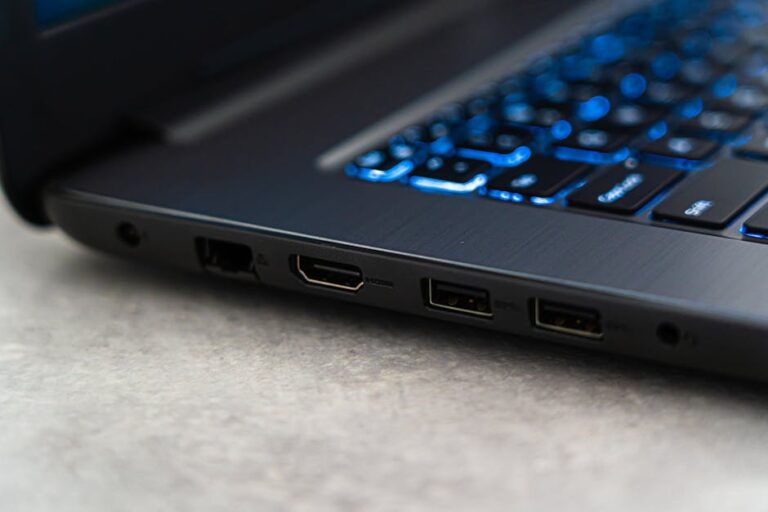
- Ports: USB4/Thunderbolt 4 for fast data transfer and charging, along with standard USB-A and HDMI.
- Wireless: Wi-Fi 7 is emerging, offering blazing-fast speeds and lower latency, essential for online gaming and streaming.
- Operating System: Windows 11 continues to dominate, with macOS being preferred by some creative professionals. ChromeOS offers a lightweight, cloud-centric experience ideal for basic productivity and web browsing.
Budgeting for Your Tech Investment
According to market analysis often cited by NDTV Gadgets, the Indian market offers robust options across various price points:
- Under ₹60,000: Solid options for students focusing on productivity, light content creation, and casual gaming.
- ₹60,000 – ₹1,00,000: The sweet spot for balanced performance, offering good GPUs, faster processors, and better displays.
- ₹1,00,000+: Premium segment for high-end gaming, professional content creation, and cutting-edge features.
Modern Youth Laptops: The Pros & Cons
- Pros:
- Exceptional versatility for academic, creative, and entertainment needs.
- Enhanced portability with lighter, thinner designs and long battery life.
- Integrated AI capabilities for smarter, more efficient workflows.
- Stunning displays (OLED, high refresh rate) for immersive experiences.
- Robust connectivity options, including Wi-Fi 7 and advanced USB ports.
- Cons:
- Higher price points for advanced features and powerful components.
- Limited upgradeability for most modern slim laptops.
- Potential for thermal throttling under heavy, sustained workloads in thin chassis.
- Battery degradation over time, impacting long-term portability.
- The rapid pace of tech innovation can make devices feel outdated quicker.
Frequently Asked Questions
1. What’s the best budget laptop for a college student in 2026?
For under ₹60,000, look for models with an Intel Core i5 (13th/14th Gen) or AMD Ryzen 5 (7000 series), 16GB RAM, and a 512GB NVMe SSD. Prioritize a good IPS display and decent battery life. Brands like ASUS, Acer, and HP often offer excellent value in this segment.
2. Do I really need a dedicated GPU for light gaming and editing?
For light gaming (like esports titles at 1080p medium settings) and basic video editing (1080p footage), the latest integrated GPUs from Intel (Arc) and AMD (Radeon 700M series) are surprisingly capable. However, if you plan on playing AAA games or editing 4K footage, a dedicated GPU is highly recommended.
3. What’s the deal with AI PCs? Are they worth it?
AI PCs, featuring dedicated neural processing units (NPUs), are excellent for offloading AI tasks like live transcription, background blur, and smart search, freeing up your CPU/GPU. While not essential for everyone, they offer significant benefits for content creators, streamers, and those who frequently use AI-powered applications, making your workflow smoother and more efficient.
4. Should I buy a Windows, macOS, or ChromeOS laptop?
Windows: Most versatile for gaming, wide software compatibility, and hardware choices. macOS: Preferred by many creative professionals for its ecosystem, optimized software, and strong security. ChromeOS: Ideal for cloud-centric users, students, and those needing a secure, lightweight, and affordable machine primarily for web-based tasks and light productivity.
Final Thoughts
Your laptop in 2026 is more than just a tool; it’s an extension of your digital identity, propelling you through studies, creative pursuits, and entertainment. By understanding your unique usage patterns and prioritizing the right features like AI-powered processors, brilliant displays, and robust connectivity, you can make an informed choice that truly elevates your experience. Don’t just buy a laptop; invest in your future digital powerhouse.
Looking for more? Explore our smartphone deals section.
About the Author